Via Pro User’s Guide – TouchChat 80
Setting a Page as a Template
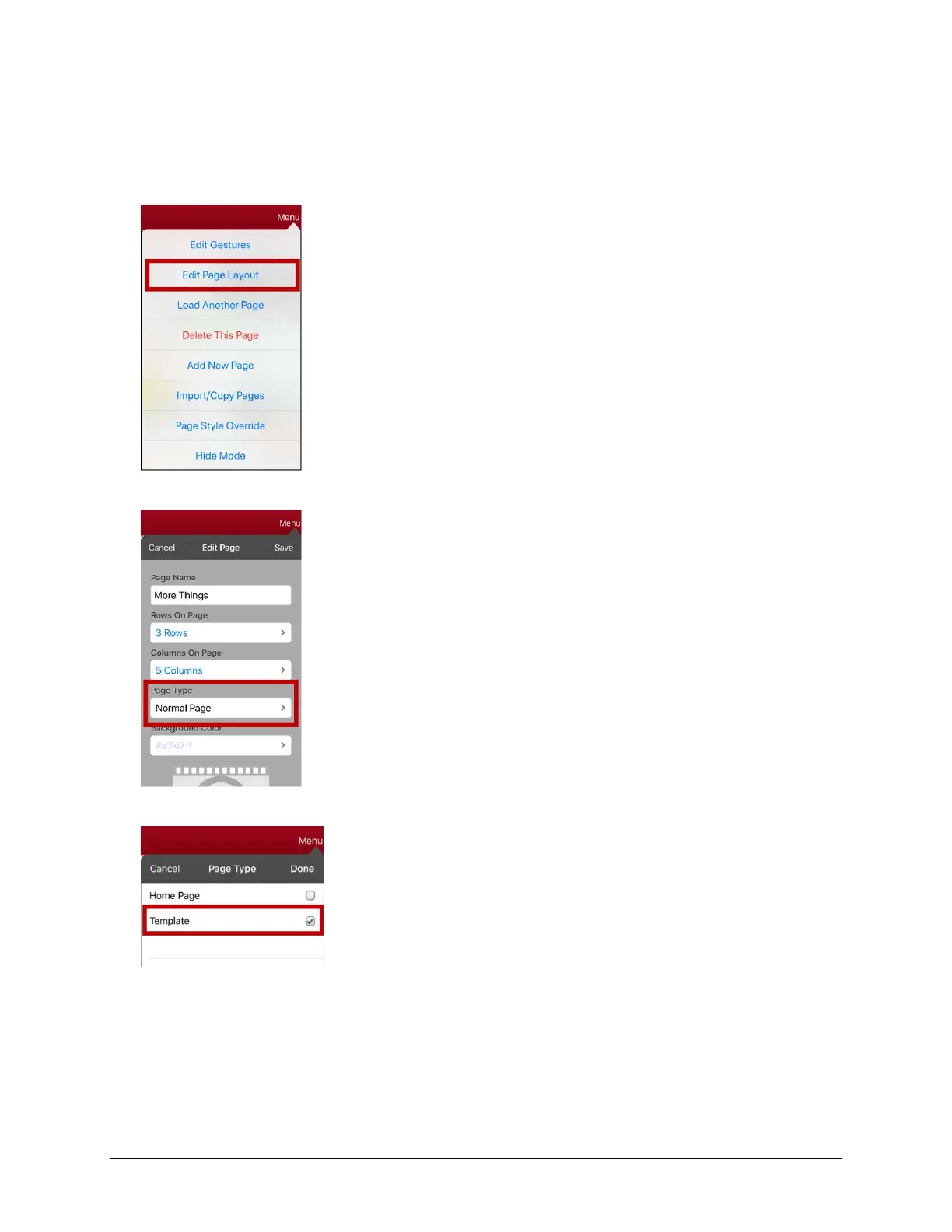
You can use an existing vocabulary page as a template to create new pages quickly.
1. Go to the page you want to use as your home page.
2. Tap Menu and tap Edit Page. The page is now in Edit Mode.
3. Tap Menu. The Edit Page menu opens.
4. Tap Edit Page Layout. The Edit Page window opens.
5. Tap the current Page Type. The Page Type menu opens.
6. Select Template.
7. Tap Done and then tap Save.
8. The new template page is displayed with the name you gave it.
9. Add buttons and formatting to the page as needed.
10. When you finish, tap Done to exit Edit Mode.
Note: To use this template to create a page, see “Creating a New Page from a Template”.



 To Next Page