Via Pro User’s Guide – TouchChat 77
Copying a Page from a Different Vocabulary File
There are times that borrowing previously created pages could be a time saver. TouchChat allows you to
import multiple pages at one time.
1. Have your vocabulary file open.
2. Tap Menu and tap Edit Page.
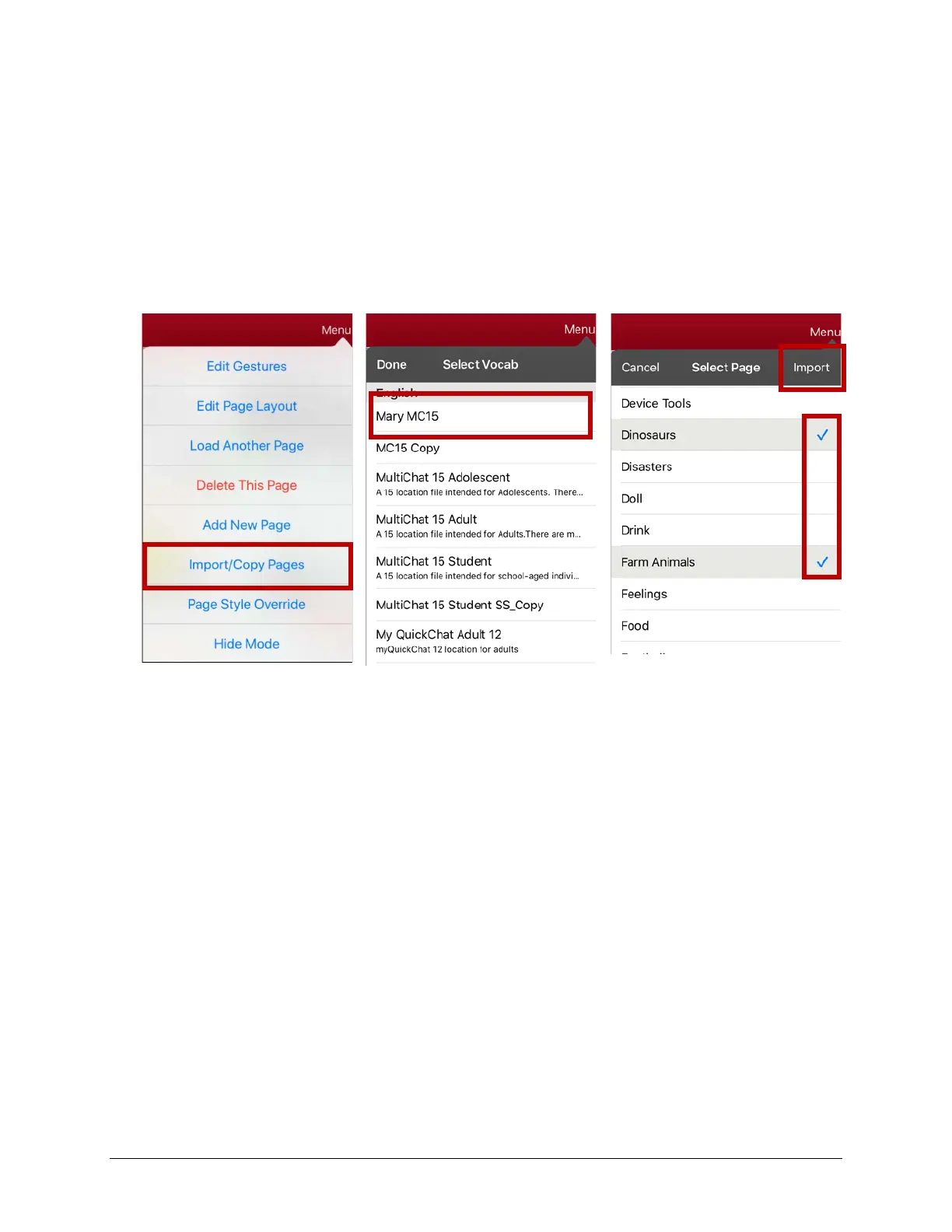
3. Tap Menu and tap Import/Copy Pages.
4. Tap Import Another Page.
5. Tap the vocabulary file that contains the page you want and tap the appropriate pages to import. A
checkmark will appear following each page you tap.
6. Import and tap Done.
7. While still in Edit Mode, tap the button that you want to navigate to the imported pages.
8. Tap Edit This Button.
9. Give the button a label and, if needed, an icon and make any style changes you want.
10. Scroll to Button Actions, tap Add, and then tap Navigate.
11. Tap the page you imported.
12. Tap an animation or No Animation.
13. Tap Save and tap Done.



 To Next Page