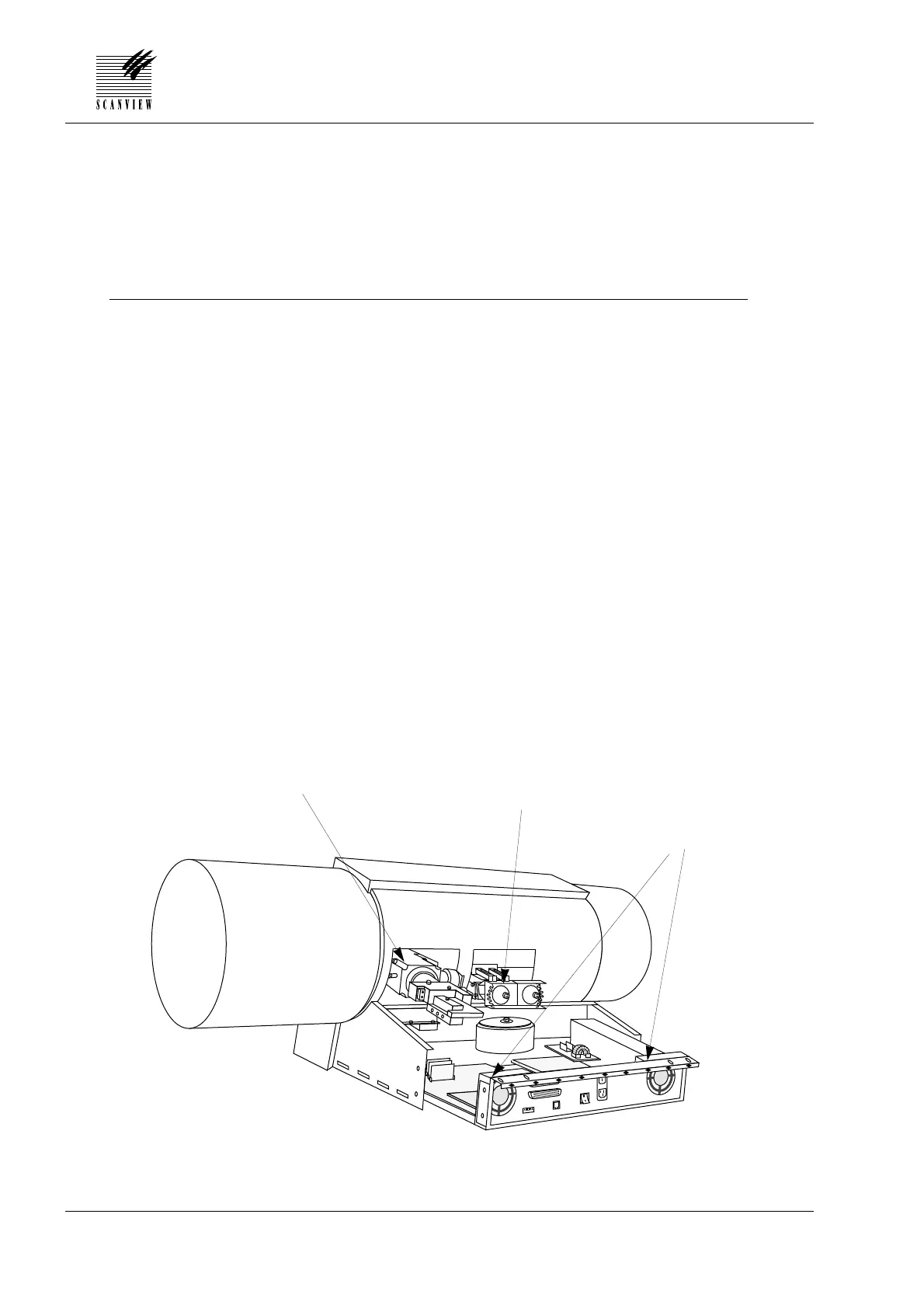
Clean the hardware unit and mechanical parts
Tools and material required:
Vacuum cleaner
Operation:
1 • Remove the following covers:
Lamp cover A and back cover B, (section 4•2 steps 1 and 2).
2 • Remove the two 2.5 mm countersunk screws on each side of the
hardware unit and carefully slide the unit partially out.
3 • Very carefully, vacuum clean the inside of the hardware unit, paying
particlarly attention to the area around the ventilation fans.
4 • Vacuum clean carefully around the sensor module and transmis-
sion and reflection lamps.
5 • Slide the hardware unit fully in (connector J1 on the driver board
mates with the backplane) and fit the two 2.5 mm countersunk
allen screws on each side of the unit.
6 • Refit the covers removed in step 1 in accordance with section 4•2.
Service Manual • ScanMate 4000/5000 Edition 1 • January 1996
6•6
6 • CLEANING AND MAINTENANCE
Sensor module
Ventilation fans
Reflection/transmission
lamps



 To Next Page