Clean the sensor optics
Tools and material required:
Cotton swab or lint free cloth
Operation:
1 • Remove the drum.
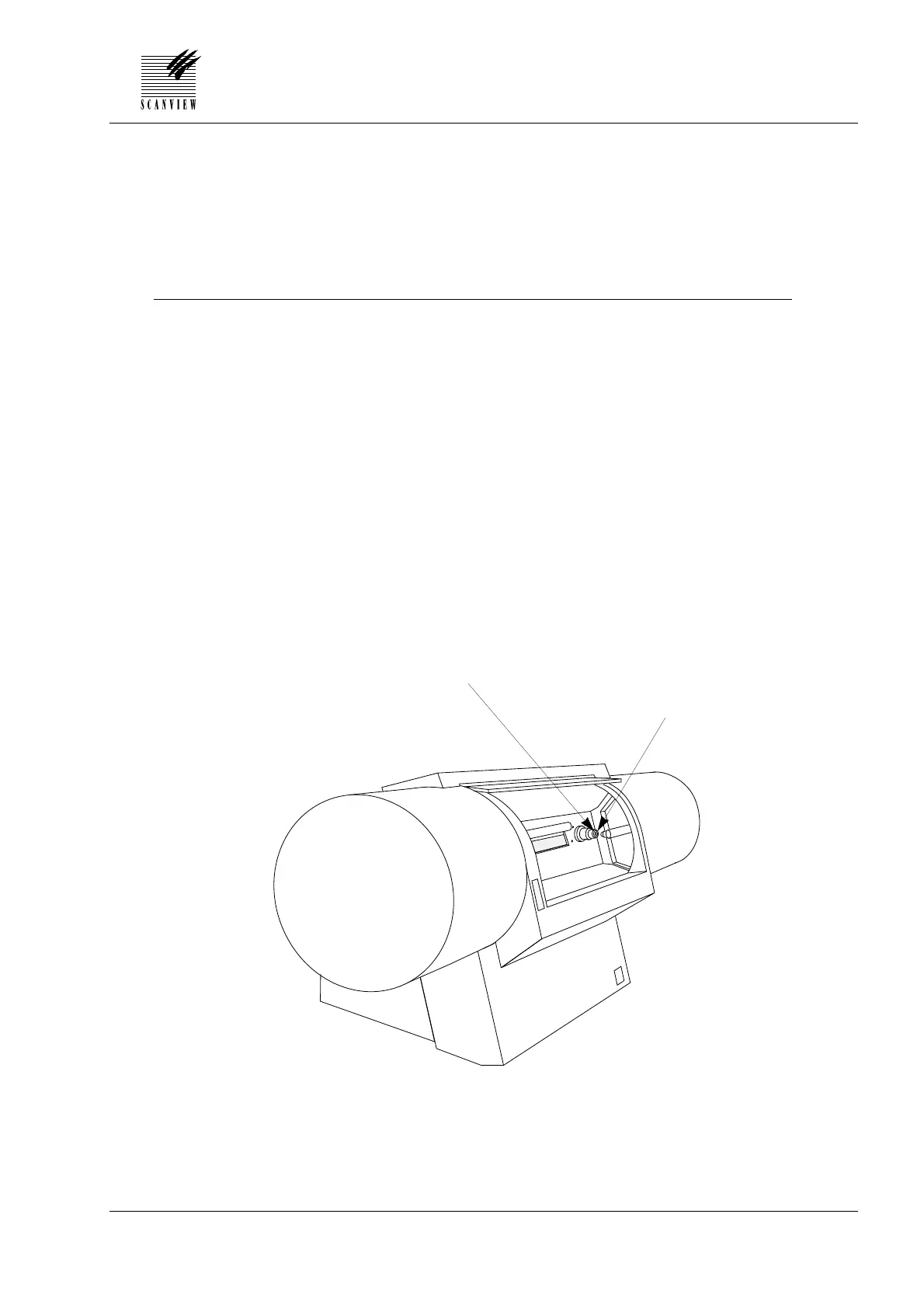
2 • Loosen the 3 mm set screw A securing the sensor optics holder
over the lens of the sensor and remove the holder.
3 • Using a dry cotton swab, (or lint free cloth), carefully clean the
optics on both sides.
4 • Refit the optics holder to the sensor lens and tighten the 3 mm set
screw A.
6 • CLEANING AND MAINTENANCE
Edition 1 • January 1996 Service Manual • ScanMate 4000/5000
6•7
ScanMate 4000 shown
(SM 5000 is identical)
Set screw A securing
optics holder
Sensor optics holder



 To Next Page