UserManualofIRNetworkSpeedDome
34
2. ConfiguretheNICsettings,includingtheIPv4(IPv6)Address,IPv4(IPv6)Subnet
MaskandIPv4(IPv6)DefaultGateway.
3. Click tosavetheabovesettings.
Notes:
z IftheDHCPserverisavailable,youcancheck toautomaticallyobtain
anIPaddressandothernetworksettingsfromthatserver.
z ThevalidvaluerangeofMaximumTransmissionUnit(MTU)is500~9676.The
defaultvalueis1500.
z TheMulticastsendsastreamtothemulticastgroupaddressandallowsmultiple
clientstoacquirethestreamatthesametimebyrequestingacopyfromthe
multicastgroupaddress.
Beforeutilizingthisfunction,youhavetoenabletheMulticastfunctionofyour
routerandconfigurethegatewayofthenetworkspeeddome.
z IftheDNSserversettingsarerequiredforsomeapplications(e.g.,sending
email),youshouldproperlyconfigurethePreferredDNSServerandAlternate
DNSserver.
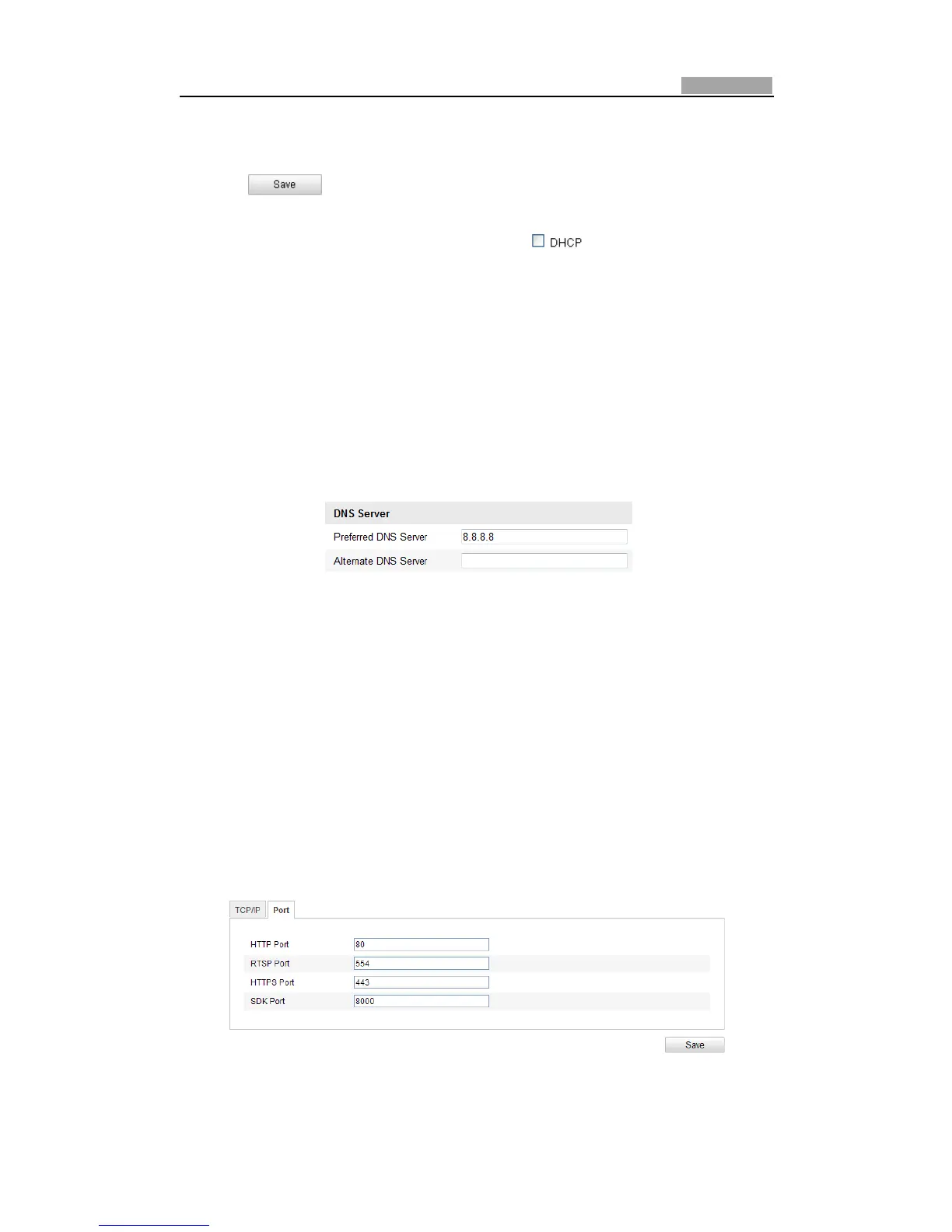
Figure6Ͳ8 DNSServerSettings
Note:TheroutermustsupporttherouteadvertisementfunctionifyouselectRoute
AdvertisementastheIPv6mode.
6.3.2 ConfiguringPortSettings
Purpose:
If there is a router and you want to access the speed dome through Wide Area
Network(WAN),youneedtoforwardthe3portsforthespeeddome.
Steps:
1. EnterthePortSettingsinterface:
Configuration>BasicConfiguration>Network>Port
OrConfiguration>AdvancedConfiguration>Network>Port
Figure6Ͳ9 PortSettings
2. SettheHTTPport,RTSPportandportofthespeeddome.



 To Next Page