UserManualofIRNetworkSpeedDome
65
Chapter7 RecordSettings
Beforeyoustart:
Toconfigurerecordsettings,pleasemakesurethatyouhavethenetworkstorage
devicewithinthenetworkortheSDcardinsertedinyourspeeddome.
7.1 ConfiguringNASSettings
Beforeyoustart:
Thenetworkdiskshouldbeavailablewithinthenetworkandproperlyconfiguredto
storetherecordedfiles,logfiles,etc.
Steps:
1. Addthenetworkdisk
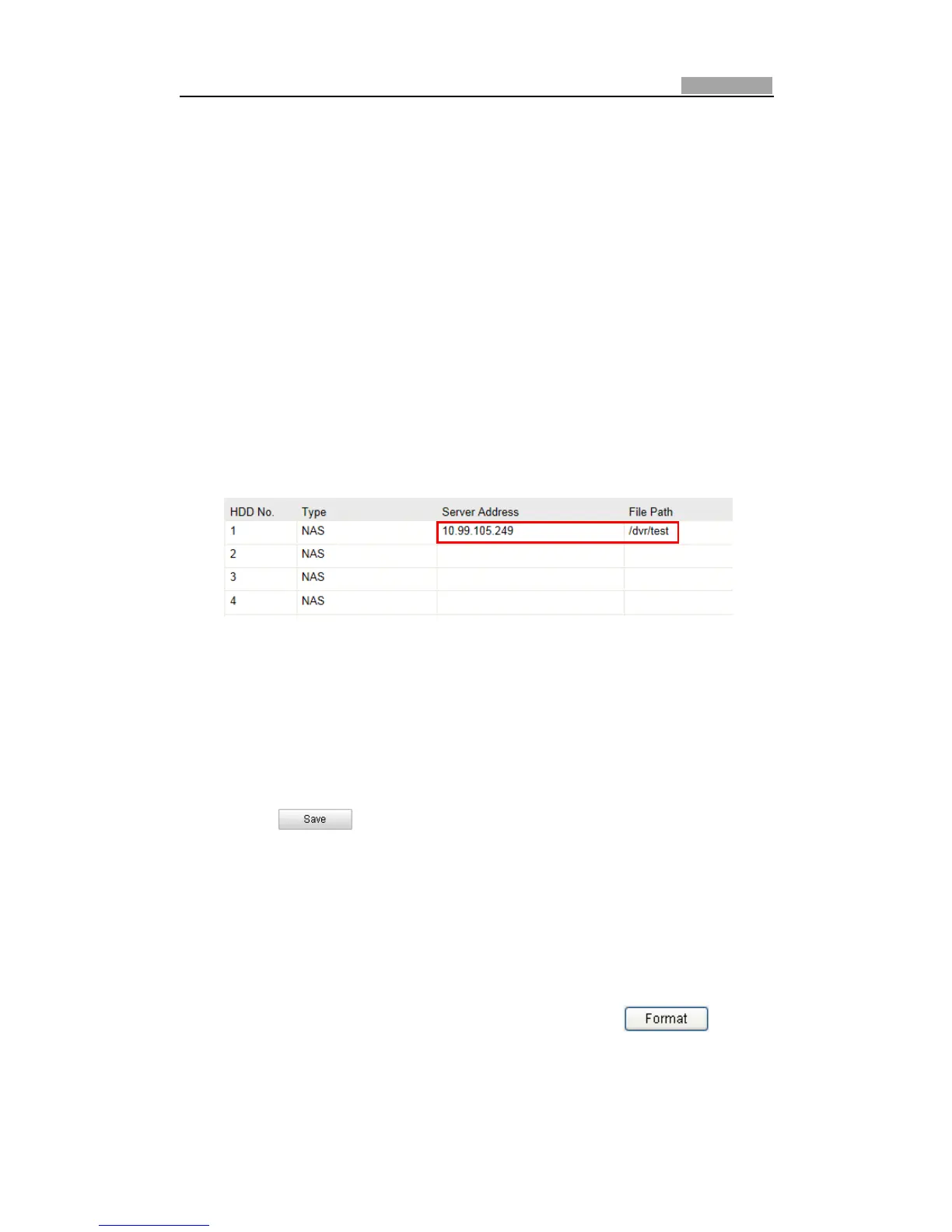
(1) EntertheNAS(NetworkͲAttachedStorage)Settingsinterface:
Configuration>AdvancedConfiguration>Storage>NAS
Figure7Ͳ1 AddNetworkDisk
(2) EntertheIPaddressofthenetworkdisk,andthedefaultformatoffilepathis
/dvr/shareasshowninFigure7Ͳ1.
Note:ThenetworkdiskfilepathnameshareisuserͲdefinedwhilecreatingthe
DVRnetworkstorage.PleaserefertotheUserManualofNASforcreatingthefile
path.
(3) Click toaddthenetworkdisk.
Note:Afterhavingsavedsuccessfully,youneedtorebootthespeeddometo
activatethesettings.
2. Initializetheaddednetworkdisk.
(1) Enter the HDD Settings interface (Advanced Configuration > Storage >
StorageManagement),inwhichyoucanviewthecapacity,freespace,status,
typeandpropertyofthedisk.
(2) If the status of the disk is Uninitialized as shown in Figure 7Ͳ2, check the
corresponding checkbox to select the disk and click to start
initializingthedisk.



 To Next Page