UserManualofIRNetworkSpeedDome
83
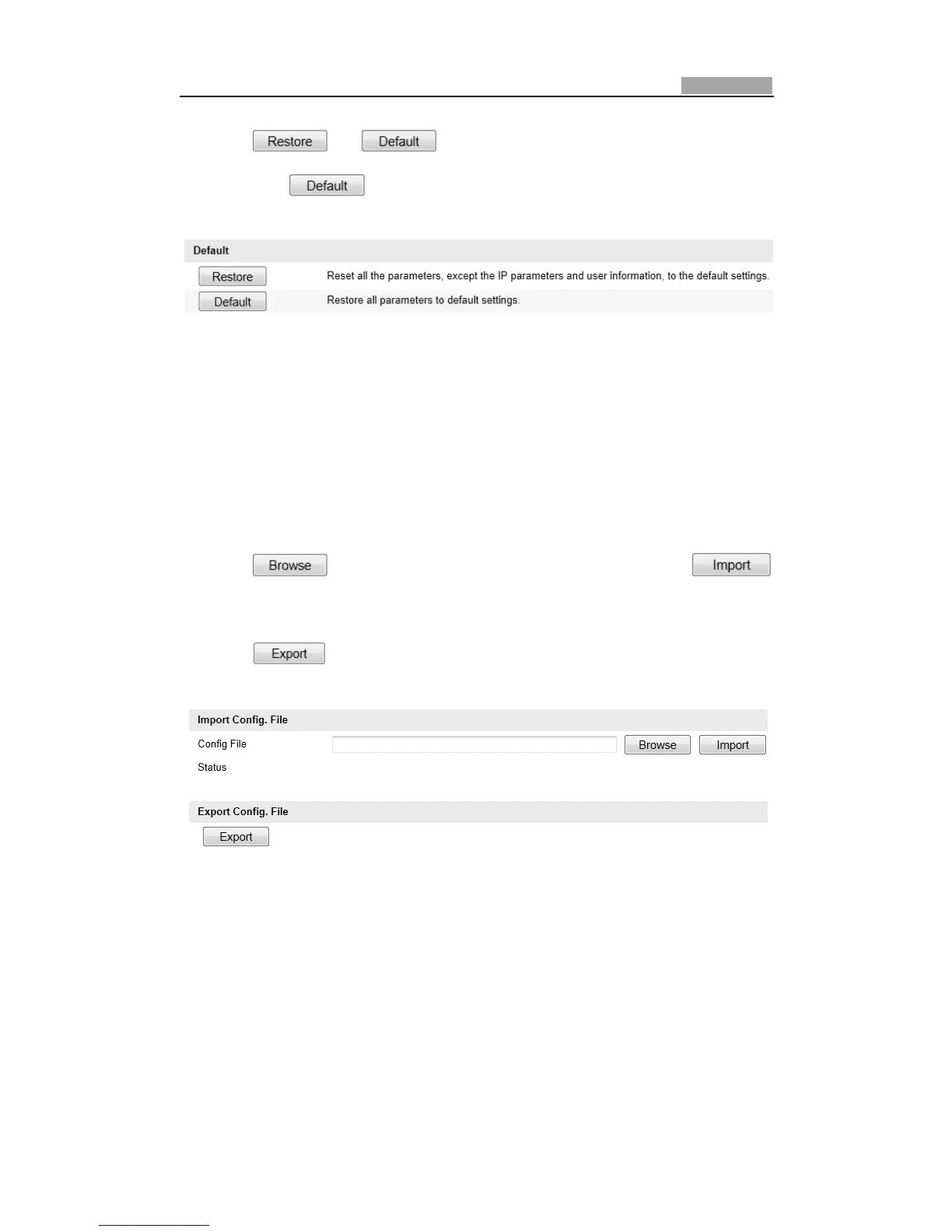
2. Click or torestorethedefaultsettings.
Note: Clicking restores all the parameters to default settings including
theIPaddressanduserinformation.Pleaseusethisbuttonwithcaution.
Figure10Ͳ11 RestoreDefaultSettings
10.6.3 Importing/ExportingConfigurationFile
Steps:
1. EntertheMaintenanceinterface:
Configuration>BasicConfiguration>System>Maintenance
OrConfiguration>AdvancedConfiguration>System>Maint enance
2. Click toselectthelocalconfigurationfileandthenclick
tostartimportingconfigurationfile.
Note:Youneedtorebootthespeeddomeafterimportingconfigurationfile.
3. Click and set the saving path to save the configuration file in local
storage.
Figure10Ͳ12 Import/ExportConfigurationFile
10.6.4 UpgradingtheSystem
Steps:
1. EntertheMaintenanceinterface:
Configuration>BasicConfiguration>System>Maintenance
OrConfiguration>AdvancedConfiguration>System>Maint enance



 To Next Page