Appendix2PortMapping
ThefollowingsettingsareforTPͲLINKrouter (TLͲR410).Thesettingsvarydepending
ondifferentmodelsofrouters.
Steps:
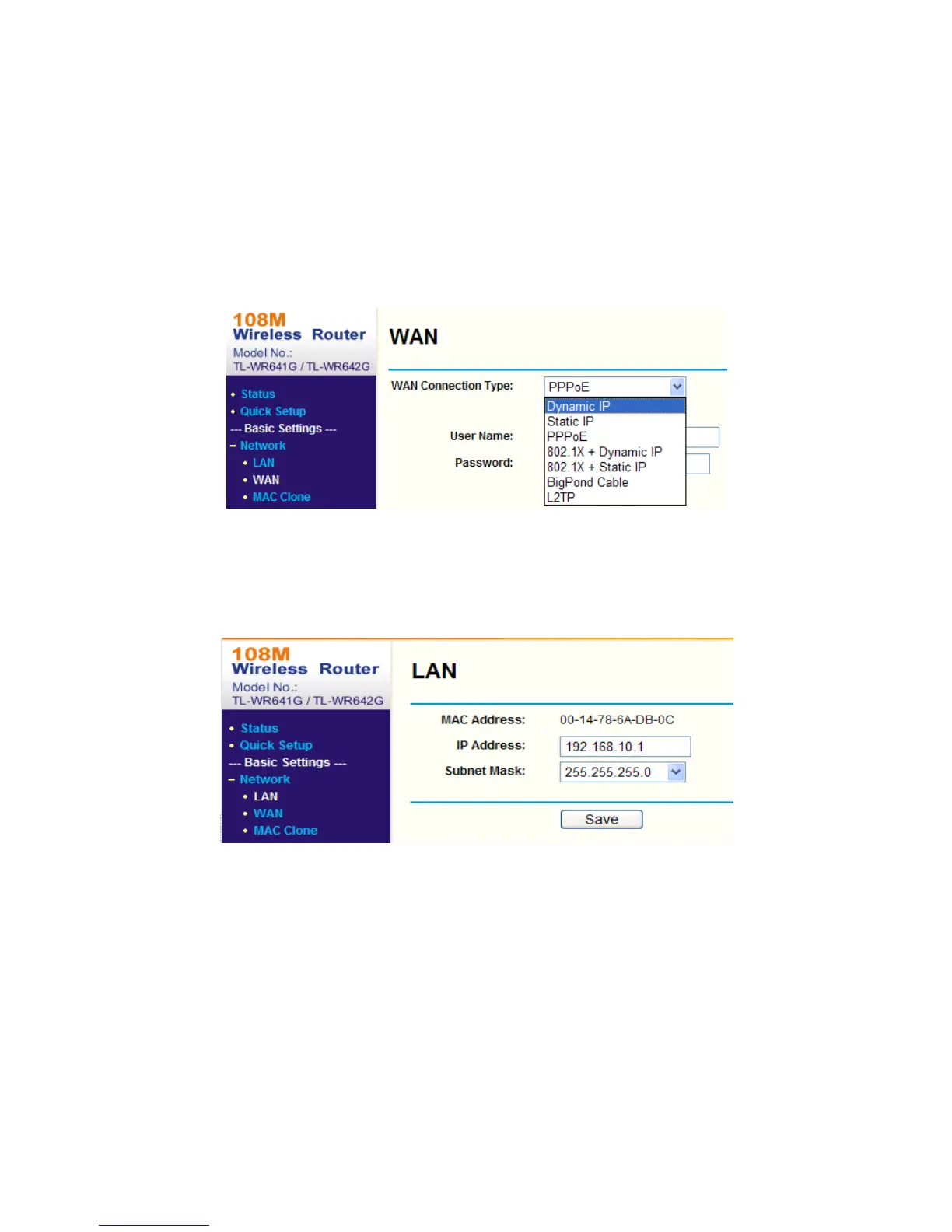
1. SelecttheWANConnectionType,asshownbelow:
FigureA.2.1SelecttheWANConnectionType
2. Set the LAN parameters of the router as in the following figure, including IP
addressandsubnetmasksettings.
FigureA.2.2SettheLANparameters
3. Set the port mapping in the virtual severs of Forwarding. You need to forward
ports80,8000,8200~8210and554foraspeeddome.
Notes:
z You can change 80, 8000 and 554 ports value in the speed dome with web
browserorclientsoftware.
z In the speed dome, the 8200~8210 ports change with the 8000 port with a
constant value of 200. E.g. if the 8000 port is changed to 8005, then the
8200~8210portsshouldbechangedto8205~8215.



 To Next Page