UserManualofIRNetworkSpeedDome
87
information; you can click to expand the device table and hide the
network parameter panel on the right side, or click to show the
networkparameterpanel.
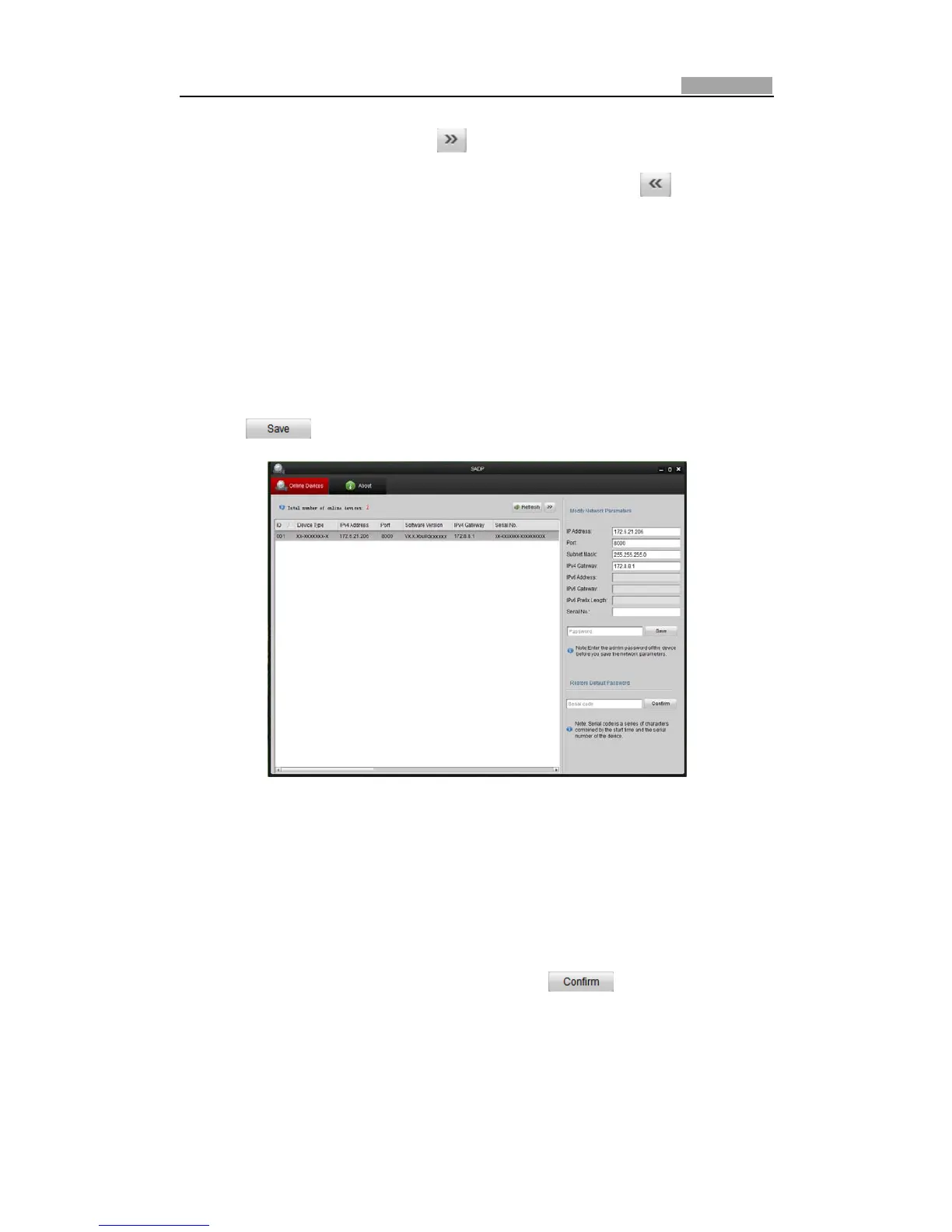
z Modifynetworkparameters
Steps:
1. Selectthedevicetobemodifiedinthedevicelistandthenetworkparametersof
the device will be displayed in the Modify Network Parameters panel on the
rightside.
2. Editthemodifiablenetworkparameters,e.g.IPaddressandportnumber.
3. EnterthepasswordoftheadminaccountofthedeviceinthePasswordfieldand
click tosavethechanges.
FigureA.1.2ModifyNetworkParameters
z
Restoredefaultpassword
Steps:
1. Contactourtechnicalengineerstogettheserialcode.
Note:Serialcodeisa seriesofcharacterscombinedbythe starttimeand theserial
numberofthedevice.
2. InputthecodeintheSerialcodefieldandclick torestorethedefault
password.



 To Next Page