UserManualofIRNetworkSpeedDome
35
HTTPPort:Thedefaultportnumberis80.
RTSPPort:Thedefaultportnumberis554.
HTTPSPort:Thedefaultportnumberis443.
SDKPort:Thedefaultportnumberis8000.
3. Click tosavethesettings.
6.3.3 ConfiguringPPPoESettings
Purpose:
If you have no router but only a modem, you can use PointͲtoͲPoint Protocol over
Ethernet(PPPoE)function.
Steps:
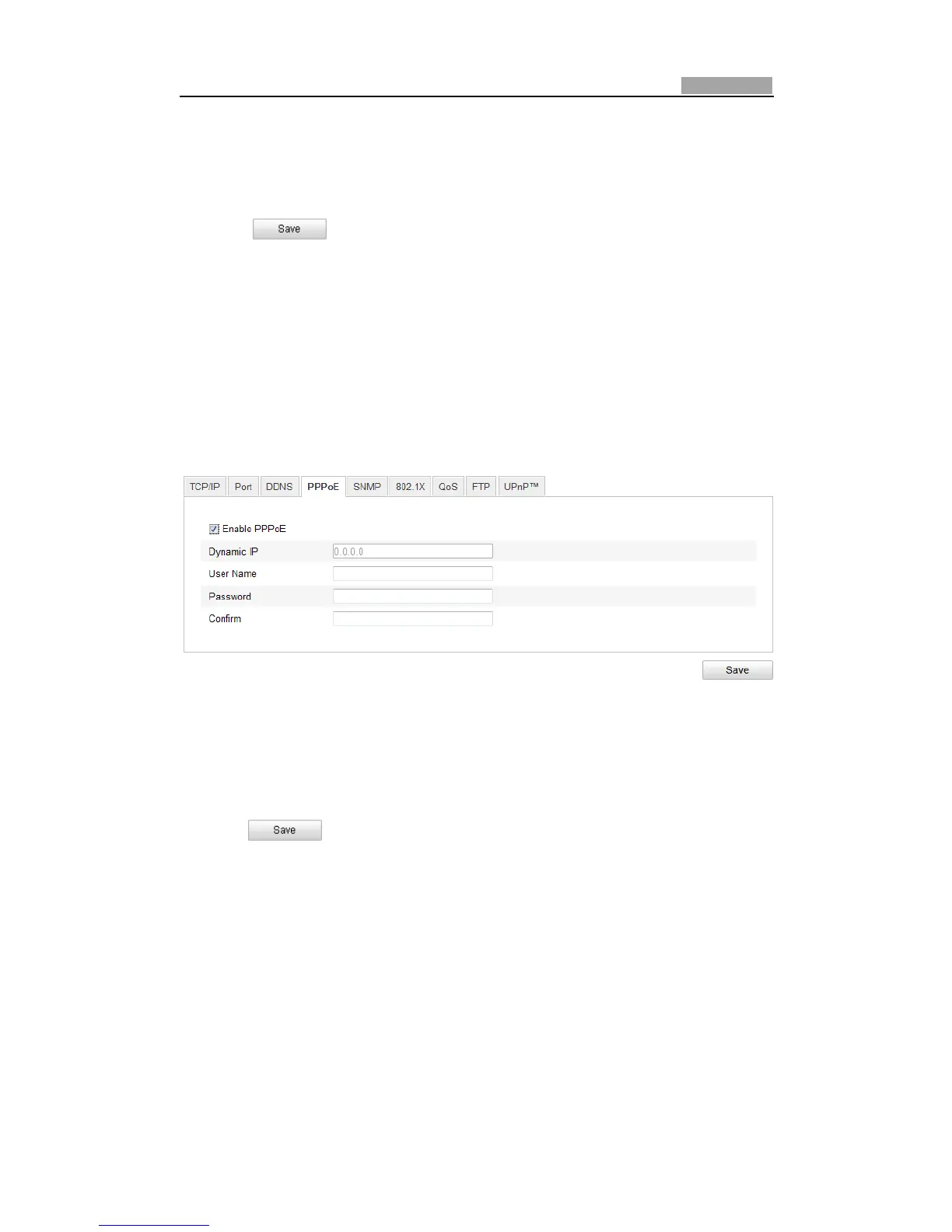
1. EnterthePPPoESettingsinterface:
Configuration>AdvancedConfiguration>Network>PPPoE
Figure6Ͳ10 PPPoESettings
2. ChecktheEnablePPPoEcheckboxtoenablethisfeature.
3. EnterUserName,Password,andConfirmpasswordforPPPoEaccess.
Note:TheUserNameandPasswordshouldbeassignedbyyourISP.
4. Click tosaveandexittheinterface.
6.3.4 ConfiguringDDNSSettings
Purpose:
If your speed dome is set to use PPPoE as its default network connection, you can
usetheDynamicDNS(DDNS)fornetworkaccess.
Beforeyoustart:
RegistrationontheDDNSserverisrequiredbeforeconfiguringtheDDNSsettingsof
thespeeddome.
Steps:
1. EntertheDDNSSettingsinterface:



 To Next Page