UserManualofIRNetworkSpeedDome
36
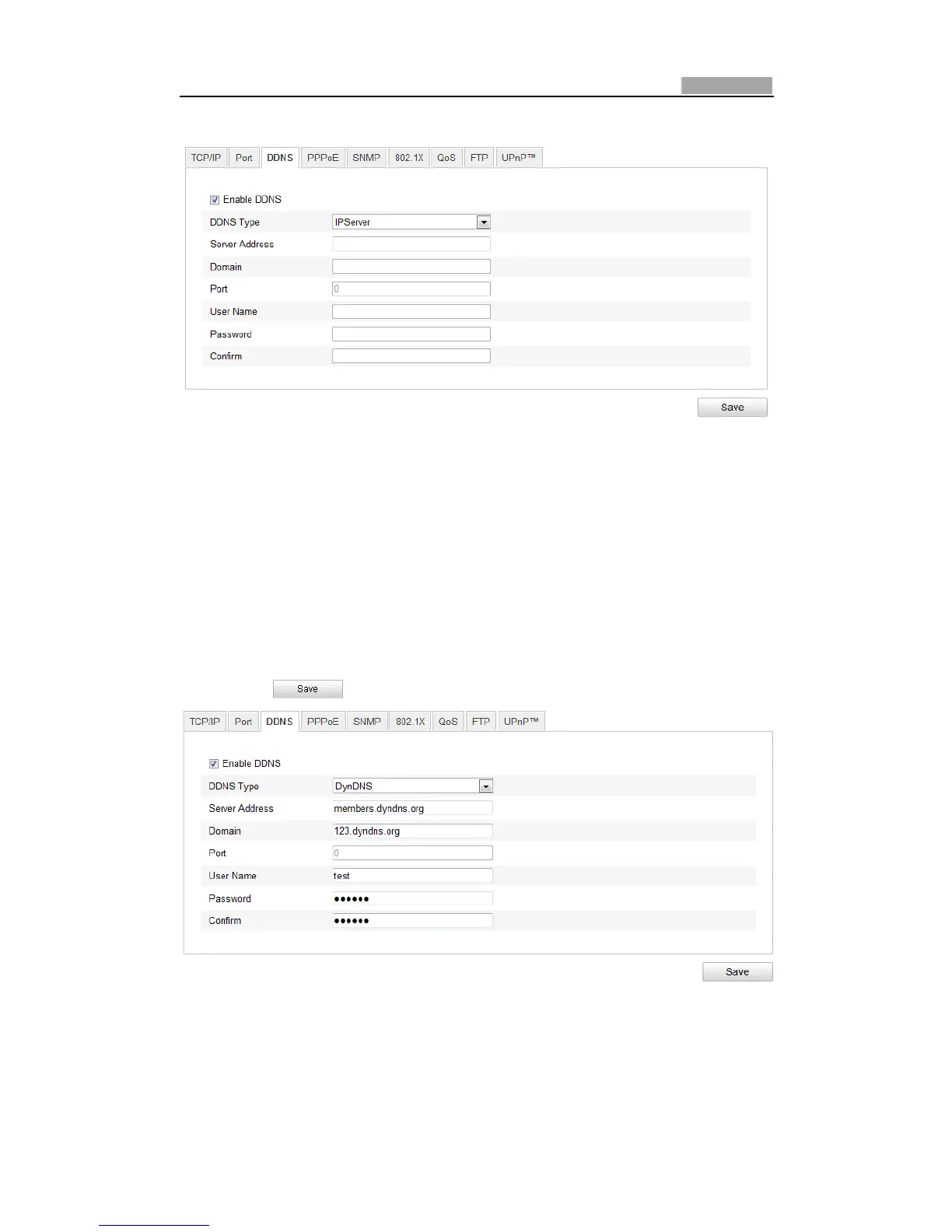
Configuration>AdvancedConfiguration>Network>DDNS
Figure6Ͳ11 DDNSSettings
2. ChecktheEnableDDNScheckboxtoenablethisfeature.
3. SelectDDNSType.ThreeDDNStypesareselectable:IPServer,SIMPLEDDNSand
DynDNS.
z DynDNS:
Steps:
(1) EnterServerAddressofDynDNS(e.g.members.dyndns.org).
(2) IntheDomaintextfield,enterthedomainnameobtainedfromtheDynDNS
website.
(3) EnterthePortofDynDNSserver.
(4) EntertheUserNameandPasswordregisteredontheDynDNSwebsite.
(5) Click tosavethesettings.
Figure6Ͳ12 DynDNSSettings
z IPServer:



 To Next Page