UserManualofIRNetworkSpeedDome
23
hideit.
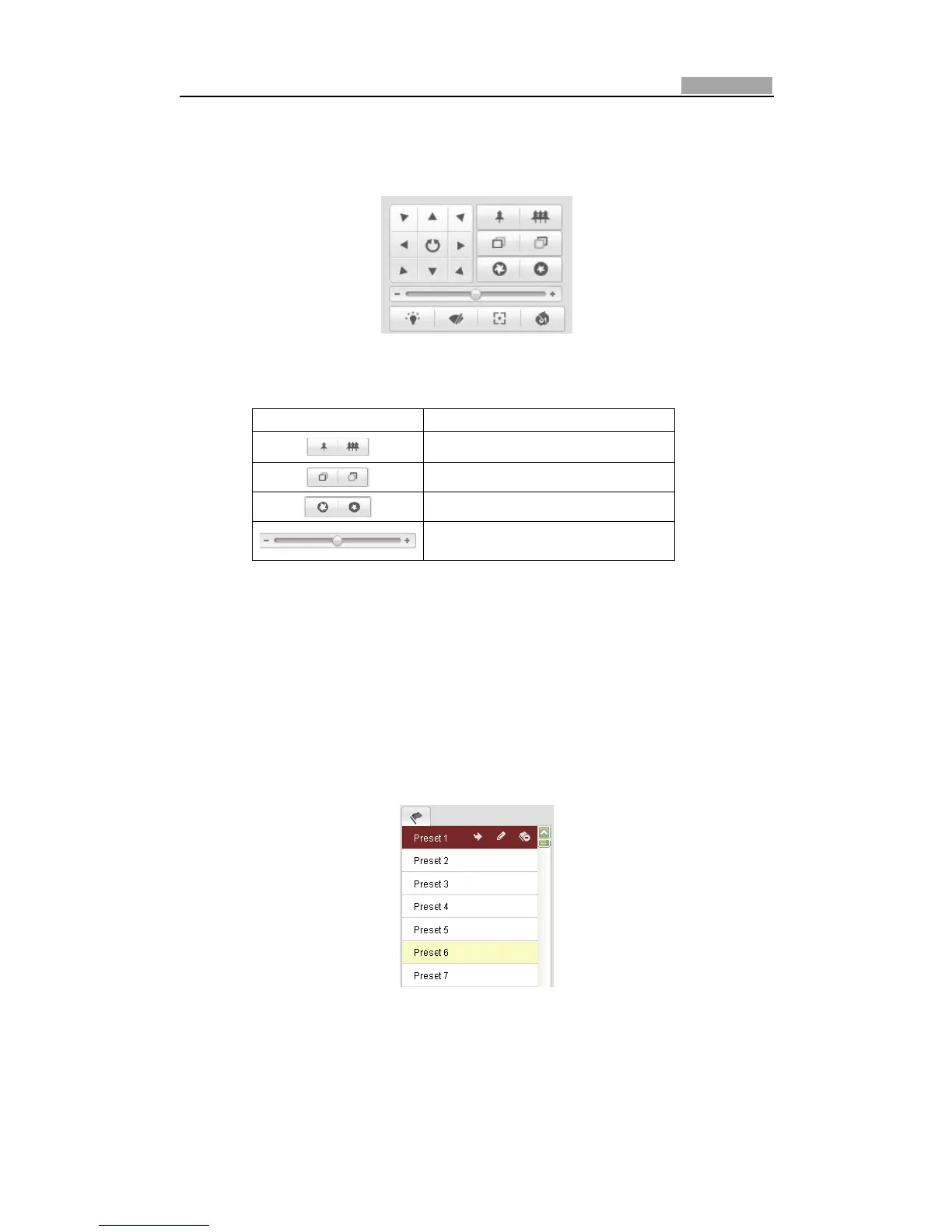
Clickthedirectionbuttonstocontrolthepan/tiltmovements.
Clickthezoom/iris/focusbuttonstorealizelenscontrol.
Figure4Ͳ3 PTZControlPanel
Table4Ͳ2 DescriptionsofPTZControlPanel
Button Description
Zoomin/out
Focusnear/far
Irisopen/close
Adjustspeedofpan/tiltmovements
4.4.2 Setting/CallingaPreset
Purpose:
A preset is a predefined image position. For the defined preset, you can click the
callingbuttontoquicklyviewthedesiredimageposition.
z SettingaPreset:
Steps:
1. InthePTZcontrolpanel,selectapresetnumberfromthepresetlist.
Figure4Ͳ4 SettingaPreset
2. UsethePTZcontrolbuttonstomovethelenstothedesiredposition.
•Panthespeeddometotherightorleft.



 To Next Page