UserManualofIRNetworkSpeedDome
84
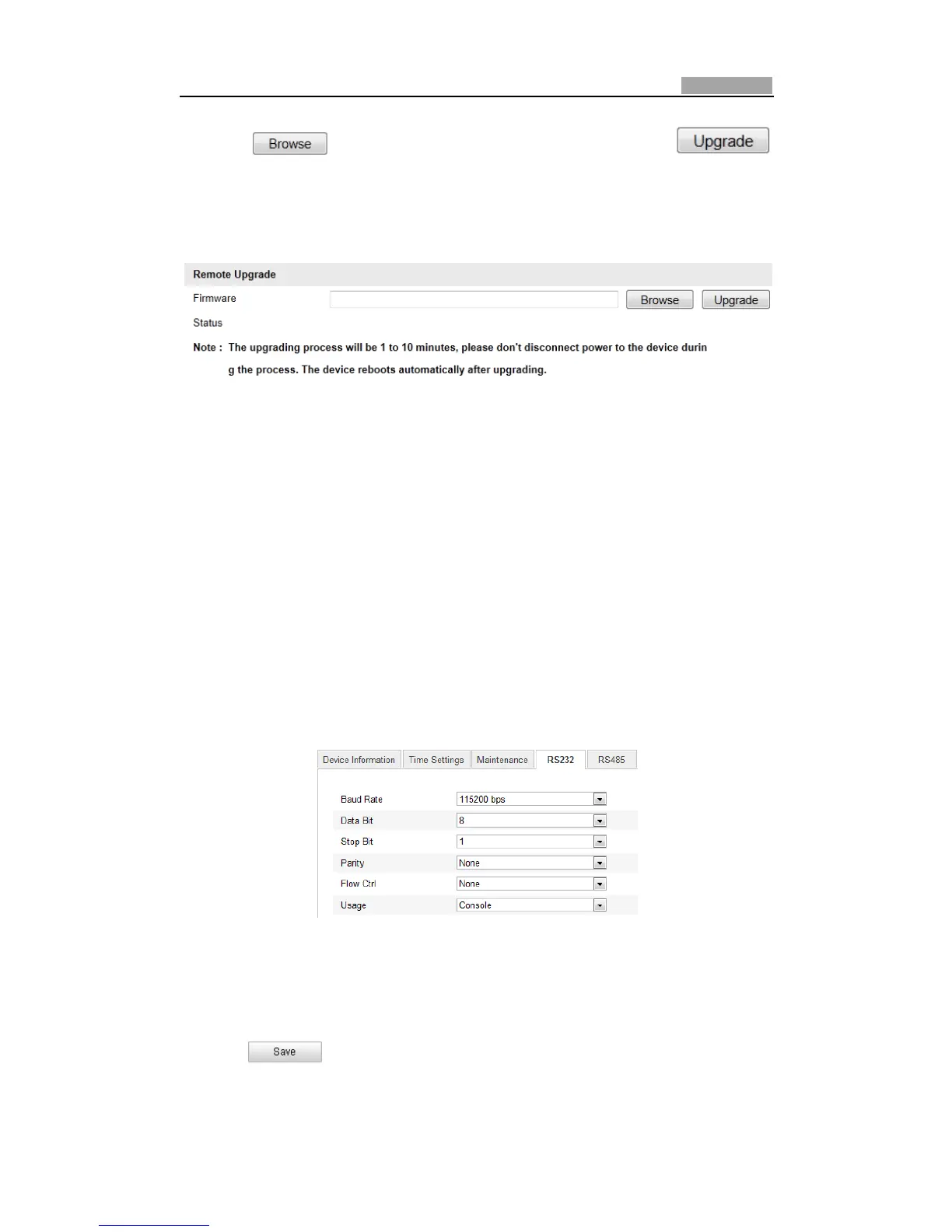
2. Click to select the local upgrade file and then click
tostartremoteupgrade.
Note: The upgrading process will tak e 1 to 10 minutes. Please don't disconnect
powerofthespeeddomeduringtheprocess.Thespeeddomerebootsautomatically
afterupgrading.
Figure10Ͳ13 RemoteUpgrade
10.7 RSͲ232Settings
Purpose:
TheRSͲ232portcanbeusedintwoways:
z ParametersConfiguration:Connectacomputertothecamerathroughtheserial
port. Device parameters can be configured by using software such as
HyperTerminal. The serial port parameters mustbethesame as the serial port
parametersofthecamera.
z Transparent Channel: Connect a serial device directly to the camera. The serial
devicewillbecontrolledremotelybythecomputerthroughthenetwork.
Steps:
1. EnterRSͲ232PortSettinginterface:
Configuration>AdvancedConfiguration>System>RS232
Figure10Ͳ14 RSͲ232Settings
Note:If youwanttoconnectthecamera by theRSͲ232 port,the parameters ofthe
RSͲ232shouldbeexactlythesamewiththeparametersyouconfiguredhere.
2. Click tosavethesettings.



 To Next Page