UserManualofIRNetworkSpeedDome
53
6. Click toactivateabovesettings.
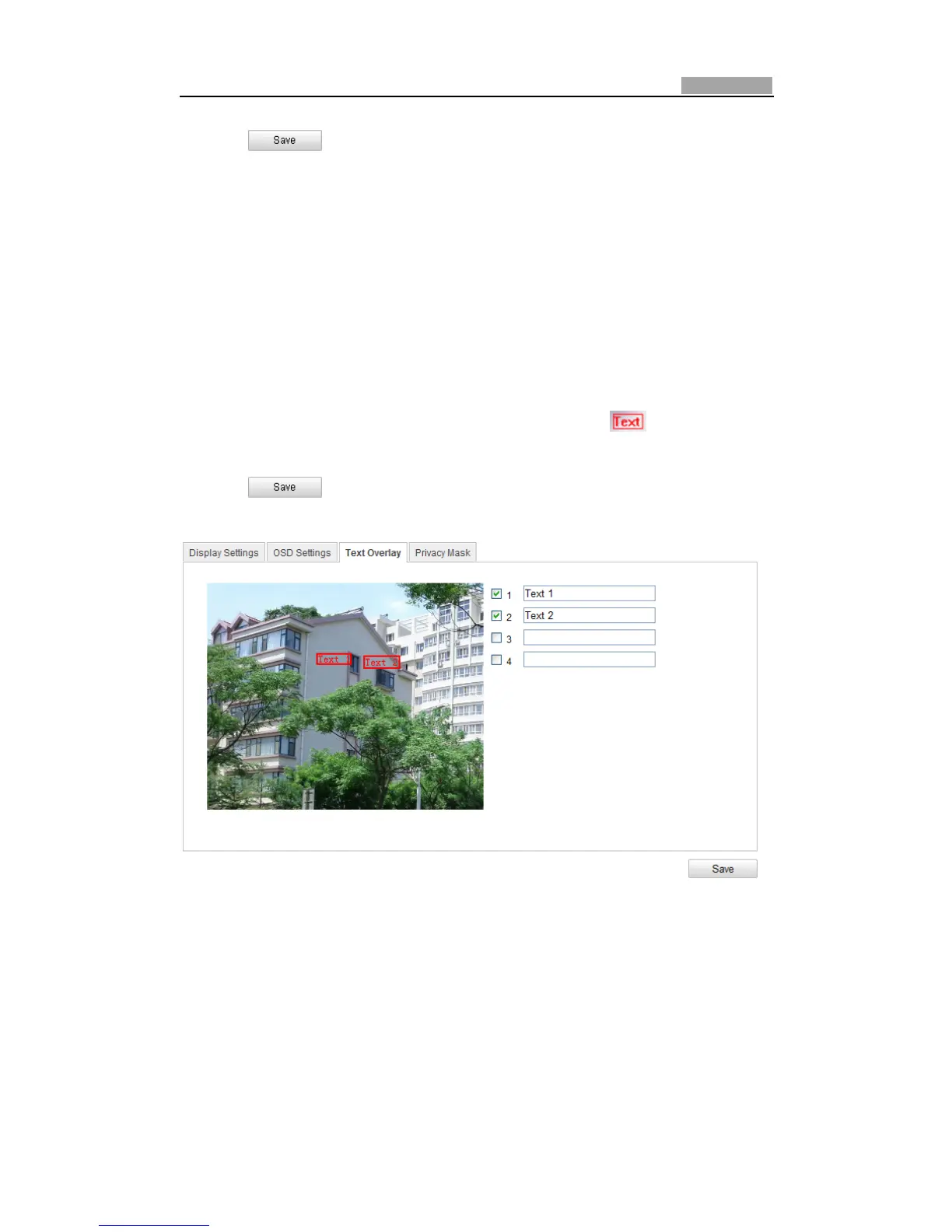
6.5.3 ConfiguringTextOverlaySettings
Purpose:
Youcancustomizethetextoverlay.
Steps:
1. EntertheTextOverlaySettingsinterface:
Configuration>AdvancedConfiguration>Image>TextOverlay
2. CheckthecheckboxinfrontoftextboxtoenabletheonͲscreendisplay.
3. Inputthecharactersinthetextbox.
4. Use the mouse to click and drag the red text frame in the live view
windowtoadjustthetextoverlayposition.
5. Click .
Note:Thereareupto4textoverlaysconfigurable.
Figure6Ͳ36 TextOverlaySettings
6.6 ConfiguringandHandlingAlarms
Purpose:
Thissectionexplainshowtoconfigurethenetworkspeeddometorespondtoalarm
events, including motion detection, external alarm input, tamperͲproof and



 To Next Page