UserManualofIRNetworkSpeedDome
54
exception. These events can trig ger the alarm actions, such as Notify Surveillance
Center,SendEmail,TriggerAlarmOutput,etc.
Forexample, whenanexternalalarmis triggered,thenetworkspeeddomesendsa
notificationtoaneͲmailaddress.
6.6.1 ConfiguringMotionDetection
Purpose:
Motion detection is a feature which can trigger alarm actions and actions of
recordingvideoswhenthemotionoccurredinthesurveillancescene.
Steps:
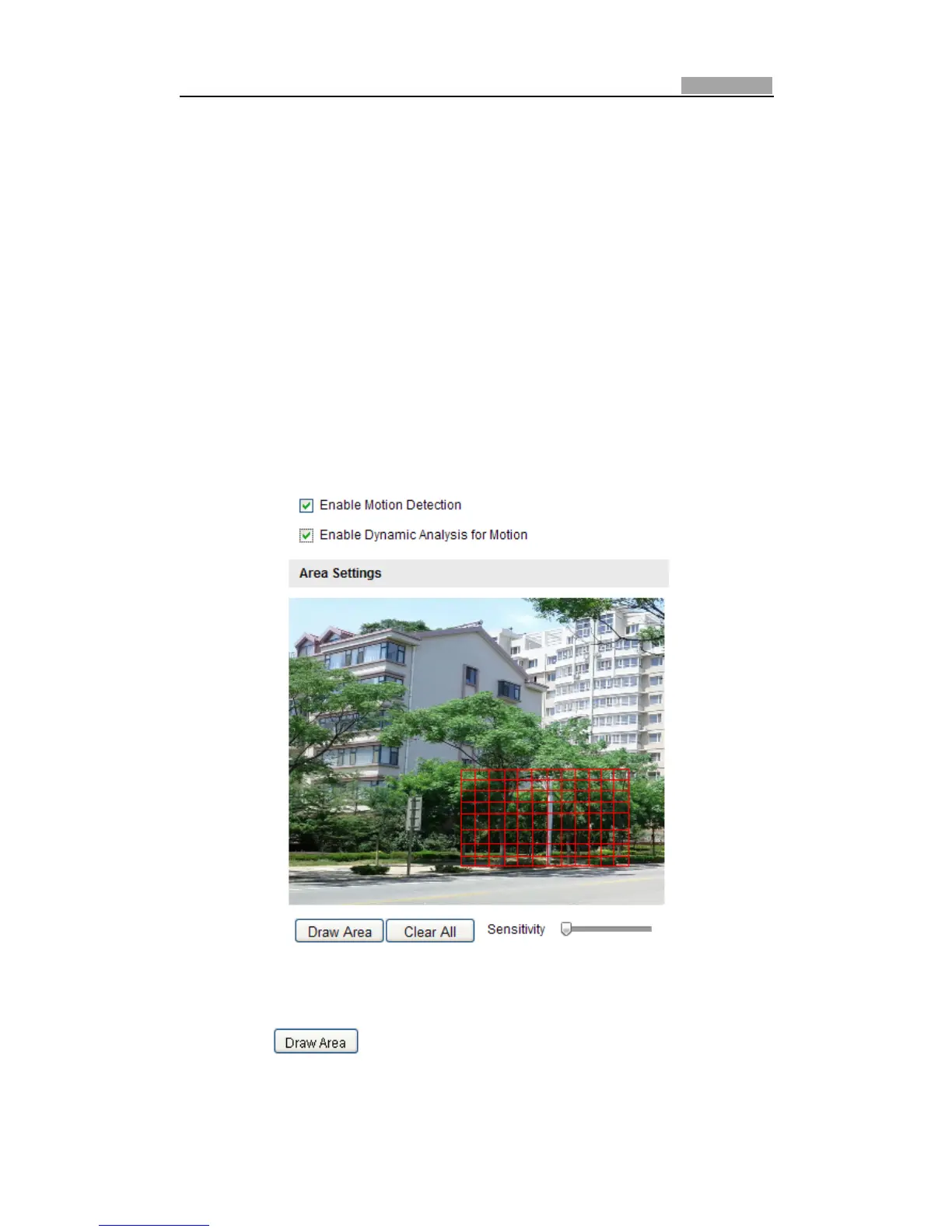
1. SettheMotionDetectionArea.
Steps:
(1) Enterthemotiondetectionsettingsinterface
Configuration>AdvancedConfiguration>Events>MotionDetection
(2) Checkthecheckbox
ofEnableMotionDetection.
Figure6Ͳ37 EnableMotionDetection
(3) Click .Clickanddragthemouseonthelivevideoimagetodraw
amotiondetectionarea.
Note:Youcandrawupto8motiondetectionareasonthesameimage.



 To Next Page