UserManualofIRNetworkSpeedDome
13
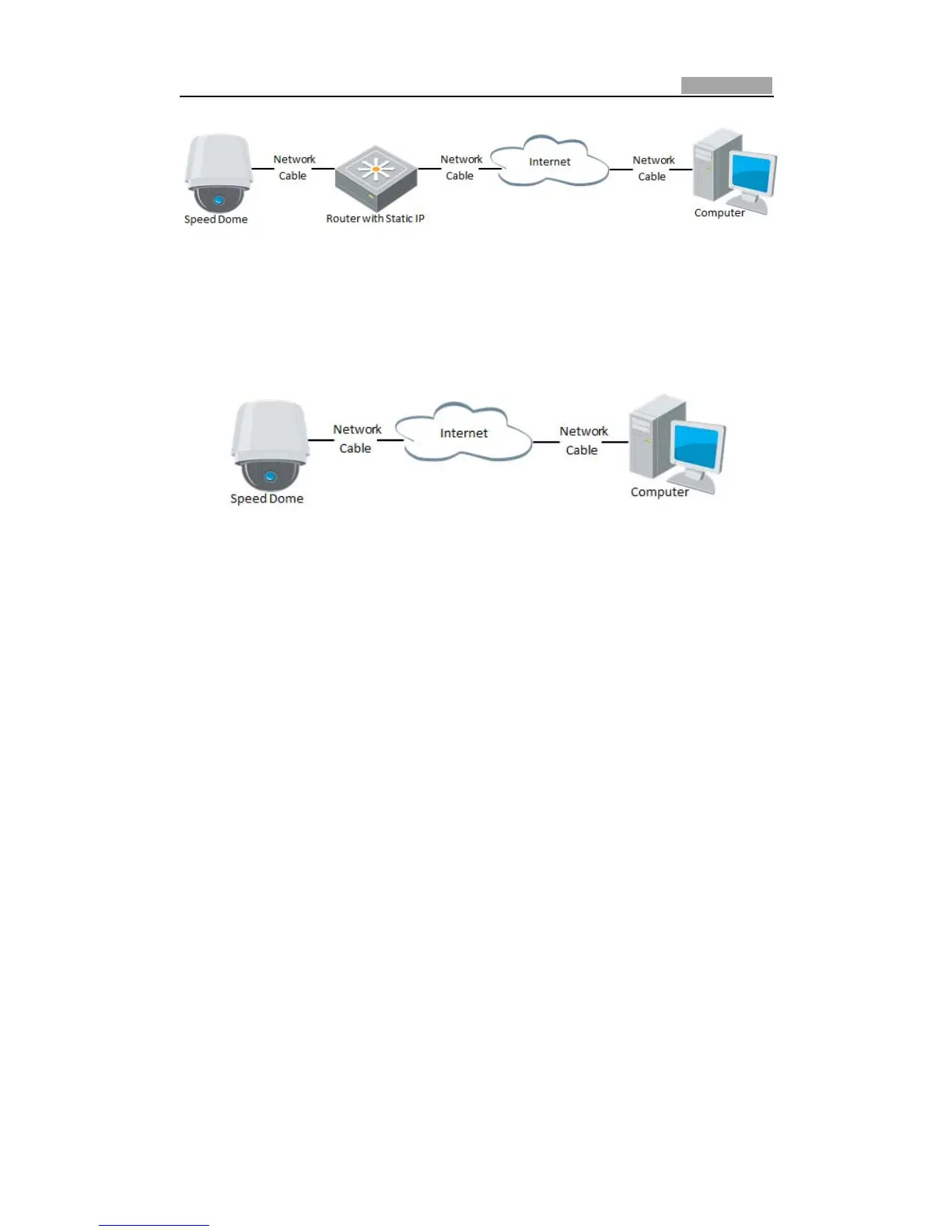
Figure2Ͳ4 AccessingtheSpeedDomethroughRouterwithStaticIP
z ConnectingthenetworkspeeddomewithstaticIPdirectly
You can also save the static IP in the speed dome and directly connect it to the
internetwithoutusingarouter.RefertoSection2.1.2DetectingandChangingtheIP
AddressfordetailedIPaddressconfigurationofthespeeddome.
Figure2Ͳ5 AccessingtheSpeedDomewithStaticIPDirectly
2.2.2 DynamicIPConnection
Beforeyoustart:
PleaseapplyadynamicIPfromanISP.WiththedynamicIPaddress,youcanconnect
thenetworkspeeddometoamodemorarouter.
z Connectingthenetworkspeeddomeviaarouter
Steps:
1. Connectthenetworkspeeddometotherouter.
2. In the speed dome, assign a LAN IP address, the subnet mask and the gateway .
Refer to Section 2.1.2 Detecting and Changing the IP Address for detailed LAN
configuration.
3. Intherouter,setthePPPoEusername,passwordandconfirmthepassword.
4. Setport mapping.E.g.80, 8000and554 ports.Thesteps for portmappingvary
dependingondifferentrouters.Pleasecalltheroutermanufacturerforassistance
withportmapping.
Note:RefertoAppendix2fordetailedinformationaboutportmapping.
5. Applyadomainnamefromadomainnameprovider.
6. ConfiguretheDDNSsettingsinthesettinginterfaceoftherouter.
7. Visitthespeeddomeviatheapplieddomainname.



 To Next Page