UserManualofIRNetworkSpeedDome
58
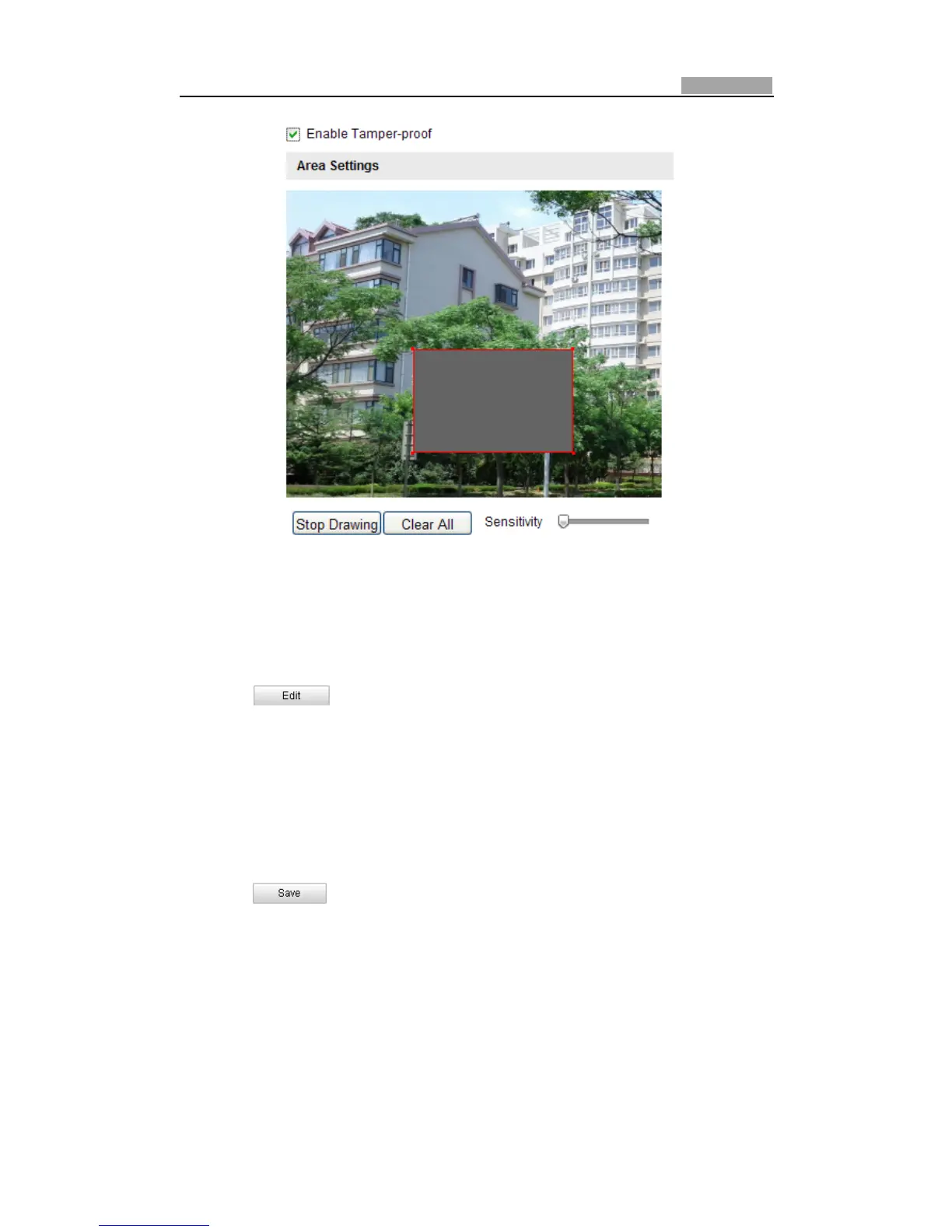
Figure6Ͳ41 TamperͲproofAlarm
2. CheckEnableTamperͲproofcheckboxtoenablethetamperͲproofdetection.
3. Set the tamperͲproof area. Refer to Step 1 Set the Motion Detection Area in
Section6.6.1ConfiguringMotionDetection.
4. Click to edit the arming schedule for tamperͲproof. The arming
scheduleconfigurationisthe sameasthesettingofthearmingscheduleformotion
detection.Refer toStep2Setthe ArmingSchedulefor MotionDetectioninSection
6.6.1ConfiguringMotionDetection.
5. Check the checkbox to select the linkage
method tak en for the tamperͲproof.
Notifysurveillancecenter,sendemailandtriggeralarmoutputareselectable.Please
refer to Step 3 Set the Alarm Actions for Motion Detection in Section 6.6.1
ConfiguringMotionDetection.
6. Click tosavethesettings.
6.6.3 ConfiguringExternalAlarmInput
Steps:
1. EntertheAlarmInputSettingsinterface:
Configuration>AdvancedConfiguration>Events>Alarm Input:
2. Choose the alarm input No. and the Alarm Type. The alarm type can be NO



 To Next Page