UserManualofIRNetworkSpeedDome
60
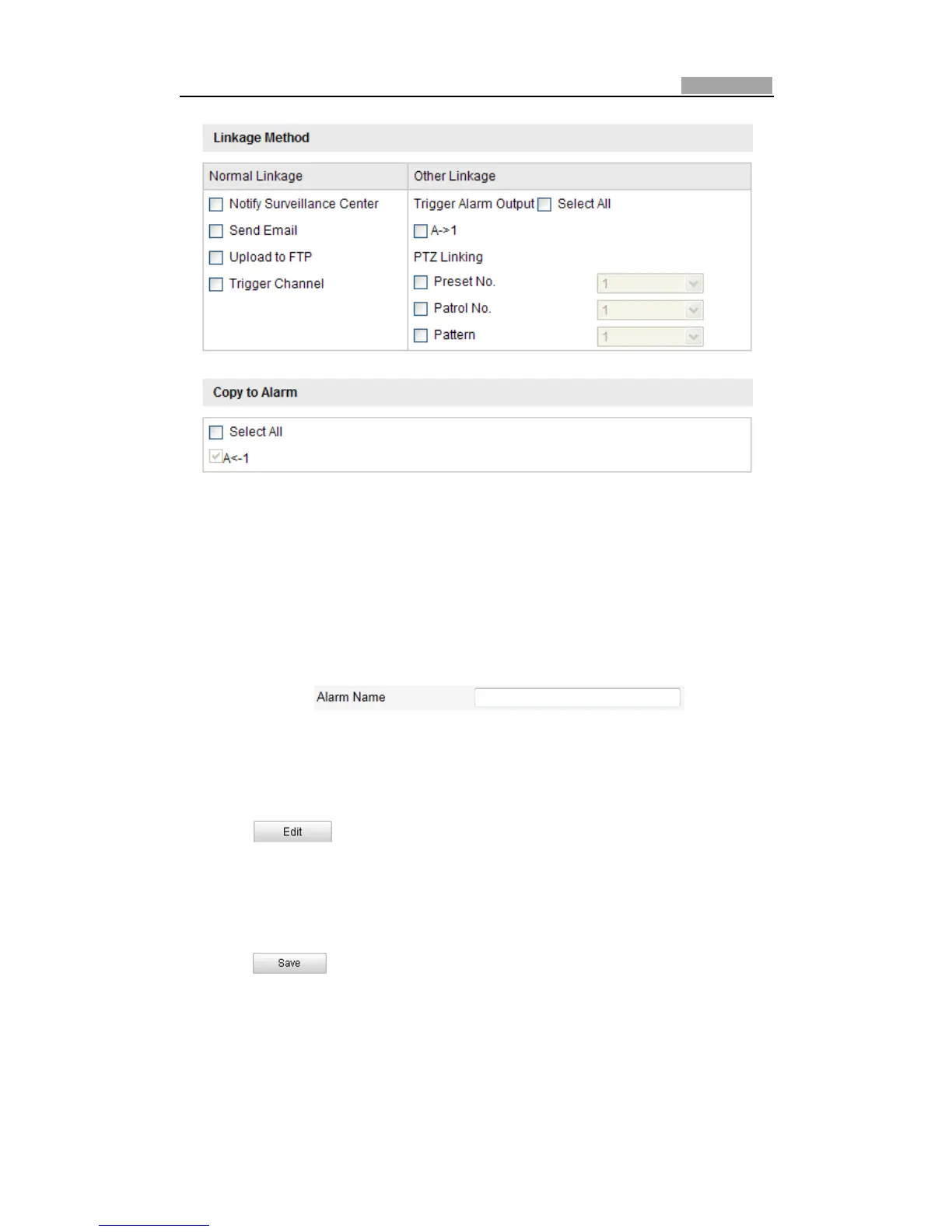
Figure6Ͳ43 LinkageMethod
6.6.4 ConfiguringAlarmOutput
Steps:
1. EntertheAlarmOutputSettingsinterface:
Configuration>AdvancedConfiguration>Events>AlarmOutput
2. SelectonealarmoutputchannelintheAlarmOutputdropͲdownlist.
3. Setanamein forthe
alarmoutput(optional).
4. TheDelaytimecanbesetto5sec,10sec,30sec,1min,2min,5min,10minor
Manual.Thedelaytimereferstothetimedurationthatthealarmoutput
remainsineffectafteralarmoccurs.
5. Click toentertheEditScheduleTimeinterface.Thetimeschedule
configurationisthesameasthesettingsoft hearmingscheduleformotion
detection.RefertoStep2SettheArmingScheduleforMotionDetectionin
Section6.6.1ConfiguringMotionDetection.
6. Youcancopythesettingstootheralarmoutputs.
7. Click tosavethesettings.



 To Next Page