92
LCD
15
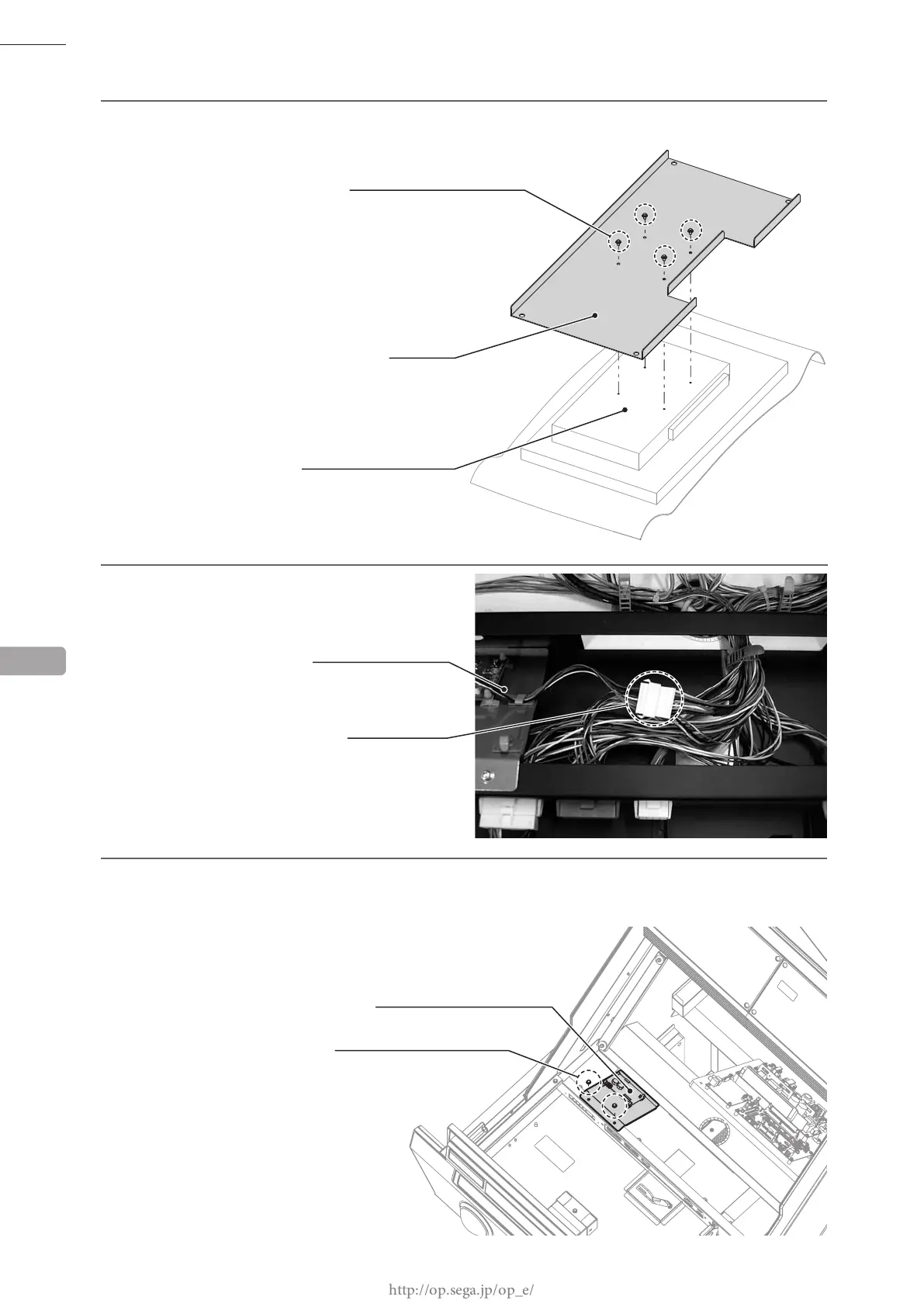
Remove 2 screws and take off the touch panel board plate.
13
Remove 4 screws and take off the LCD base from the LCD.
14
Disconnect the 1 cable connector coming from
the touch panel board.
13
200-6142-91-01
(PART TO BE REPLACED)
SCREW (4)
M4 x 8, w/at & spring washers
LCD BASE
LCD
SM8P
TOUCH PANEL BOARD
CONNECTOR (1)
M4 x 8, w/at & spring washers
TOUCH PANEL BOARD PLATE
SCREW (2)








 To Next Page