46
ASSEMBLY AND INSTALLATION
6
HANDLING THE DVD
● Do not use a DVD with a damaged front. This may cause a malfunction.
● Insert the DVD into the DVD drive with the printed side facing upwards.
● Do not get fingerprints or dust particles on the DVD. Contaminated DVDs may
lower audio and video quality, and may result in read malfunctions.
● When cleaning the DVD, do not use volatile chemicals (benzene, thinner, etc.),
cleaning sprays, or antistatic agents.
● Do not use DVDs that are in the following conditions, as they may cause
malfunctions such as being unable to remove the DVD.
- Cracked, warped, or damaged DVD
- DVD with traces of sticker, tape, etc.
- DVD with paper or sticker attached
● When cleaning a heavily contaminated DVD, use a clean cloth that has been
soaked in water and wrung out. After wiping, remove any remaining moisture with
a clean, dry cloth.
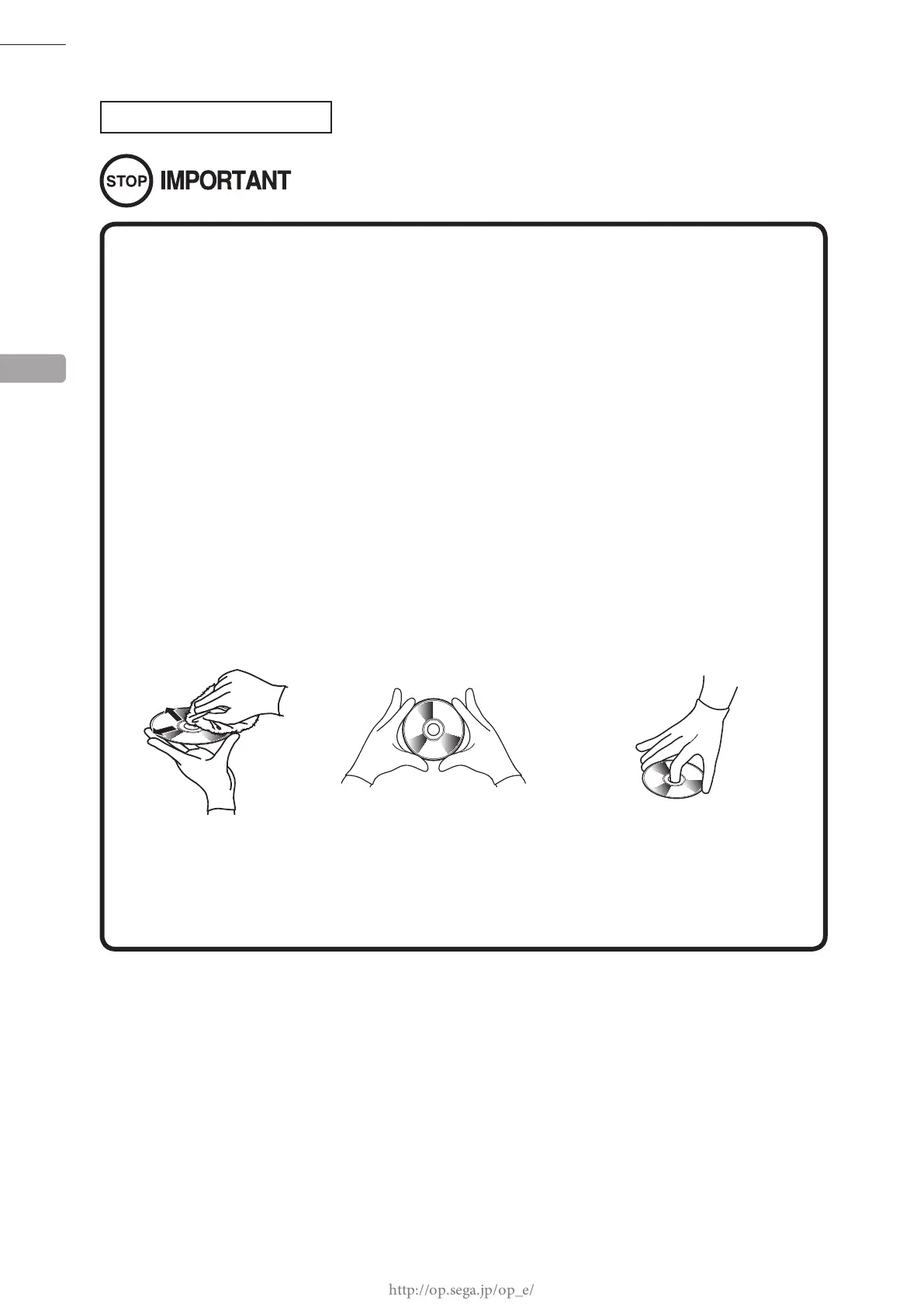
How to Wipe a DVD
Wipe the DVD with a soft
cloth, working from the
center outwards.
How to Hold a DVD
With both hands:
Put your thumbs and forefingers
on 4 opposite sides of the DVD.
With one hand:
Insert your forenger into the center
hole, while placing your thumb and
middle finger on opposite sides of
the DVD.














 To Next Page