ASSEMBLY AND INSTALLATION
47
Installation takes approximately 45 minutes per cabinet. If you observe a phenomenon not described in this manual
after 45 minutes have passed, contact the ofce listed in this manual.
If a system update is necessary, the system will automatically reboot after software installation is complete, and a
system update will be performed. System updates require additional time.
1
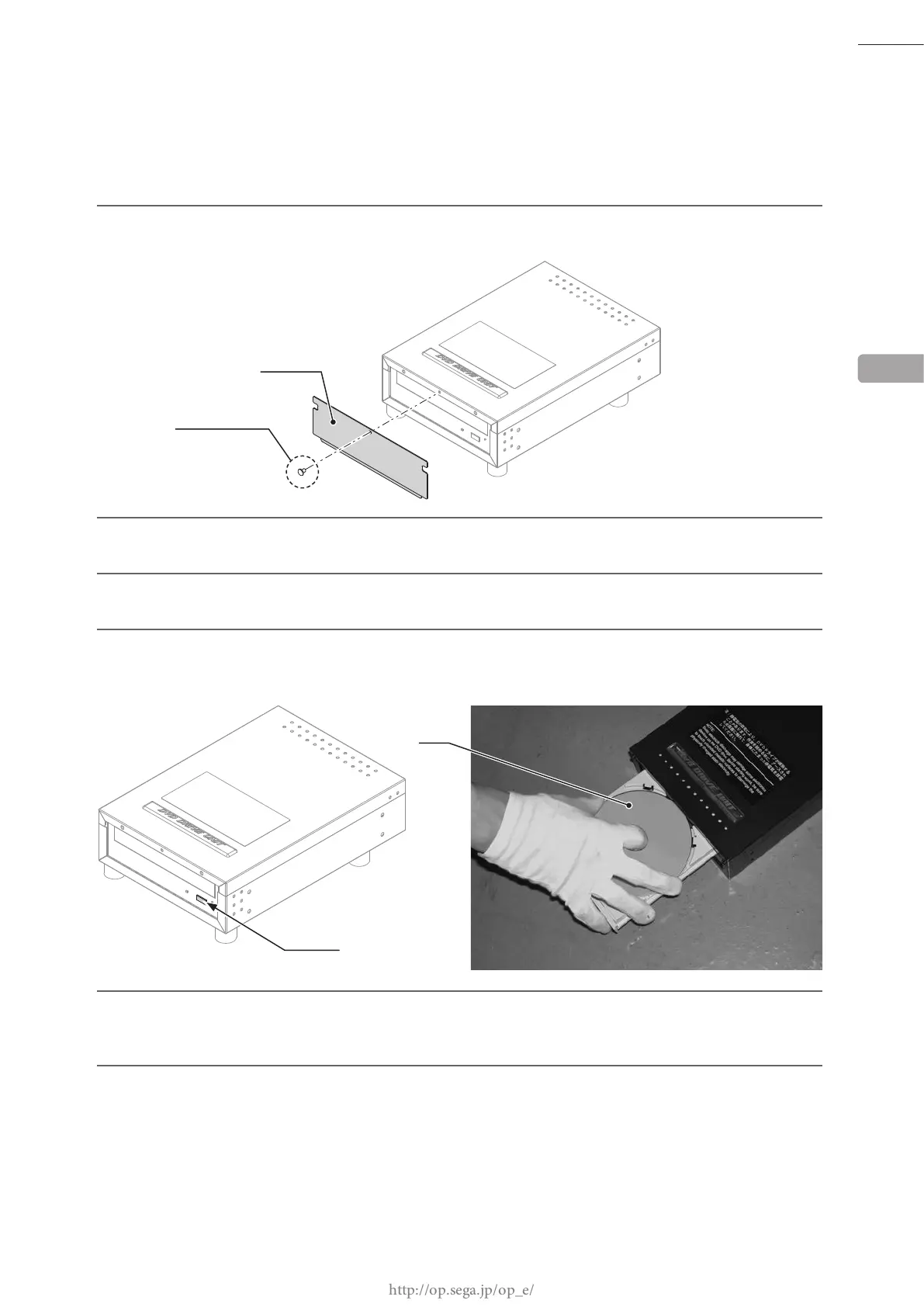
Remove 1 thumbscrew, and then remove DVD drive case lid.
2
Turn the server machine's main power switch ON.
3
Wait for at least 1 minute. "STEP 10 Please Insert Disc 1..." will be displayed on the server machine's
screen.
4
When the tray opens automatically, set the DVD labeled "Disc.1" from the DVD software kit on the tray.
Always have the DVD printed side facing upward.
SWITCH
5
Press the DVD drive switch to have the tray return. Software installs automatically from the DVD. During
installation, "STEP 10 Please Insert Disc 2..." will be displayed on the screen. When this happens and the
tray opens automatically, insert the DVD labeled "Disc.2" and return the tray.
6
When there is no system update
When software installation on the server machine is complete, an initialization operation and a network
check will be performed automatically, and the advertising screen will be displayed.
When there is a system update
After software installation on the server machine is complete, the system will automatically reboot. A
system update will be performed, and the system will reboot again upon completion.
6
THUMBSCREW
CASE LID
DVD














 To Next Page