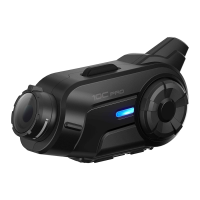
10C
16
4 GETTING STARTED
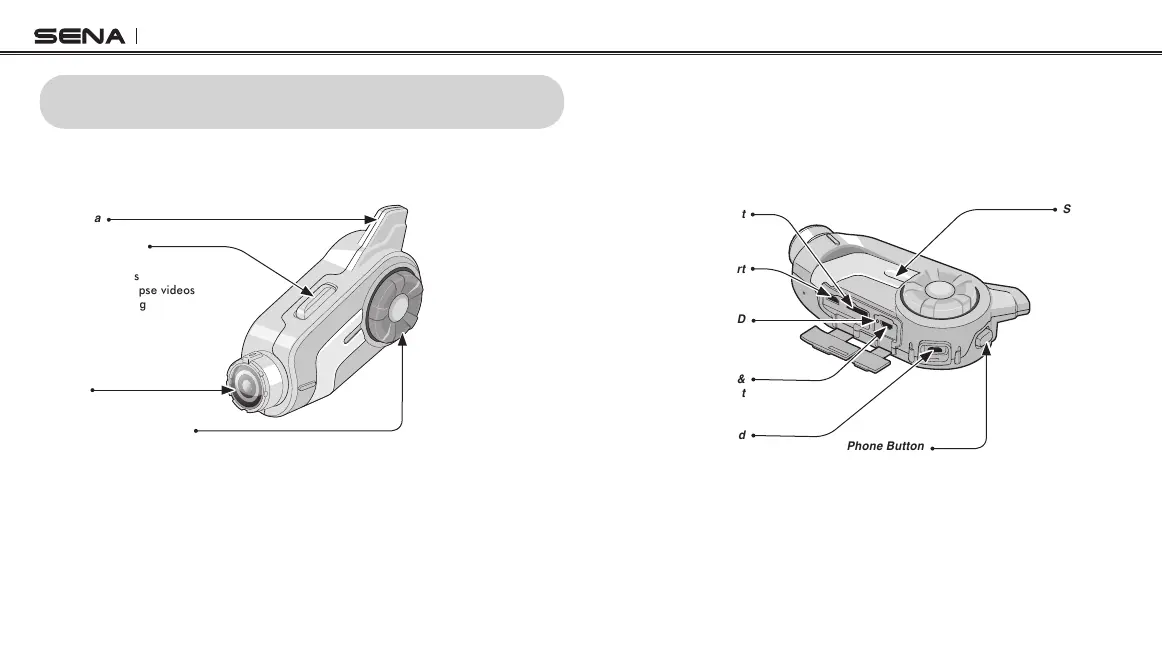
4.1 Button Operation
Camera Button
•Takephotos
•Recordvideos
•Recordtimelapsevideos
•Looprecording
•VideoTagging
•Turnon/offcamera
•Enterintocamera
configuration
Antenna
Lens
Jog Dial
•Volumeadjustmentbyrotating
•Enterintointercompairingmode
•Startandendintercomconversation
•Answerandendamobilephonecall
•Rejectanincomingmobilephonecall
•PlayandpauseBluetoothstereodevice
•Trackforwardandtrackbackbypressingdownandrotating
•Enterintovoiceconfigurationsetting
•Navigatethroughconfigurationmenu
•SeekFMradiostation
•Navigatefilesincameraplaybackmode
Phone Button
•Enterintomobilephonepairingmode
•Answerandendamobilephonecall
•SpeedDial
•Calltransferbetweenmobilephoneandheadset
•Enterintofactoryresetmode
•Turnon/offFMtuner
Micro HDMI Cable Port
MicroSD Card Slot
Status LED
Speaker and
Microphone Port
Charging LED
DC Power Charging &
Firmware Upgrade Port



 To Next Page