MRD 5800 – User Manual
Page 27 (116)
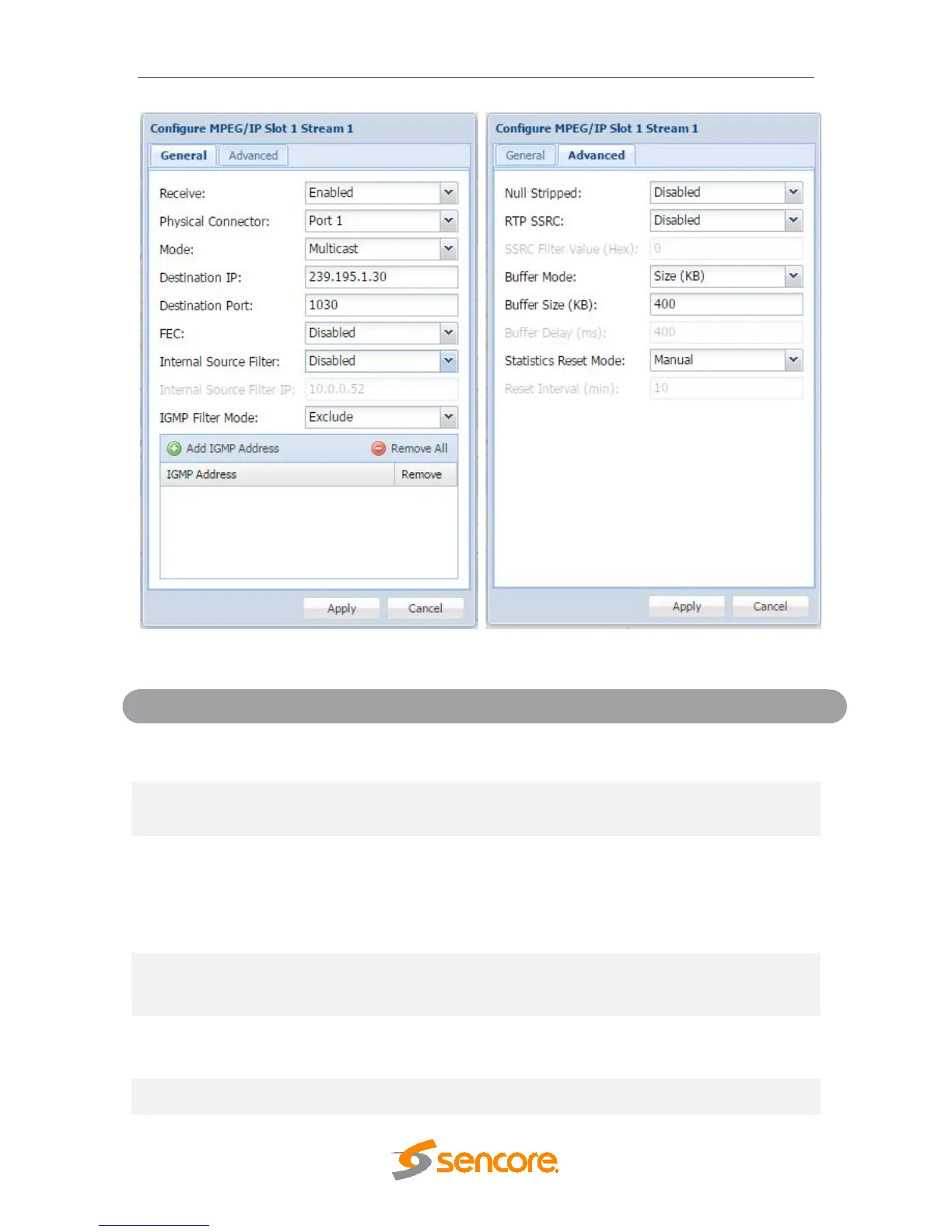
General and Advanced options for IP input
Disabled
This setting allows the user to enable or
disable these input stream settings.
Connector
Port 2
The physical connector on the MPEG/IP card
that will be used to receive the input.
Unicast
Multicast setting allows the unit to receive
multicast streams. Multicast streams
originate from the IP range 224.0.0.0 –
239.255.255.255. Unicast allows the unit to
receive unicast streams. Unicast streams
originate directly from a source device.
239.255.255.255
This setting is only available when receiving
a multicast stream. This address is the IP
address the source device is sending to.
This is the UDP port the source device is
sending to. This is the only setting required to
receive a unicast stream.
Enabling FEC (Forward Error Correction)
tells the MRD 5800 to look at Destination



 To Next Page