OmniHub 6/6D– User Manual
Page 131 of 182
224.0.0.0 –
239.255.255.
255
This setting is only available when receiving
a multicast stream. This is the address the
unit will attempt to join.
This is the UDP port the source device is
sending to. This is the only setting required
to receive a unicast stream but is also
required for multicast.
Sets the port to accept FEC on the incoming
MPEG/IP stream
Used on networks supporting IGMPv3. If
this setting is set to Exclude, any streams
originating from the user defined IP
addresses will be included in the IGMP
messages and the network will not forward
these streams to the device. If this setting is
set to Include, any streams originating from
the user defined IP addresses will be
included in the IGMP messages and the
network will only forward these streams to
the device.
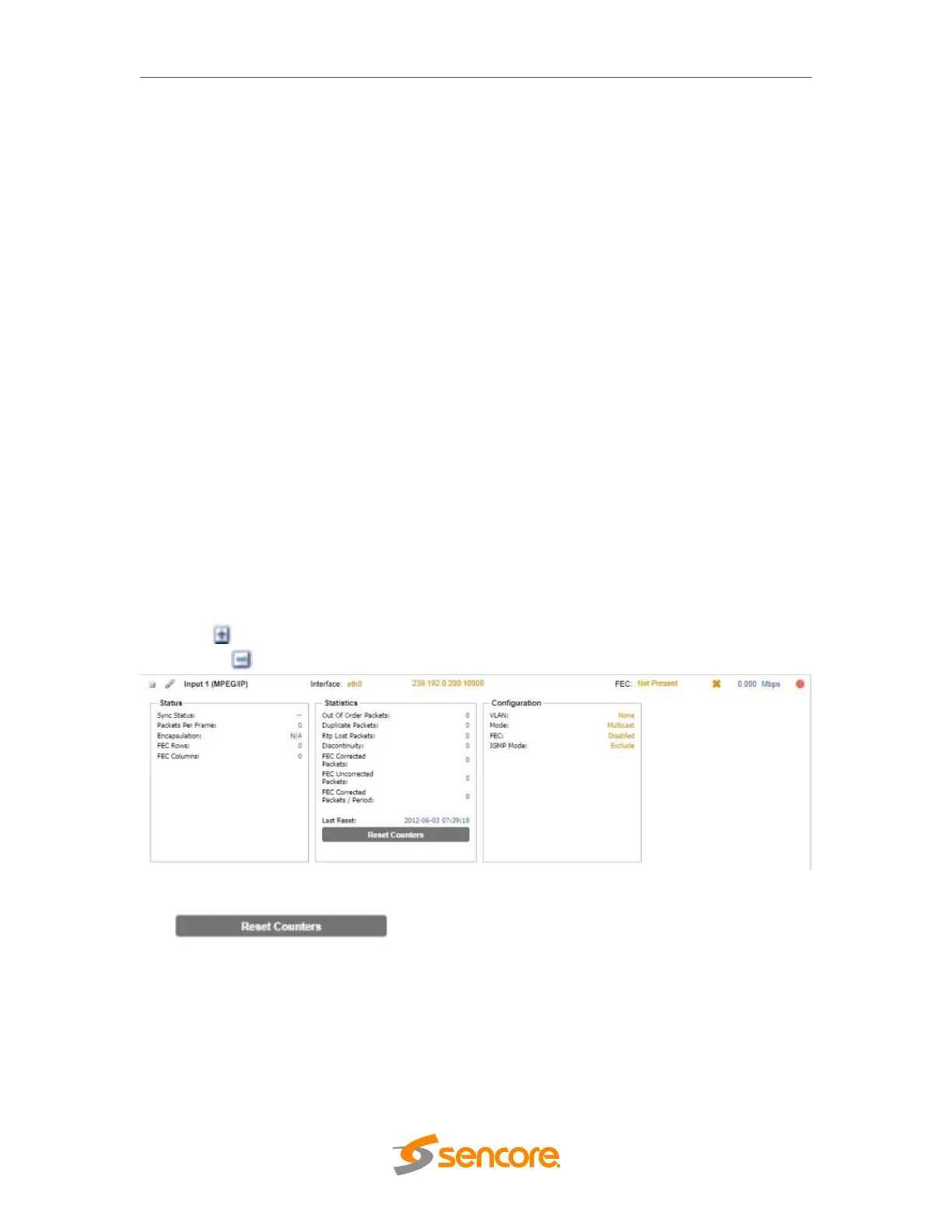
Click the icon by the MPEG/IP input to view information about the incoming stream.
Clicking the icon will hide the IP statistics.
MPEG/IP Receive Statistics
The button is used to reset all the statistics for incoming IP
packets and establish a new point of reference.
SRT Receive Settings
The figure below shows the options available when the “Receive Type” is set to “SRT”.



 To Next Page