OmniHub 6/6D– User Manual
Page 148 of 182
This column displays the description of the detected instance.
This column displays the hardware or function that is experiencing the
active error.
This column displays the data and time the error was raised.
Timestamps here are determined with the Date and Time settings
configured in the Time tab under System Setting of the CMP
baseboard
Configuring the Alarms
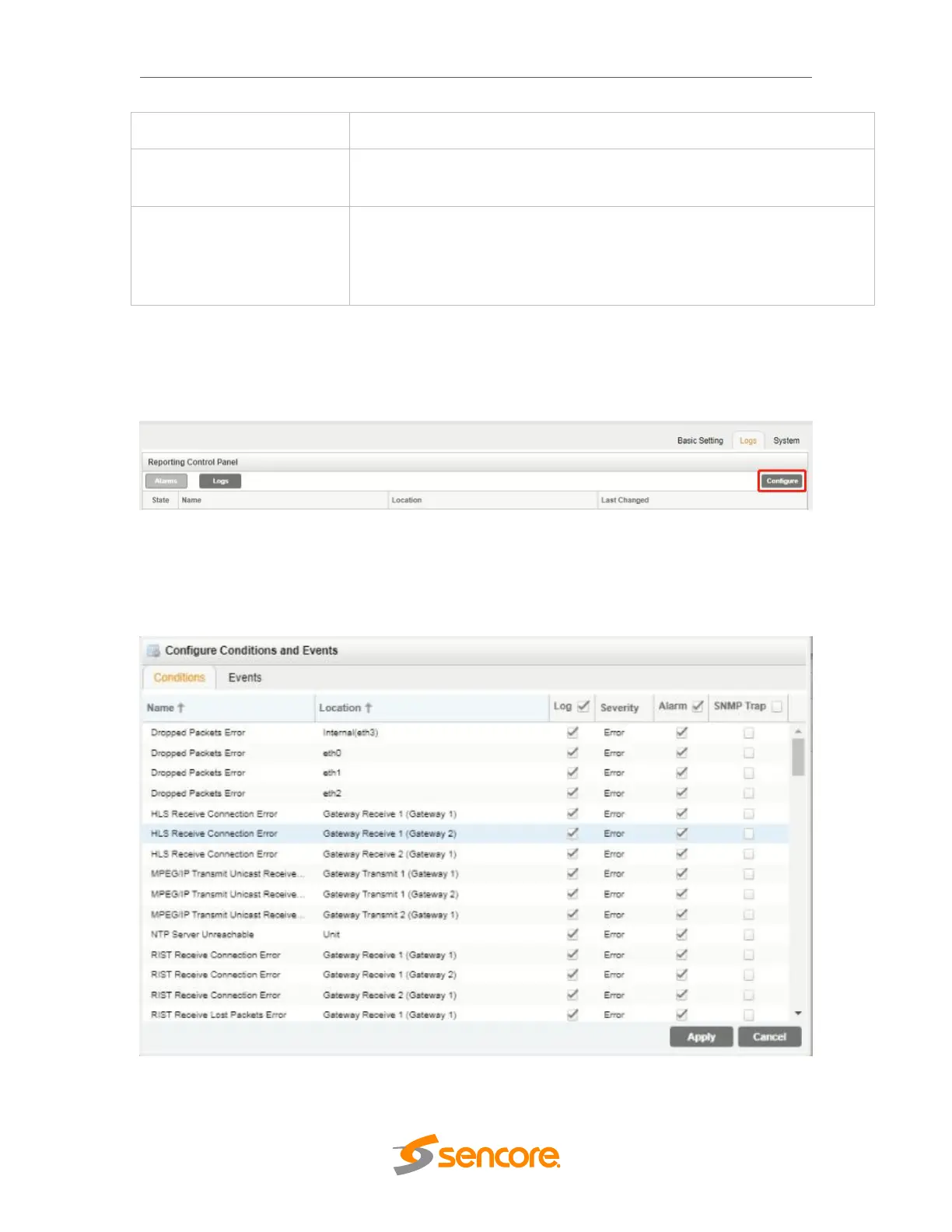
The OHP-IP-00 module monitoring points are divided into Conditions and Events and are
managed separately. Configuration of these is done by clicking on the configuration cog in either
the Alarms or Logs window.
Conditions
These instances are monitored within specific hardware and stream processing paths.
How the OHP-IP-00 module responds to the detection of the instance can be configured.
Three ‘checkbox’ columns allow the user to define the system response. The checkbox
at the top of the column can be used to enable or disable all instances in that column.



 To Next Page