OmniHub 6/6D– User Manual
Page 152 of 182
The icon means the instance entered into a Clear state.
The icon means a single point instance (such as NTP Time
was updated) took place.
Defines the hardware or function that experienced the alarm or event.
This displays the description of the specific path that experienced the
instance.
Configuring the Logs
Configuration of the logs will provide the user with the same configuration options as
covered in the Configuration of the Alarms.
3.3.27.4 System Settings
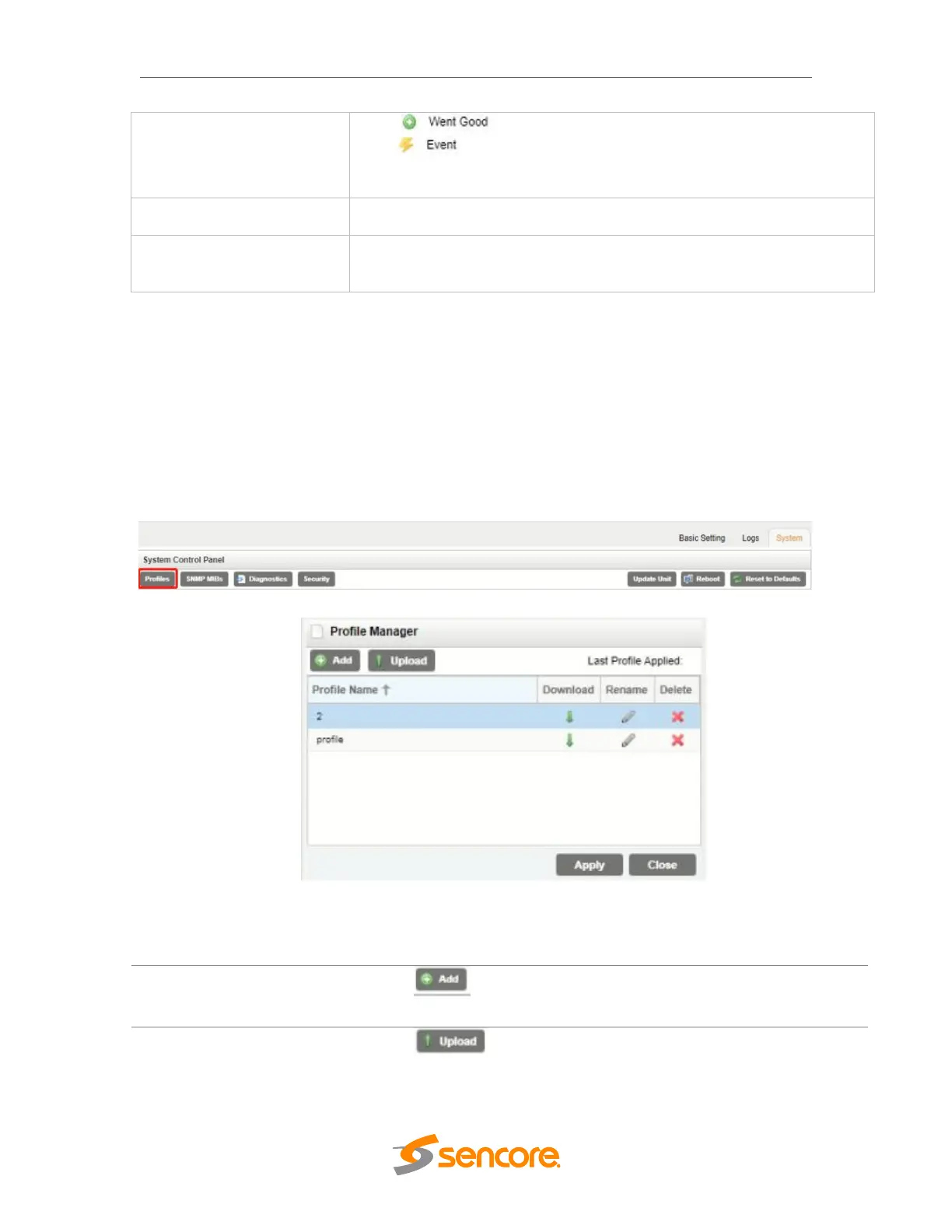
The OHP-IP-00 has the ability to save all configured settings to multiple profiles. Profiles
can be saved locally, renamed and saved to external storage to be used on other OHP-
IP-00 modules. Profiles can be used to quickly and easily change the configuration of
the module to suit different inputs and decoding requirements.
Used to create or add a new profile to
the profile list
Used to upload a profile to the module
from the user pc



 To Next Page