OmniHub 6/6D– User Manual
Page 159 of 182
Alphanumeric, no spaces
allowed
Defines optional system name
Eth0, Eth1, Eth2, Internal
Defines which physical port
gateway address is to be used
IP address of Primary (DNS)
nameserver
IP address of Secondary (DNS)
nameserver
Management and Video/IP Ports
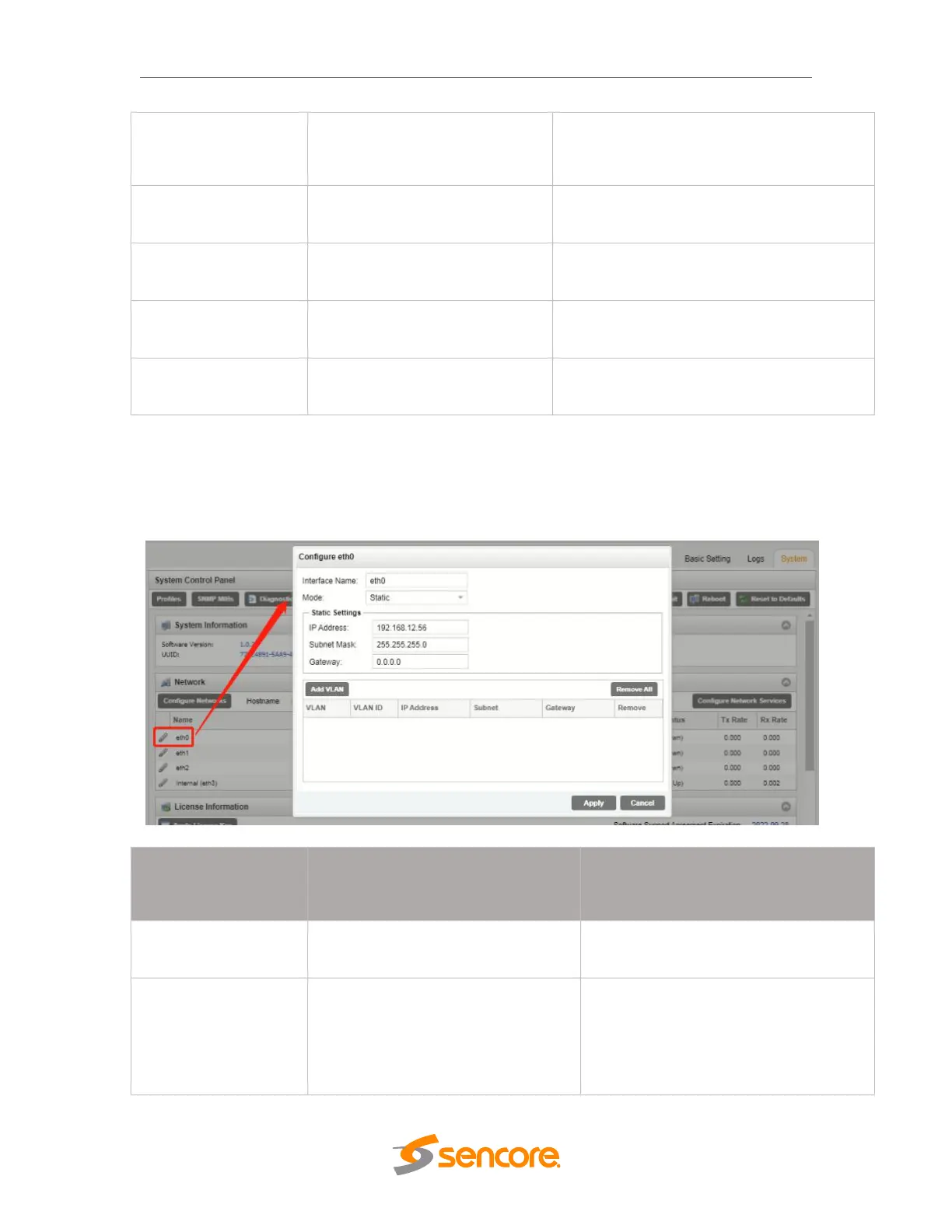
Each of the three physical NICs and one internal NIC are identical in every way; either
one can be configured for the management or Video/IP networks. As shown below,
clicking the gear icon will open the settings for each NIC, including the name of the port,
IP address and VLAN options. After finishing changes, click the apply button.
User Entered
(eth0/eth1/eth2/Internal)
DHCP allows network server to provide
IP address
Static requires the user to define the IP
address to be used



 To Next Page