OmniHub 6/6D– User Manual
Page 160 of 182
Static mode IP address entry
Static Mode subnet mask entry
Static Mode gateway entry
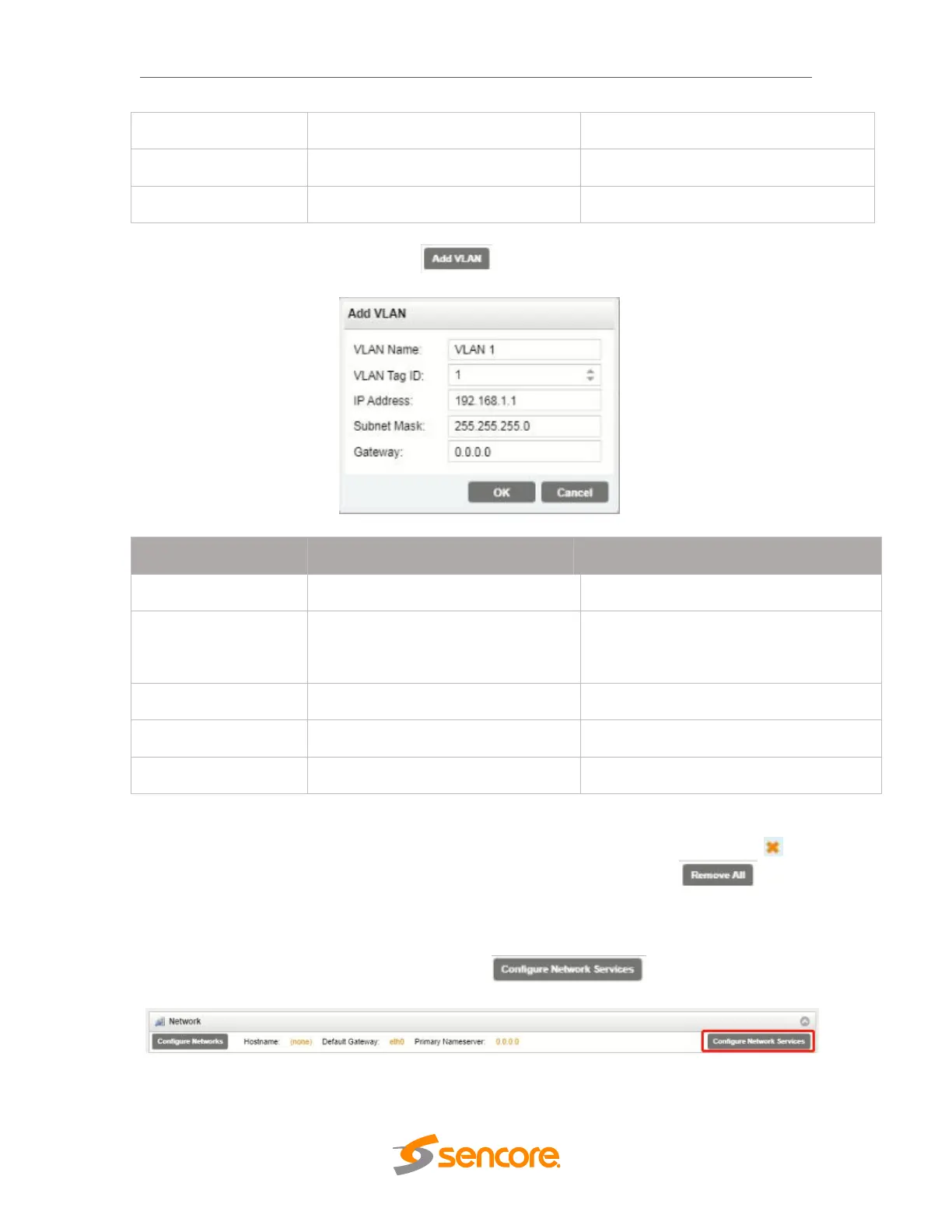
To add a VLAN to the NIC, click the icon to bring up the “Add VLAN” menu as
shown on the next page.
The VLAN tag to be assigned to
outgoing streams and filtered for
incoming streams
Static mode IP address entry
Static Mode subnet mask entry
Static Mode gateway entry
After clicking “OK” to finish configuring the newly created VLAN, it will appear on the
VLAN list as seen in the figure below. To remove individual VLANs, click the blue
icon in the corresponding row. To remove all created VLANs, click the button.
Configuring Network Services
Both Physical NICs can have specific features enabled for functionality or disabled for
security. To configure these settings, click on the as indicated in
the figure below.
The “Configure Network Services” menu will then be shown. These are the default
settings that allow for web access, ICMP contact through pinging and general stream



 To Next Page