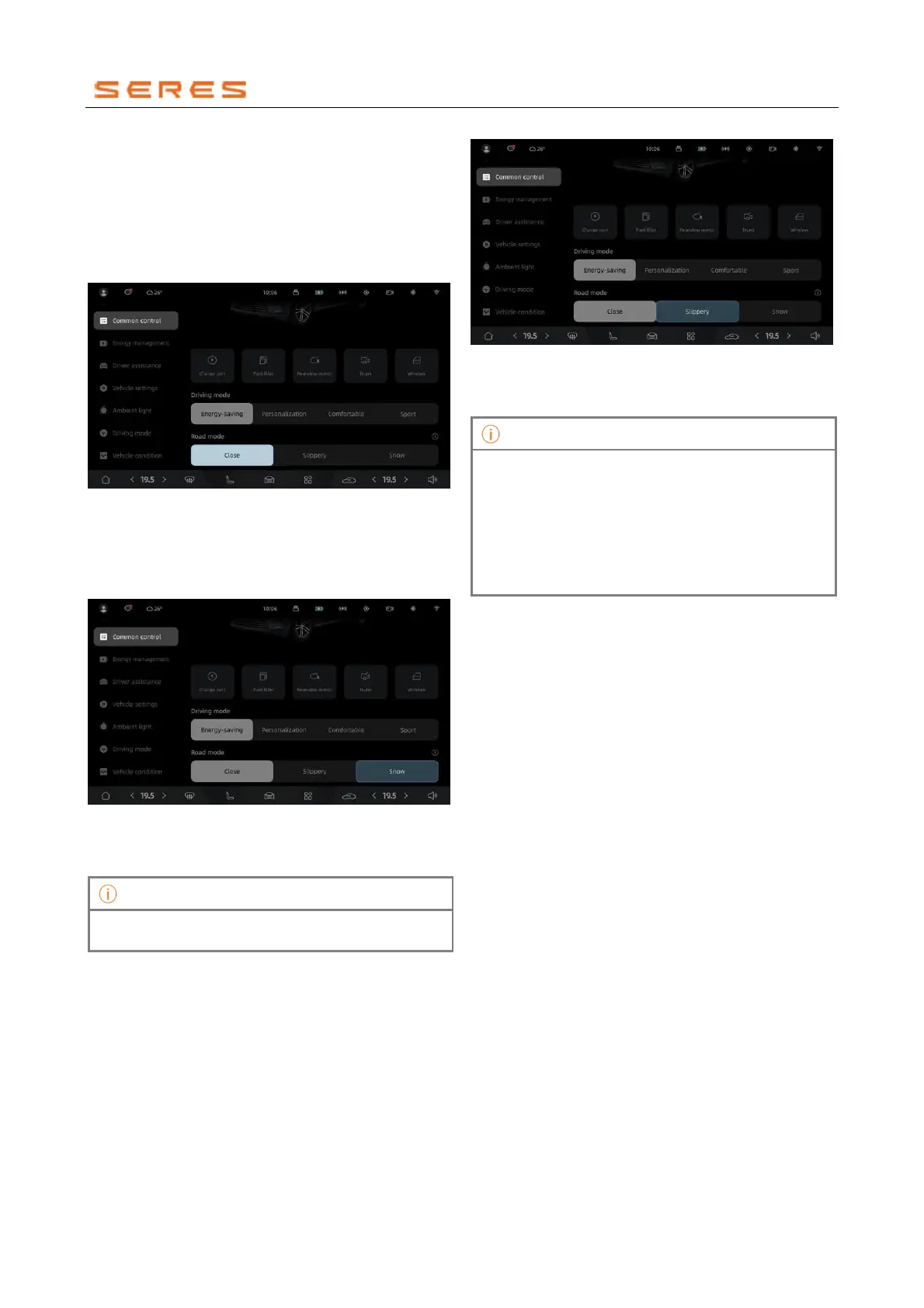
Activate Road Surface Assistant Mode
Road Surface Assistant Mode is a vehicle assistance
driving mode designed to enhance performance on various
wet and slippery road surfaces.
Deactivate Road Surface Assistant Mode
Access the vehicle setting on the central control screen >
Common Controls to activate or deactivate Road Surface
Assistant.
* The image is for reference only; please refer to the actual
product
Enabling this mode allows driving on regular roads.
Snow Mode
Access the vehicle setting on the central control screen >
Common Control to activate or deactivate Snow Mode.
* The image is for reference only; please refer to the actual
product
When driving in snowy conditions or similar scenarios,
activating Snow Mode will also activate the ESC function.
Wet Mode
Access the vehicle setting on the central control screen >
Common Control to activate or deactivate Wet Mode.
* The image is for reference only; please refer to the actual
product
Wet Mode can be activated when driving on wet or slippery
roads.
• When Wet Mode is activated, driving mode
settings cannot be adjusted.
• After the vehicle passes through waterlogged or
slippery snowy roads, please deactivate Road
Surface Assistant Mode.
• To ensure driving safety in wet and slippery
garages, adhere strictly to garage warning signs or
drive at a maximum speed of 5 km/h.



 To Next Page