Music
Bluetooth Music
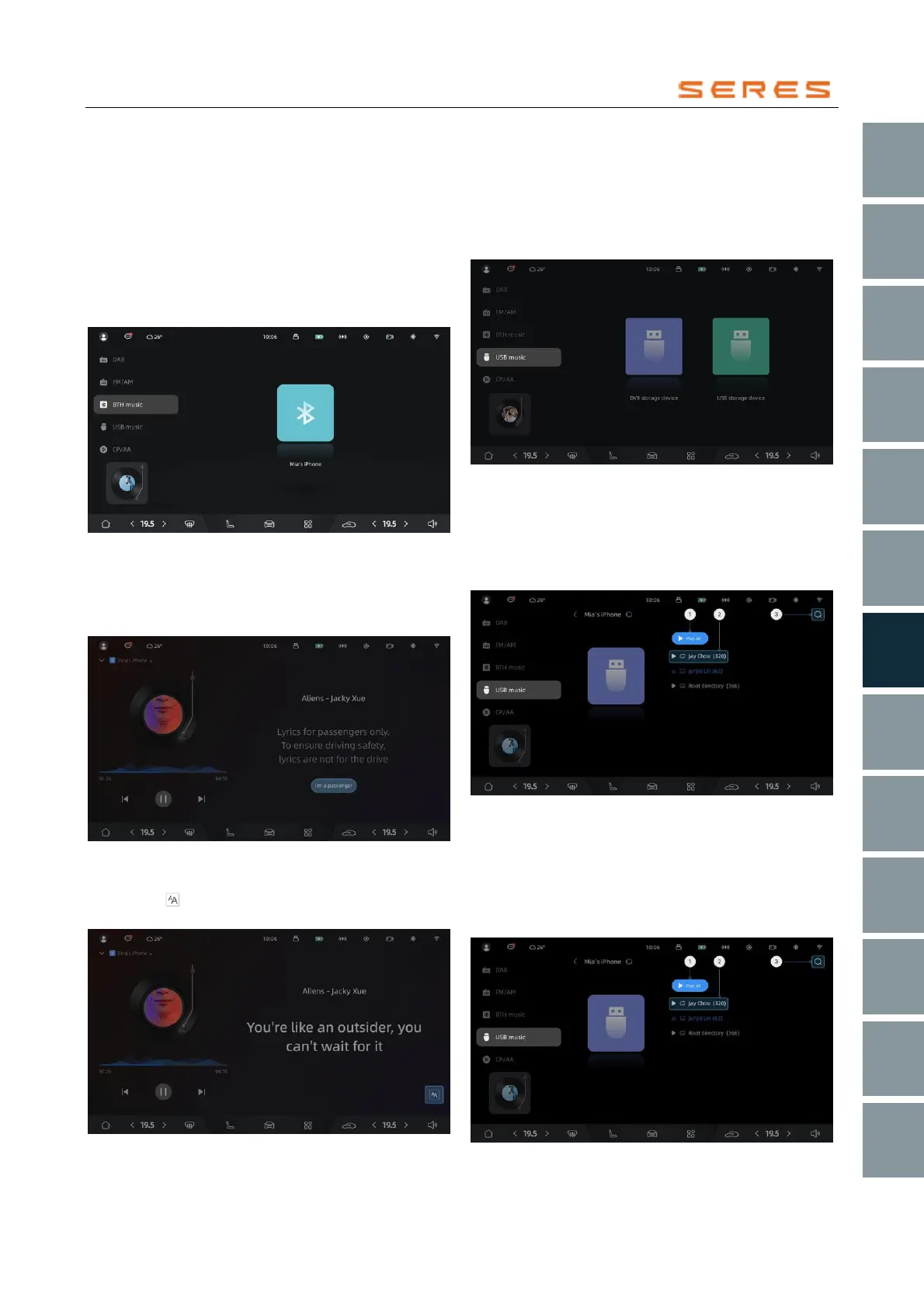
After successful Bluetooth connection between the phone
and the Vehicle, click on the Bluetooth Music label in the
music application. You can see the name of the connected
phone Bluetooth device. Click on the Bluetooth icon to
enter the Bluetooth Music playback details page and
switch the audio playback focus to Bluetooth Music. At this
point, the Vehicle system will actively invoke the phone's
player to play music.
* The image is for reference only; please refer to the actual
product
After entering the playback details page, if the vehicle is
not in Park P Gear, a lyrics activation prompt will be
displayed. Click the "I am a passenger" button to enable
lyrics display.
* The image is for reference only; please refer to the actual
product
After displaying lyrics, you can switch the font size by
clicking the icon in the lower right corner. There are
three font sizes to choose from.
* The image is for reference only; please refer to the actual
product
USB Music
After successfully connecting the USB flash drive to the
Vehicle's data transfer port, click on the USB Music label
in the music application. You can see the name of the
connected USB flash drive. Click on any USB flash drive to
enter its folder list page.
* The image is for reference only; please refer to the actual
product
After entering the USB flash drive folder list page, you can
click①Play all to play all songs starting from the first song
in the first folder. Click② to enter the file list of a specific
folder. Click③ for the search button to search for keywords
in the file names of audio files on the USB flash drive.
* The image is for reference only; please refer to the actual
product
After entering the file list of any folder, you can click①Play
all to play all songs in that folder starting from the first one
in the list. Click② to select any song, enter the playback
details page, and play the selected song. Click③ for the
search button to search for keywords in the file names of
audio files on the USB flash drive.
* The image is for reference only; please refer to the actual
product



 To Next Page