80 丨 Vehicle Controls
Interior Light
Intelligent Ambient Lighting
Activate ambient lighting to choose from different themes,
adjust brightness, and enjoy a pleasant atmosphere inside
the Vehicle.
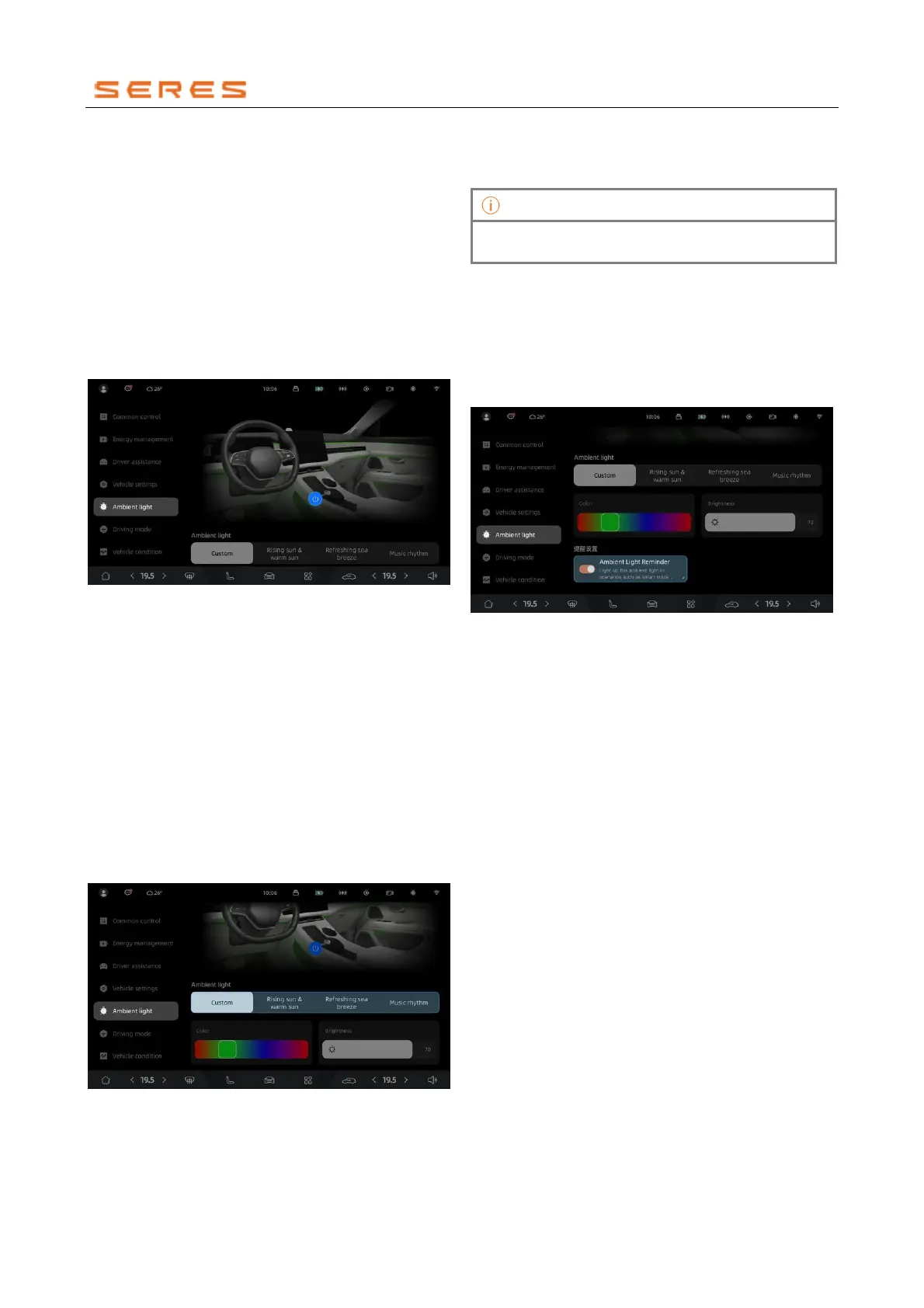
To activate or deactivate ambient lighting
You can activate or deactivate the ambient lighting using
the following steps:
● Access the ambient lighting controls by navigating to
Vehicle Setting > Ambient Lighting on the central
control screen. In the ambient lighting control
interface, click to activate the ambient lighting
function and click to deactivate the ambient lighting
function.
* The image is for reference only; please refer to the actual
product
Set Ambient Lighting Theme
1. After activating the ambient light, you can customize
or choose ambient light themes according to your
preferences:
● Customization: Drag or click on different
positions on the color bar to select your desired
ambient light color.
● Sunrise Warmth: Displays a gentle warm color
tone, creating a warm and cozy atmosphere.
● Ocean Breeze: Displays a refreshing cool color
tone, creating a relaxed and pleasant mood.
● Music Rhythm: Automatically changes
brightness and color with the music, or you can
choose your preferred tones to create a lively
and dynamic atmosphere.
* The image is for reference only; please refer to the actual
product
2. You can also drag the brightness slider to adjust the
ambient light's brightness.
3. You can also drag the color slider to adjust the
ambient light's color.
In the Music Rhythm mode, the ambient light brightness
cannot be manually adjusted.
Set Ambient Light Language
You can set the ambient light prompt effects for different
scenarios, and the ambient light effects will be displayed
when corresponding operations are performed.
In the lighting interface, go to Vehicle Light Settings >
Scene Light Effects, turn on the Scene Light Effects
switch, and choose different functional scene light effect
prompts according to your preferences.
* The image is for reference only; please refer to the actual
product
● Door Opening Alert: When opening the Doors, the
Vehicle door ambient light lights on. If the vehicle
detects oncoming traffic from the rear when the door
is open, the ambient light flashes to indicate a
warning.
● Driving Mode Reminder Switch: When switching
driving modes, the entire Vehicle's ambient light
automatically changes color.
● Ambient Light AI Reminder Switch: Supports the
on/off functionality of the ambient light AI reminder,
with the default setting being on.
● Welcome Control Reminder Switch: When getting
into the car, the ambient light will light on to welcome.
After each power-on of the vehicle, each location
presents the welcome light effect only once.
Interior Front Reading Light
When the interior lighting is insufficient, the interior Front
Reading Light provides appropriate illumination for
passengers without affecting the driver's normal driving.



 To Next Page