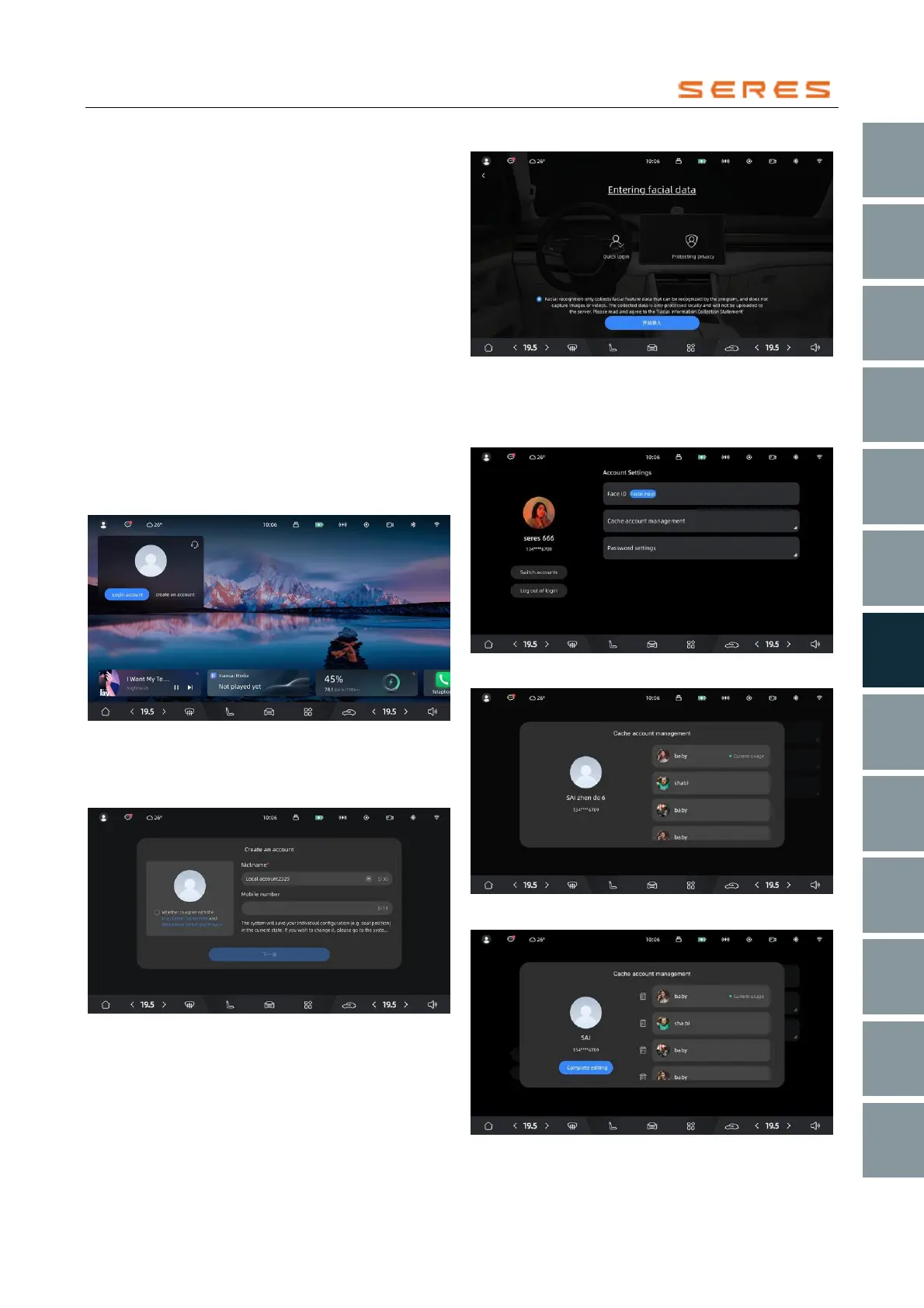
Overview of the Local Account Management
System Overview
The vehicle is equipped with functions for creating,
maintaining, logging in, logging out, and switching local
accounts. For vehicles equipped with DMS devices, there
is also facial data binding and facial recognition login
functionality.
Function Overview
Create a Local Account
1. The User Center provides the functionality to create a
local account. After creating a local account, you can
associate personalized data, such as vehicle setting,
with the account. Each vehicle allows the
maintenance of up to 5 local accounts. If this limit is
exceeded, you need to delete existing accounts to
create new local accounts.
2. When creating a local account, it is necessary to first
agree to the "SERES Automotive Service and
License Agreement" and "SERES Automotive Privacy
Policy" as required. Failure to do so will prevent
further operations.
* The image is for reference only; please refer to the actual
product
3. Please follow the on-screen prompts to input and
select user nickname, avatar, phone number, and
password.
* The image is for reference only; please refer to the actual
product
4. For models equipped with DMS, you can also bind
facial data for facial recognition login. Binding facial
data is an optional feature and can be performed
based on the user's actual needs.
* The image is for reference only; please refer to the actual
product
To delete a local account
1. While logged in, you can select and operate the
deletion of the local account from the list.
* The image is for reference only; please refer to the actual
product
* The image is for reference only; please refer to the actual
product
* The image is for reference only; please refer to the actual
product



 To Next Page