2. During deletion, password verification for the account
is required. Only after successful verification can the
account be deleted.
3. For models equipped with DMS, if the account to be
deleted is associated with facial data, the facial data
will be deleted along with the account.
To log in to an account
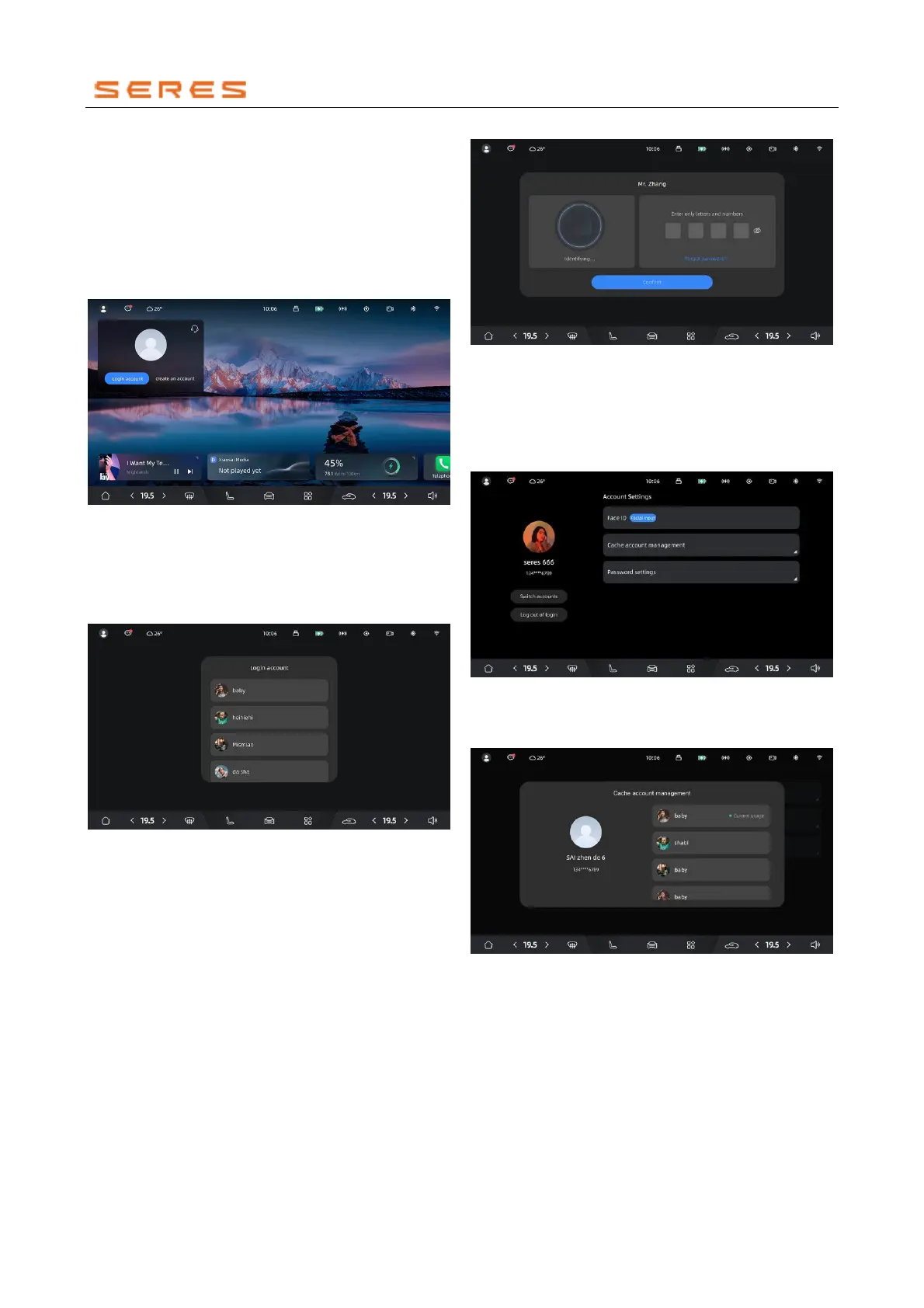
1. If you are not logged into any account, click on the
user center icon to initiate the account login process.
* The image is for reference only; please refer to the actual
product
2. If you have already created an account, you can
directly select the account you want to log in to from
the list. Follow the prompts to enter the password,
and upon successful password verification, you will
be logged into the account.
* The image is for reference only; please refer to the actual
product
3. After a successful login, the vehicle will load
personalized settings, such as Front and Rear Seats
position and rearview mirror adjustments. Please pay
attention to personal safety during this loading
process.
Facial Recognition Login
1. For models equipped with a DMS, facial recognition
login functionality is available.
2. If your vehicle has an existing account with bound
facial data, upon entering and Start Vehicle, the
system will automatically perform facial recognition. It
will log in to the corresponding account based on the
facial data you provided.
3. In case of unsuccessful facial recognition login, you
can manually select the desired account from the
account list and initiate facial recognition login.
* The image is for reference only; please refer to the actual
product
4. If the facial recognition switch is turned off, you will be
prompted to enable it. You can choose to enable the
switch based on your preferences.
Switching Accounts
1. While logged in, you can switch accounts.
* The image is for reference only; please refer to the actual
product
2. Choose the account you want to switch to from the
list.
* The image is for reference only; please refer to the actual
product
3. After completing password verification or facial
recognition, you can switch to the new account, and
personalized settings will be loaded.
Logging Out of the Account
1. While logged in, you can log out of the account.



 To Next Page