Open or Close the Windows
You can open or close all Windows from inside the Vehicle
using the Windows button on the driver's door. You can
also open or close the Windows using the remote control
key or the central control screen.
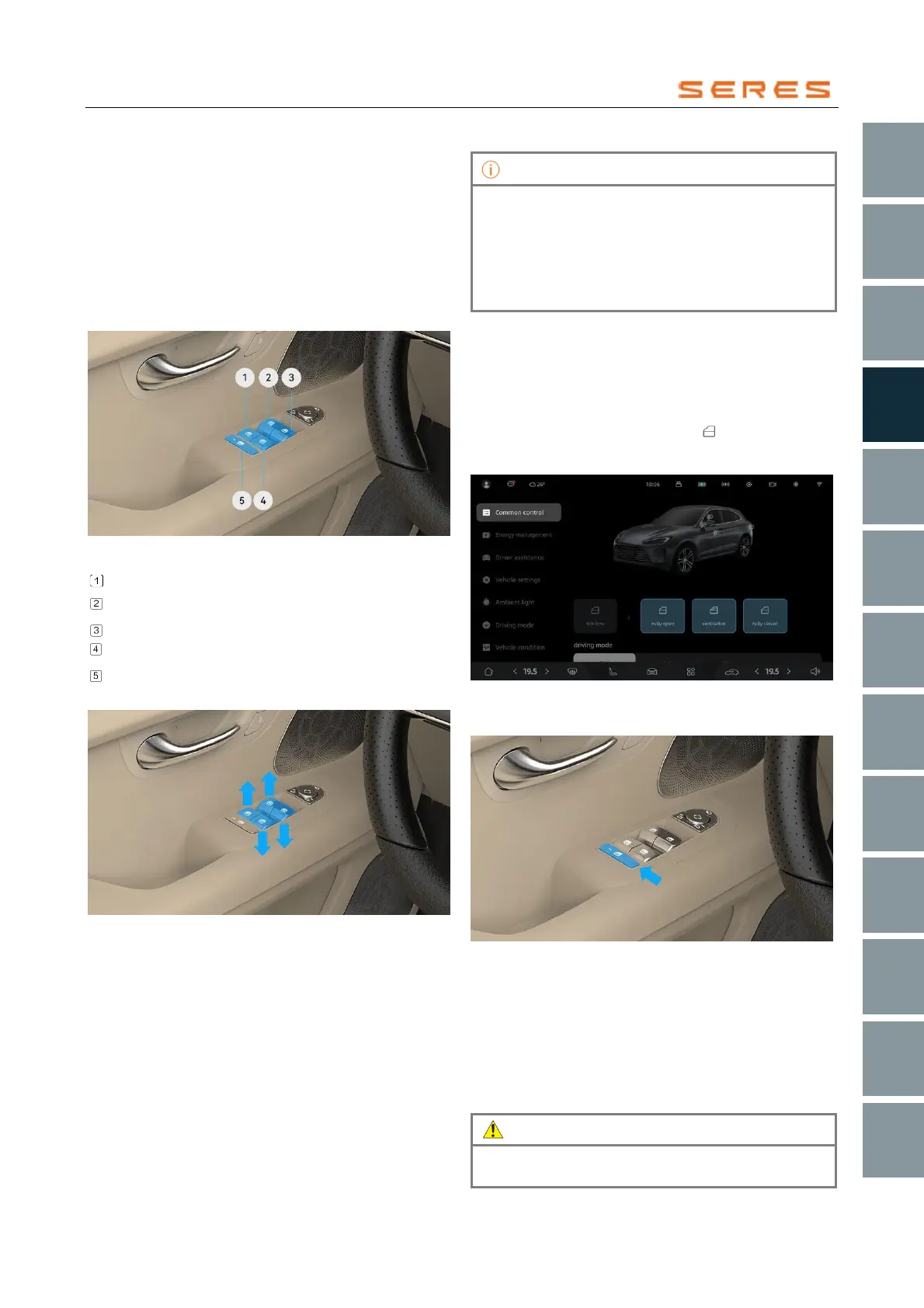
Windows Buttons
You can use the Windows buttons on the driver's side
Vehicle door to operate all Windows. Passengers can use
the Windows buttons on their respective side Vehicle
doors to operate the corresponding Windows.
* The image is for reference only; please refer to the actual
product
Windows Button - Left Rear
Windows Button - Left Front
Windows Button - Right Front
Windows Button - Right Rear
Passenger Windows Lock Button
Open or Close the Windows
* The image is for reference only; please refer to the actual
product
● First Position: When in use, gently pull up/press any
button and hold it, the Windows will continuously roll
up/down.
● Second Position: When in use, pull up/press any
button to its limit position, the Windows will
automatically roll up/down to its limit position.
• During the automatic up/down of the Windows,
pulling up/pressing the corresponding button again
will stop the window from rolling up/down.
• In low-temperature environments, the Windows
glass may freeze, causing difficulty in rolling
up/down. In such cases, thawing treatment should
be performed first.
Using the Remote Control Key to Raise/Lower
Windows
Raise or lower Windows using the remote control key
(refer to page 50).
Central Control Screen to Open or close Windows
On the central control screen, go to Vehicle Setting >
Common Control, click on the Expand Windows
Adjustment Options (Fully Open, Ventilation, or Fully
Close).
* The image is for reference only; please refer to the actual
product
Locking the Passenger Side Windows
* The image is for reference only; please refer to the actual
product
To prevent passengers (except the driver) from mistakenly
using the Windows buttons, press the Windows lock
button. When the button is pressed, the indicator lamp
lights on, and the passenger side Windows buttons (except
the driver's) become disabled.
To restore the functionality of the passenger side Windows
buttons (except the driver's), you need to press the
Windows lock button again.
When there are children in the back row, for safety
reasons, please activate the Windows lock function.



 To Next Page