Adaptive Cruise Control Assistant
Adaptive Cruise Control Assistance (Adaptive Cruise
Control, abbreviated as ACC), uses Driving Assistance
Sensors to actively control the vehicle's driving speed,
achieving automatic longitudinal following, following a
vehicle, and maintaining a set speed without a leading
vehicle. This function can only adjust the speed
longitudinally and cannot adjust the direction laterally, as
the direction is actively controlled by the driver.
• ACC is only a Driving Assistance system and
cannot replace the driver in driving. You must
always maintain control of the vehicle, drive
cautiously, comply with speed limits, and take full
responsibility for vehicle operation.
• ACC may only respond to stationary objects, such
as vehicles, traffic cones, the end of traffic flow,
toll booths, bicycles, or pedestrians, under specific
conditions. These specific conditions have strong
specificity.
• Due to the limited detection field of the sensors,
ACC may not react in time to targets cutting in at
close distances.
• The driver must adjust the following distance
based on the traffic flow ahead, current weather
conditions such as rain or fog, and make
reasonable settings for the ACC system. After
setting the ACC system reasonably, the driver
should be able to ensure that the vehicle can
decelerate to a stop at any time.
• ACC is suitable for use on highways and well-
maintained roads but is not suitable for use on
complex urban roads or mountain roads.
• Maintaining a safe following distance with the
preceding vehicle is the driver's responsibility. The
ACC system's following distance complies with the
minimum following distance requirements in the
driving environment.
• While ACC is active, if the driver steps on the
accelerator pedal, the vehicle will be taken over by
the driver, and the ACC system's distance control
function will not be activated.
ACC Control Description
● Enable ACC when no vehicle ahead: ACC can be
enabled when there is no vehicle ahead. The vehicle
will cruise at the set speed using cruise control.
● Follow Control: With the ACC system activated and
the vehicle following a target vehicle while driving, it
automatically maintains the relative distance set by
the driver. If the target vehicle drives to a complete
stop, the vehicle will also stop following.
● Launch Control: After the ACC system decelerates the
vehicle to a stop, if the front vehicle departs within 30
seconds, ACC will automatically start. If the vehicle is
completely stopped for 30 seconds to 5 minutes, the
driver can step on the accelerator pedal or move the
cruise control lever upward to start the vehicle.
● Curve Speed Control: When the ACC system is active
and the vehicle is driving on curved roads, it
appropriately controls the speed to ensure stability
when navigating through curves.
● Overtake Mode Control: When the system is in an
activated state and overtaking is necessary, the driver
steps on the accelerator pedal. The system enters the
overtaking mode, and if the accelerator pedal is
released within 15 minutes and the vehicle speed is
below 130 km/h, the vehicle returns to the target
speed.
● Exit Cruise Mode: When the system is in an activated
state and its working conditions are not met (such as
the gear position not in drive, Vehicle door not closed,
etc.), the system exits the activated state.
● Driver Takeover Request: When the ACC system
cannot maintain the minimum safe distance with the
front vehicle, the instrument display screen prompts
the driver to actively press the brake pedal for
deceleration.
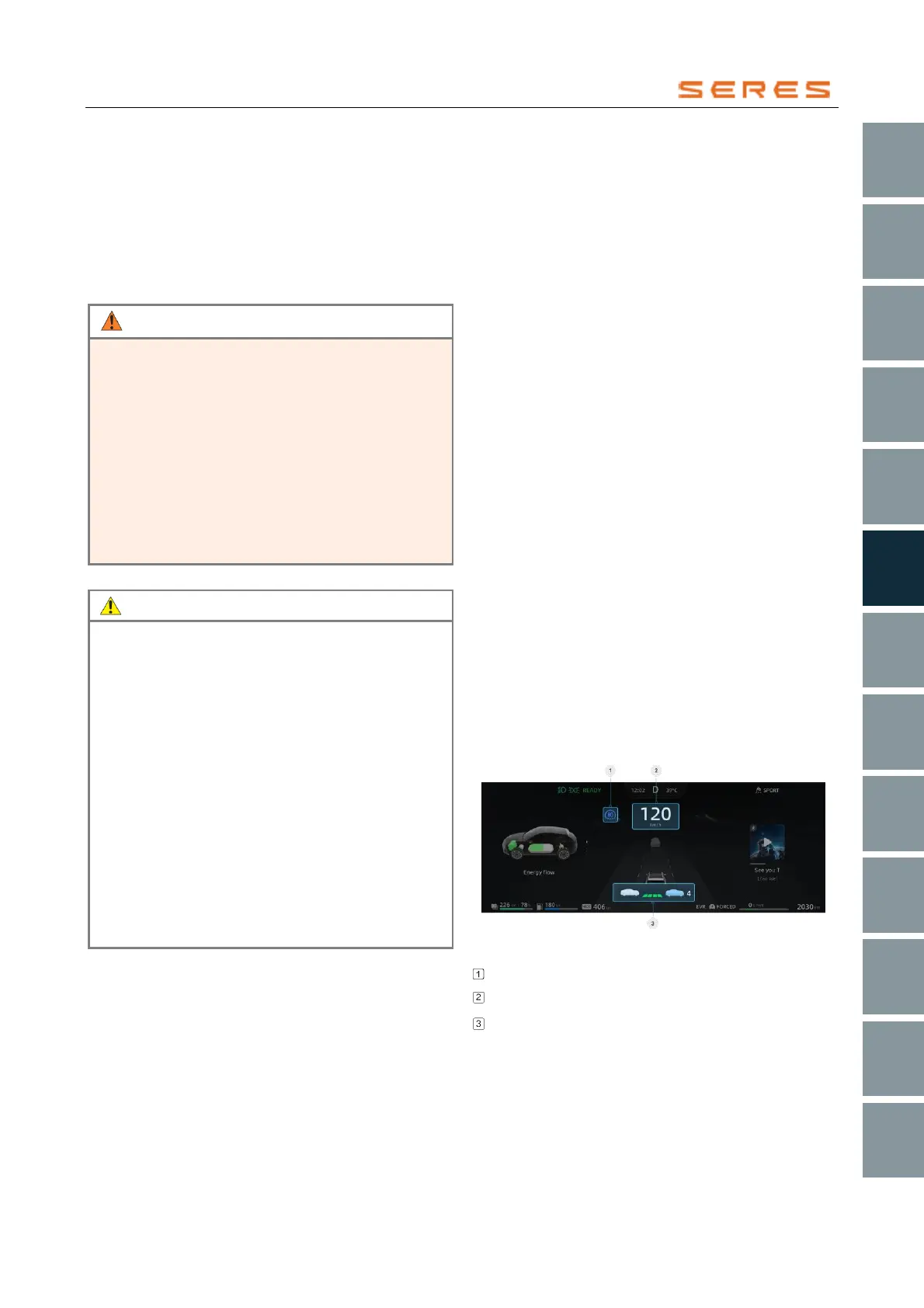
ACC Information on the Instrument Display Screen
* The image is for reference only; please refer to the actual
product
Target Vehicle Speed
Current Vehicle Speed
Following Distance



 To Next Page