Adjusting Front Seat
The front seat supports 12-way power adjustment. Before
driving, you can adjust it using the adjustment buttons on
the side of the Front and Rear Seats.
Adjusting Front and Rear Seats
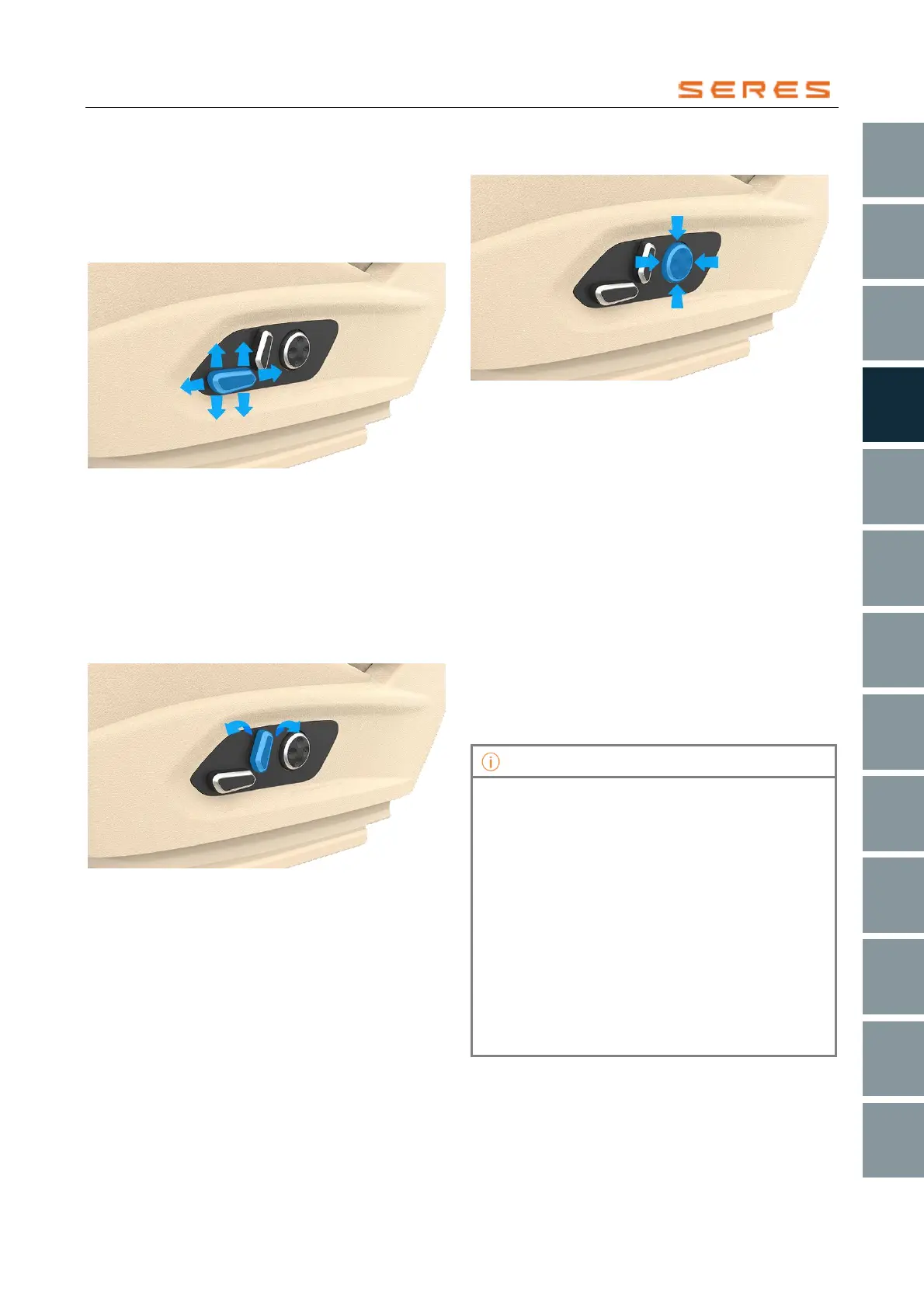
Forward/Backward/Height
* The image is for reference only; please refer to the actual
product
● Use the front/backward Front and Rear Seats
adjustment button to adjust the seat's position.
● Use the upward/downward Front and Rear Seats
adjustment button at the front to adjust the Front and
Rear Seats cushion tilt angle.
● Use the upward/downward Front and Rear Seats
adjustment button at the back to adjust the Front and
Rear Seats height.
Adjusting Front and Rear Seats Backrest Tilt Angle
* The image is for reference only; please refer to the actual
product
Use the front/backward seat adjustment button to adjust
the tilt angle of the Front and Rear Seats backrest.
Adjusting Front and Rear Seats Lumbar Support
* The image is for reference only; please refer to the actual
product
Press the up, down, left and right lumbar support
adjustment button to adjust the seat's lumbar support
position.
Driver Front and Rear Seats Memory
The driver Front and Rear Seats memory function can
store the driver's Front and Rear Seats and exterior
rearview mirror positions. When the vehicle is started and
not in rest mode, you can set the Front and Rear Seats
memory function.
1. Log in to the account within the central control
screen.
2. When the gear position is in P, adjust the Front and
Rear Seats or rearview mirror to the appropriate
position using the Front and Rear Seats or rearview
mirror buttons.
3. After adjustment, a pop-up window will appear on the
central control screen. Click "Memory" to save the
current Front and Rear Seats and exterior rearview
mirror positions.
• When not in P gear position, adjusting the Front
and Rear Seats or rearview mirror will not trigger a
pop-up window on the central control screen.
• If the central control screen displays a
corresponding prompt, clicking the "Restore"
switch will restore the driver's Front and Rear
Seats and exterior rearview mirror positions to the
last saved positions.
• After the central control screen displays a
corresponding prompt, clicking on the blank area
of the central control screen or waiting for a few
seconds will make the pop-up window disappear
automatically.
• One account can only set and store one driver's
Front and Rear Seats and exterior rearview mirror
position; multiple settings are not possible.



 To Next Page