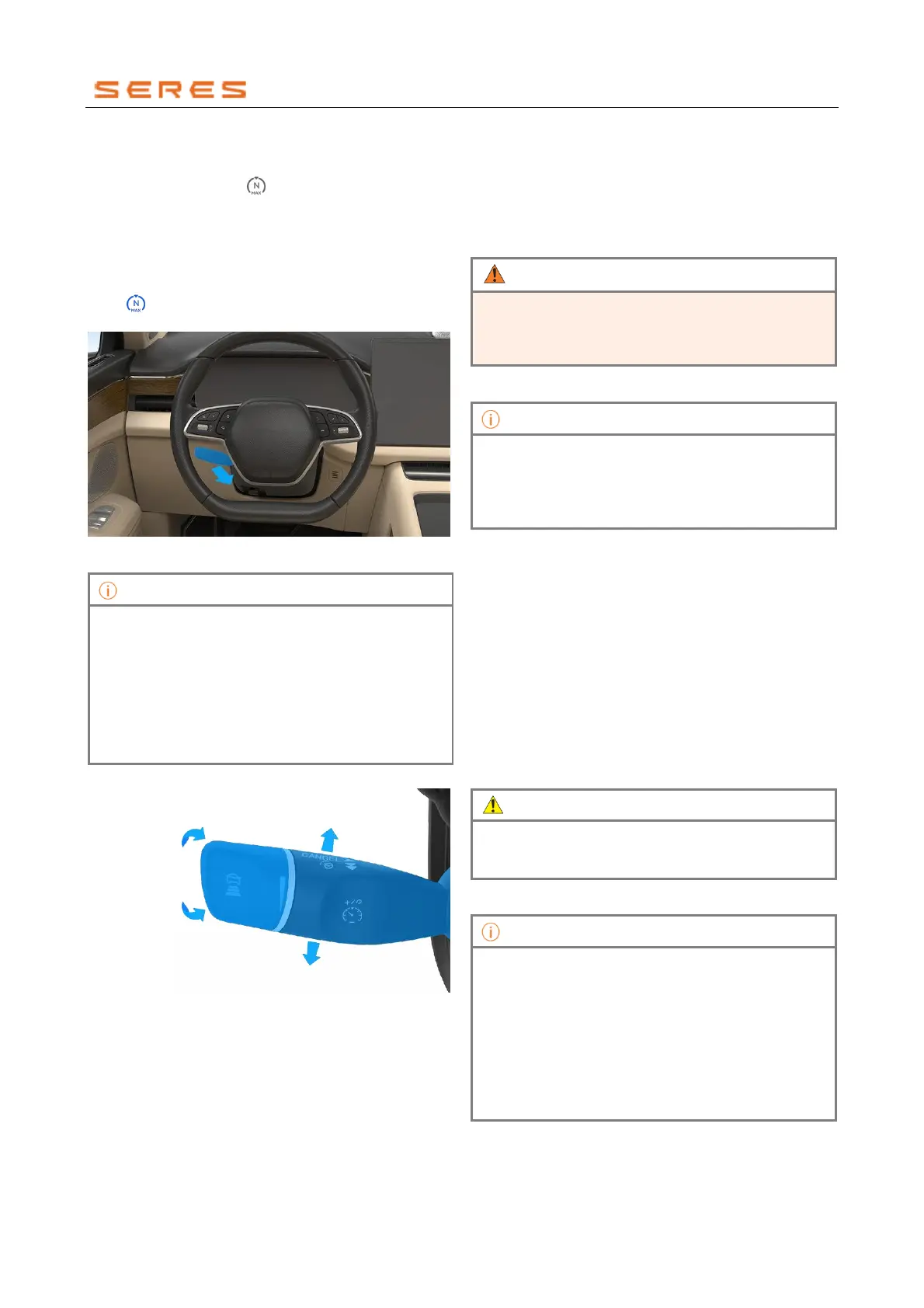
Enable ACC
1
.
When ACC is available without any restraint
conditions, and the " " cruise icon on the instrument
display screen is gray, the ACC function is ready for
use.
2. Move the cruise control lever backward to the "ON"
position to activate the ACC function. The vehicle will
cruise at the set speed (if the current speed is <30
km/h, it will be set to 30 km/h). Simultaneously, the
" " cruise icon on the instrument display screen
turns blue.
* The image is for reference only; please refer to the actual
product
• After ACC is enabled, if there is no apparent
response, it may be because the set following
distance does not allow for an increase in speed.
• When the vehicle is in a stationary state, after the
driver steps on the brake pedal and moves the
cruise control lever backward to the "ON" position
to enable ACC, it is necessary to step on the
accelerator pedal or move the cruise control lever
upward to start the vehicle.
Adjust ACC Speed and Following Distance
* The image is for reference only; please refer to the actual
product
When ACC is in the enabled state:
● Move up/down and hold: Increase or decrease the
set cruise speed by 1 km/h each time.
● Intermittently move up/down: Increase or decrease
the set cruise speed by 5 km/h each time.
● Rotate to adjust the following distance: Rotate the
cruise control lever knob forward to increase the
following distance by 1 level. Rotate the cruise control
lever knob backward to decrease the following
distance by 1 level. The instrument display screen
uses bars to represent the following distance, with
more bars indicating a larger following distance.
In the event of unexpected traffic situations, if the
following distance is short, your time to react may be
limited. You always have the responsibility to control the
vehicle and maintain a safe following distance.
• After ACC is enabled, if there is no apparent
response, it may be because the set following
distance does not allow for an increase in speed.
• The higher the vehicle speed, the relatively longer
the following distance.
Disable ACC
ACC will automatically disable and the system will enter
standby mode when performing the following actions:
● Any condition within the restraint conditions.
● Move the cruise control lever forward to the
"CANCEL" position.
Re-enable ACC
When ACC is in standby mode and the vehicle meets the
required conditions for cruising, such as speed and gear
position:
● Move the cruise control lever upward once to resume
the previously set speed and continue cruising.
● Move the cruise control lever downward once to cruise
at the current speed.
When there is a significant difference between the
current speed and the target speed, after resuming
ACC, the speed may increase rapidly.
ACC cannot be enabled under the following (including
but not limited to) restraint conditions:
• ACC system malfunctions.
• The vehicle's gear position is not in Driving gear(D
Gear).
• The vehicle experiences wheel slip.
• The driver's side Vehicle door is not closed.
• The driver's Front and Rear Seats belt is not
fastened.



 To Next Page