To turn off the daytime running lights, rotate the light
adjustment roller on the left side of the steering wheel
from "OFF" to another position, then return to "OFF".
Fog light
In low visibility conditions such as fog, snow, or rain, the
rear fog light helps rear vehicles or pedestrians to notice
our vehicle.
Activate or deactivate the fog light
1. Turn on the low beam or high beam lights (refer to
page 75).
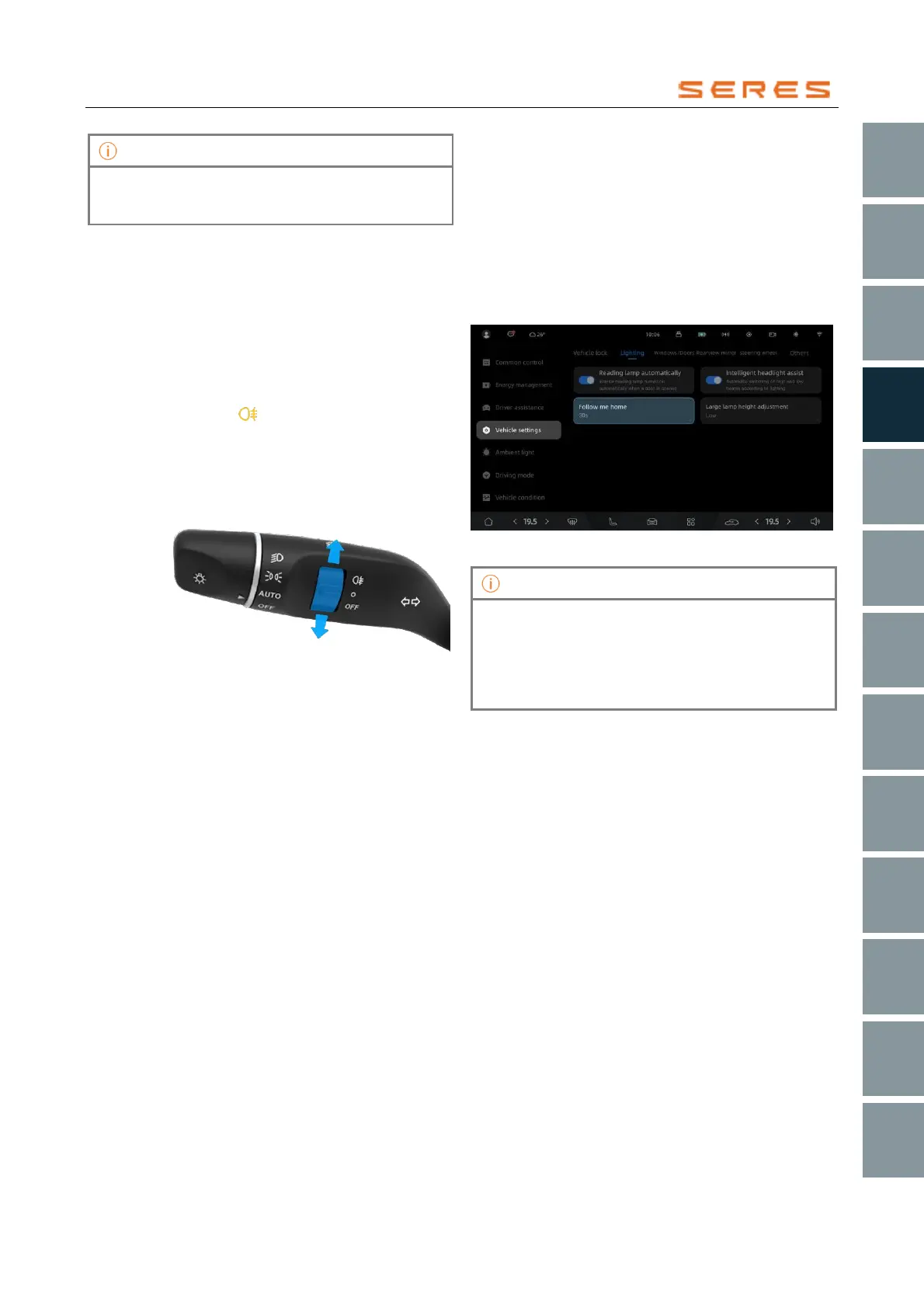
2. To activate the fog light, upwardly toggle the fog light
switch. When the fog light is turned on, the indicator
lamp on the instrument display screen will light on
with the symbol " ". To deactivate the fog light,
downwardly toggle the fog light switch. When the fog
light is turned off, the indicator lamp on the instrument
display screen will extinguish.
* The image is for reference only; please refer to the actual
product
Follow Me Home
By using the Follow Me Home feature, you can extend the
illumination time of the vehicle's low beam lamp and
Position light when leaving the Vehicle in low-light
conditions or at night. This enables you to utilize the lights
to clearly see the way home during your journey away from
the vehicle.
1. On the central control screen, navigate to Vehicle
Setting > overall setting > Lighting > Follow Me
Home. Set the duration for the headlights to remain
illuminated after locking the Vehicle.
* The image is for reference only; please refer to the actual
product
• After enabling the function, when the Vehicle is
locked, the front headlights will extinguish for 2
seconds, indicating successful locking, and then
light on again to guide you home.
• With the feature disabled, the front headlights will
directly turn off when the Vehicle is locked.



 To Next Page