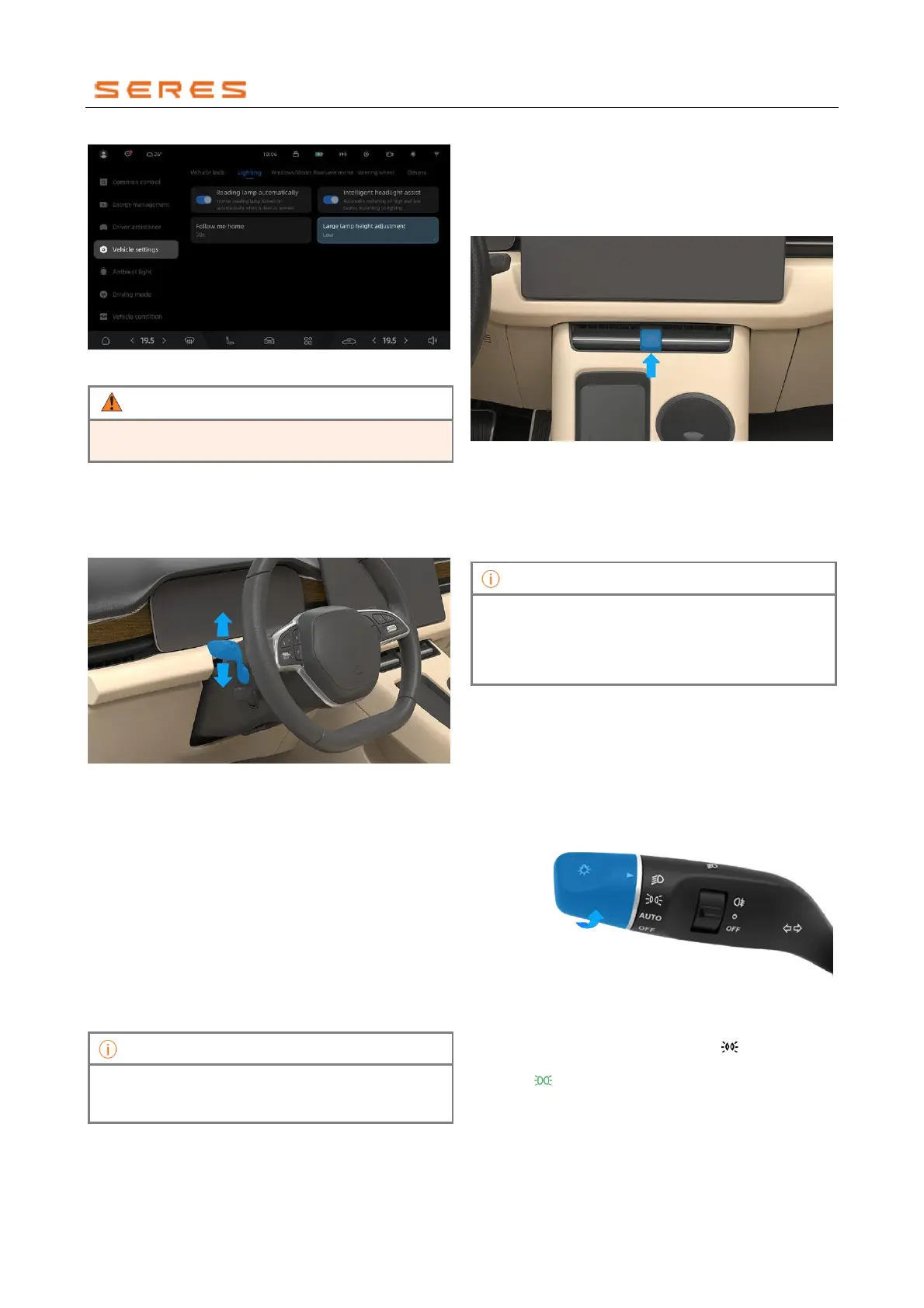
* The image is for reference only; please refer to the actual
product
Do not adjust the height of the low beam lamp during
the driving process to prevent traffic accidents.
Turn signal indicator lights
The turn signal indicator lights is used to notify other road
traffic participants that the vehicle is about to change
direction.
Activate the turn signal indicator lights
* The image is for reference only; please refer to the actual
product
● Gently flick the light control lever up/down, and the
lever will automatically return to its position. The
left/right turn signal indicator lights will flash three
times, and the left/right turn signal indicator lamp on
the instrument display screen will also flash three
times.
● Flick the light control lever up/down to the bottom, and
the lever will automatically return. The left/right turn
signal indicator lightss will continue to flash, and the
left/right turn signal indicator lamps on the instrument
display screen will also continue to flash. To turn off
the turn signal indicator lights, gently flick the light
control lever (up or down) or return the steering wheel
to its center position.
If the turn signal indicator lights does not automatically
turn off when the steering wheel returns to center,
manually flick the light control lever to turn it off.
Welcome light
The Welcome light is located below the exterior rearview
mirror. It lights on when the vehicle is unlocked.
Hazard Warning Flashers
In case of accidents, heavy fog, or emergencies such as
vehicle breakdowns, please turn on the Hazard Warning
Flashers to alert other road traffic participants.
Activate or deactivate Hazard Warning Flashers
* The image is for reference only; please refer to the actual
product
Press the Hazard Warning Flashers button to activate
them. The turn signal indicator lamps and the entire
vehicle turn signal indicator lightss on the instrument
display screen will start flashing. Press the Hazard
Warning Flashers button again to deactivate.
After a high-voltage fault occurs in the vehicle,
continuous use of Hazard Warning Flashers will deplete
the 12V battery. To prevent 12V battery discharge, do
not keep the Hazard Warning Flashers on for an
extended period.
Position light
The purpose of the Position light is to indicate the outline
size of the vehicle, making it easier for front and rear
vehicles to distinguish the size and position of our vehicle
in dim lighting conditions.
Activate or deactivate the Position light
* The image is for reference only; please refer to the actual
product
Rotate the light control lever to the " " position. The
instrument display screen will show the Position light
indicator " " light on, indicating that the Position light is
on.



 To Next Page