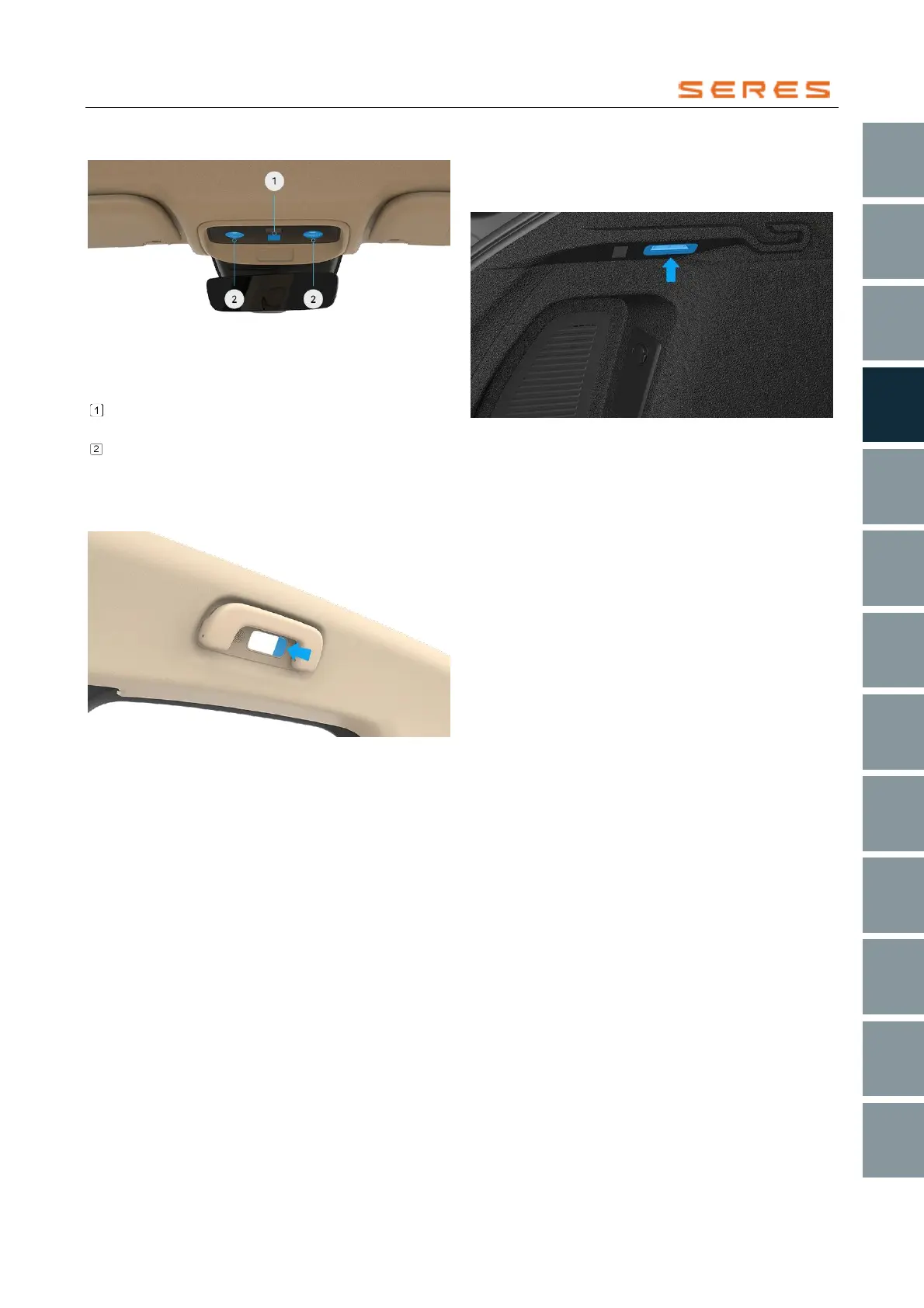
Front Front Reading Light
* The image is for reference only; please refer to the actual
product
Touch this area to activate or deactivate all interior
Front Reading Lights (four in total, front and rear).
Touch the left/right front Front Reading Light area to
turn on the left/right front Front Reading Light; touch
again to turn off the left/right front Front Reading
Light.
Rear Front Reading Light
* The image is for reference only; please refer to the actual
product
Press the back row Front Reading Light button to activate
the rear Front Reading Light, press again to deactivate.
Rear Trunk Illumination Light
The Rear Trunk light facilitates the use of the Rear Trunk
in dim environments. The Rear Trunk light automatically
lights on or off when the Rear Trunk is opened or closed.
* The image is for reference only; please refer to the actual
product



 To Next Page