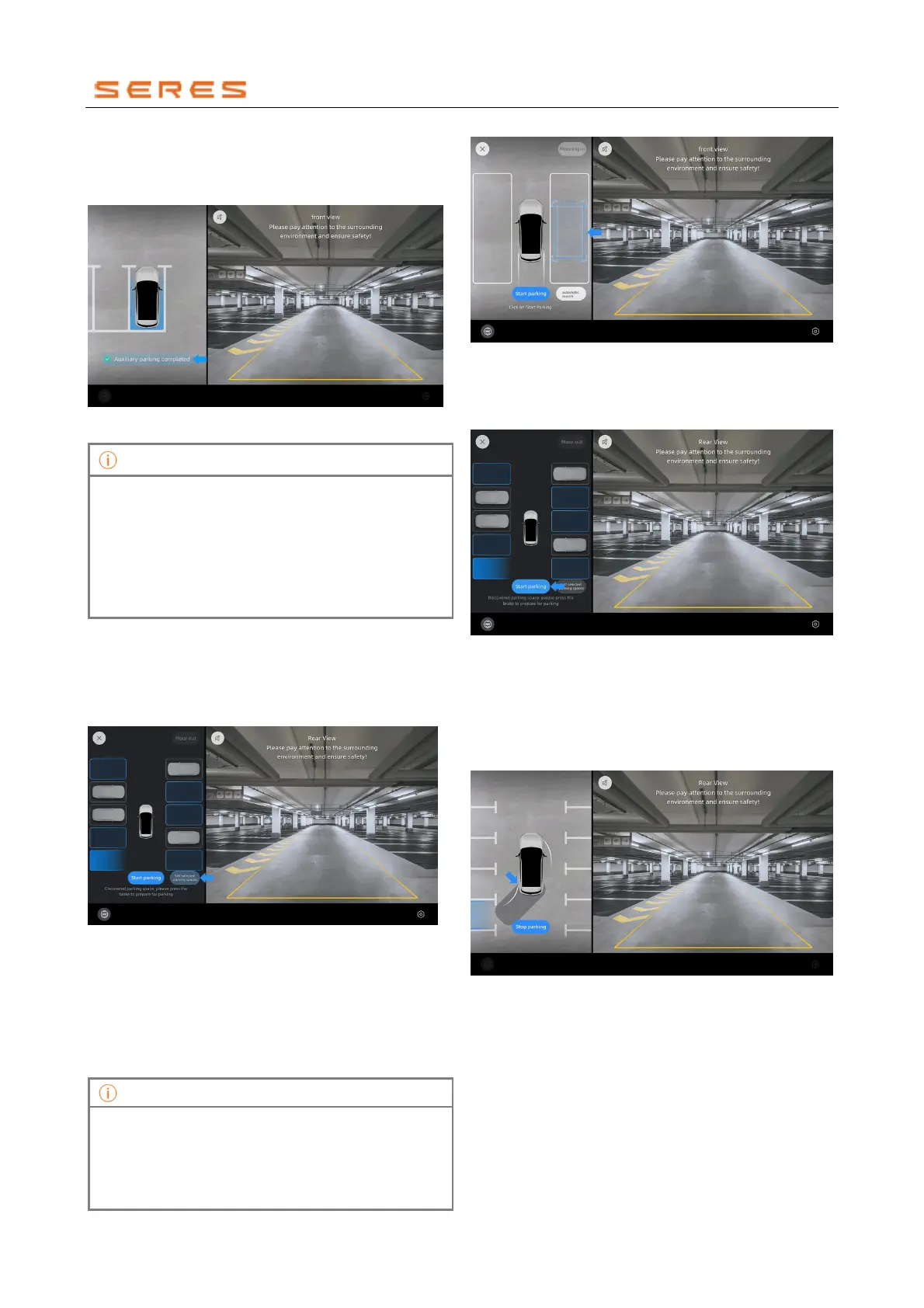
4. After the vehicle parks in the space, a reminder of the
completed parking will appear, and the parking
interface will automatically exit. Please take control of
the vehicle promptly.
* The image is for reference only; please refer to the actual
product
• After completing the parking, you may need to
further adjust the vehicle's position to ensure
correct parking.
• Please use this function at low speeds. The
feature does not support searching for parking
spaces at speeds exceeding 25 km/h, and it
becomes unavailable at speeds exceeding 30
km/h, exiting the parking interface.
Optional Parking Space Selection and Parking
1. After activating the parking function, when the driver
steps on the brake pedal to stop the vehicle, you can
click on the screen's bottom Custom Parking Space
switch to switch to the optional parking space entry
mode.
* The image is for reference only; please refer to the actual
product
2. Clicking "Custom Parking Space" allows you to drag
the parking space box to a suitable position. The
target position's space size cannot be smaller than
the size of the outer dashed box in the view. You can
drag the parking space box to change its position,
and clicking on the parking space box can change its
angle.
When placing the parking space box, please observe
the environment. The parking space box cannot be
placed on top of other obstacles, and the parking space
box's inner frame must have at least three sides
displayed in the open area on the left and right sides of
the vehicle.
* The image is for reference only; please refer to the actual
product
3. After adjusting the parking position, please press the
brake pedal and click the "Start Parking" switch to
activate the Parking Assistant parking function.
* The image is for reference only; please refer to the actual
product
4. The shadowed small Vehicle in the image represents
the next step's location for the vehicle to park. If you
notice that the shadowed small Vehicle is on top of
other obstacles and the vehicle has not stopped
when approaching, please be sure to take control of
the vehicle in a timely manner.
* The image is for reference only; please refer to the actual
product
5. After the vehicle parks in the space, a reminder of
parking completion will be displayed, and the parking
interface will automatically exit. Please take control of
the vehicle promptly.



 To Next Page