Travel and Entertainment 丨 139
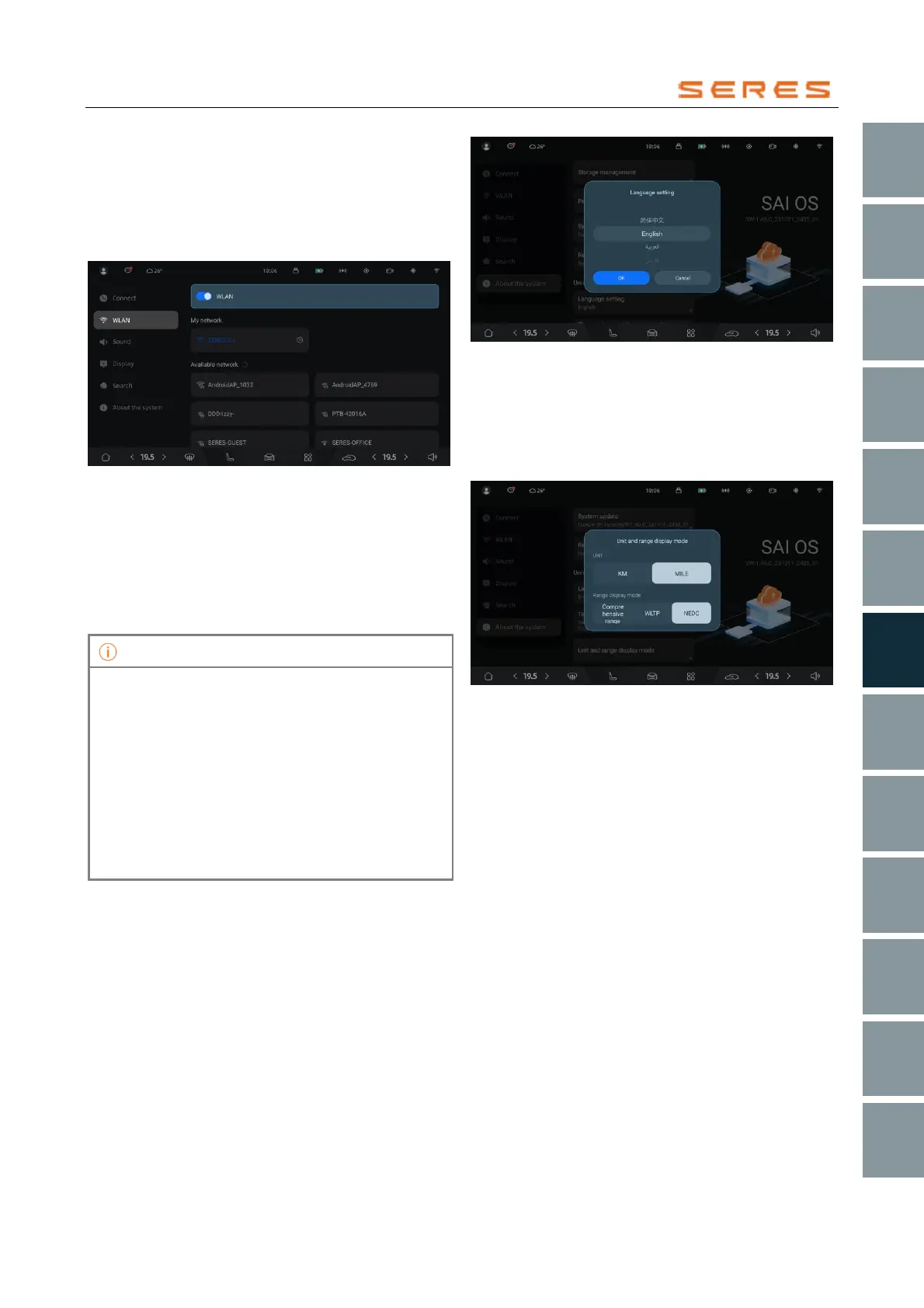
1. In the central control screen, go to System
Settings > Connection, turn on the WLAN
(WIRELESS LOCAL AREA NETWORK) switch,
and the vehicle will automatically scan WLAN
(WIRELESS LOCAL AREA NETWORK) networks.
Click on the WLAN ( WIRELESS LOCAL AREA
NETWORK) settings card to view the available list.
* The image is for reference only; please refer to the actual
product
2. Choose the WLAN ( WIRELESS LOCAL AREA
NETWORK) network you want to use, enter the
password (if necessary), and click connect.
To delete the currently connected WLAN( WIRELESS
LOCAL AREA NETWORK ) network, click on the
connected WLAN ( WIRELESS LOCAL AREA
NETWORK) network and select delete.
• Once connected to a network, when WLAN
( WIRELESS LOCAL AREA NETWORK ) is
enabled and the vehicle is within its range, the
vehicle will automatically connect to it. If there are
multiple previously connected networks in range,
the vehicle will connect to the most recently used
network.
• You can use the WLAN ( WIRELESS LOCAL
AREA NETWORK) feature to connect and use
the personal hotspot shared by your phone.
Please be aware of data consumption while using
this feature.
General System Settings
You can set the system language and time, and choose
the unit and Endurance mileage display mode.
Language and Time
Go to System Settings > System > Language and Time on
the central control screen. Choose your desired language
and time display, including options such as Chinese,
English, 24-hour or 12-hour clock, and time zone settings.
* The image is for reference only; please refer to the actual
product
Unit Format
Go to System Settings > System > Unit and Endurance
Mileage Display Mode on the central control screen. You
can choose the distance unit and Endurance mileage
display mode for the instrument panel based on your
preferences.
* The image is for reference only; please refer to the actual
product



 To Next Page