Use the remote control key to unlock or lock the
vehicle
Remote control key unlocks or locks the vehicle (refer to
page 50).
Use the mechanical key to unlock or lock the vehicle
Mechanical key unlocks or locks the vehicle (refer to page
51).
Each vehicle configuration comes standard with 2
remote control keys and 1 mechanical key.
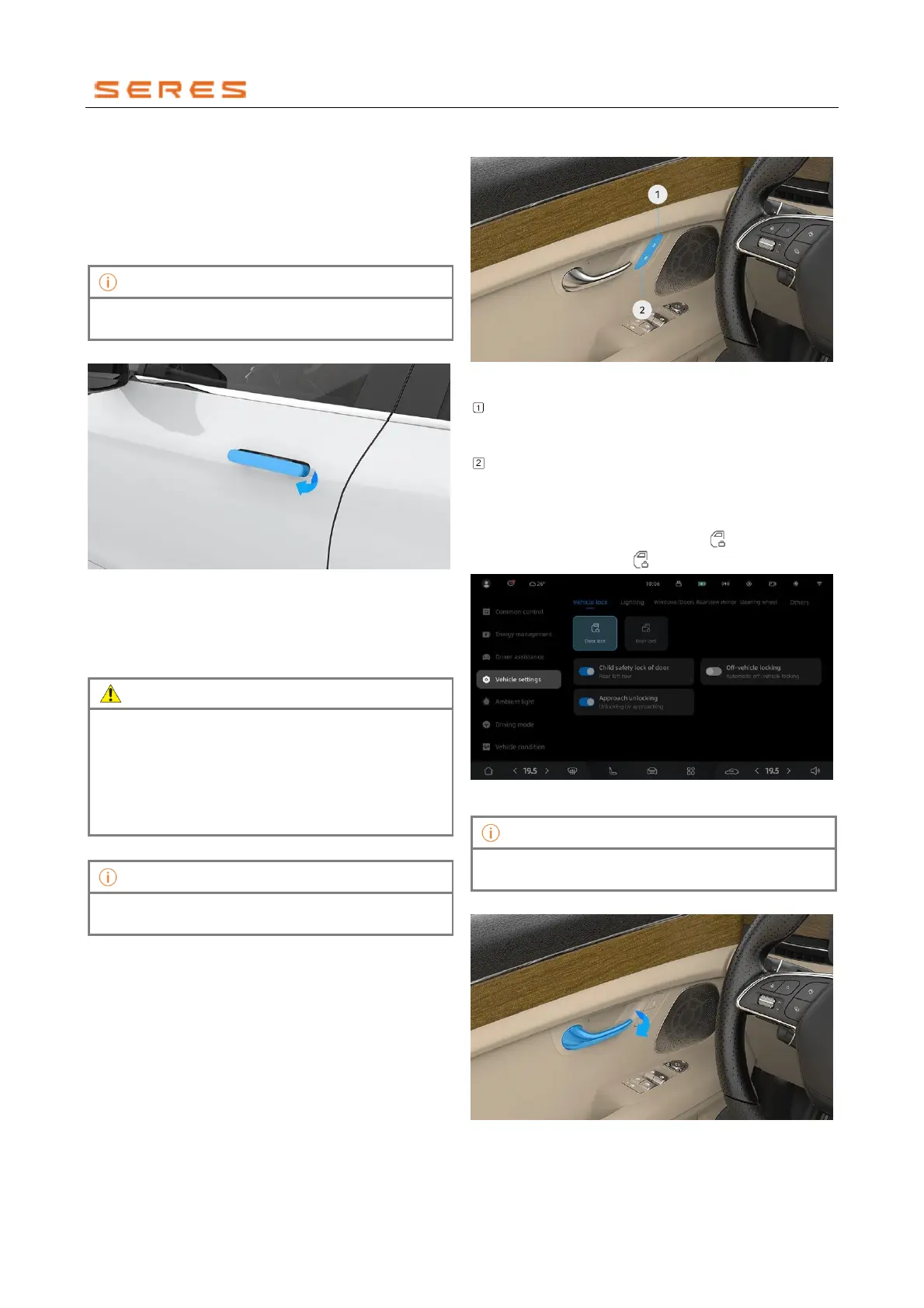
Using the Vehicle door exterior handle
* The image is for reference only; please refer to the actual
product
● In unlock status, pull the Vehicle door exterior handle
to open the door.
● When the vehicle is locked, the Vehicle door exterior
handle automatically retracts.
• Under any condition, do not obstruct the retraction
of the Vehicle door exterior handle with hands or
other objects, as it may cause injury or damage to
the handle.
• In low-temperature environments, the Vehicle door
exterior handle may freeze, preventing automatic
deployment. In such cases, perform thawing first.
When opening the Vehicle door, the instrument display
screen shows a door open prompt.
Interior unlocking and locking
You can unlock or lock the vehicle from the inside in
various ways.
Internal Unlock and Lock.
* The image is for reference only; please refer to the actual
product
Unlock Button: When the vehicle is in a locked
condition, press the unlock button to unlock the
vehicle.
Lock Button: With the Vehicle doors and Rear Trunk
closed, press the lock button to lock the vehicle.
To unlock or lock the vehicle
Go to the vehicle setting on the central control screen >
overall setting > Door lock. Click the " " switch to unlock
the vehicle, and click the " " switch to lock the vehicle.
* The image is for reference only; please refer to the actual
product
The vehicle can only be locked when the Vehicle doors
and Rear Trunk are in the closed state.
Use the interior door handle to
* The image is for reference only; please refer to the actual
product



 To Next Page