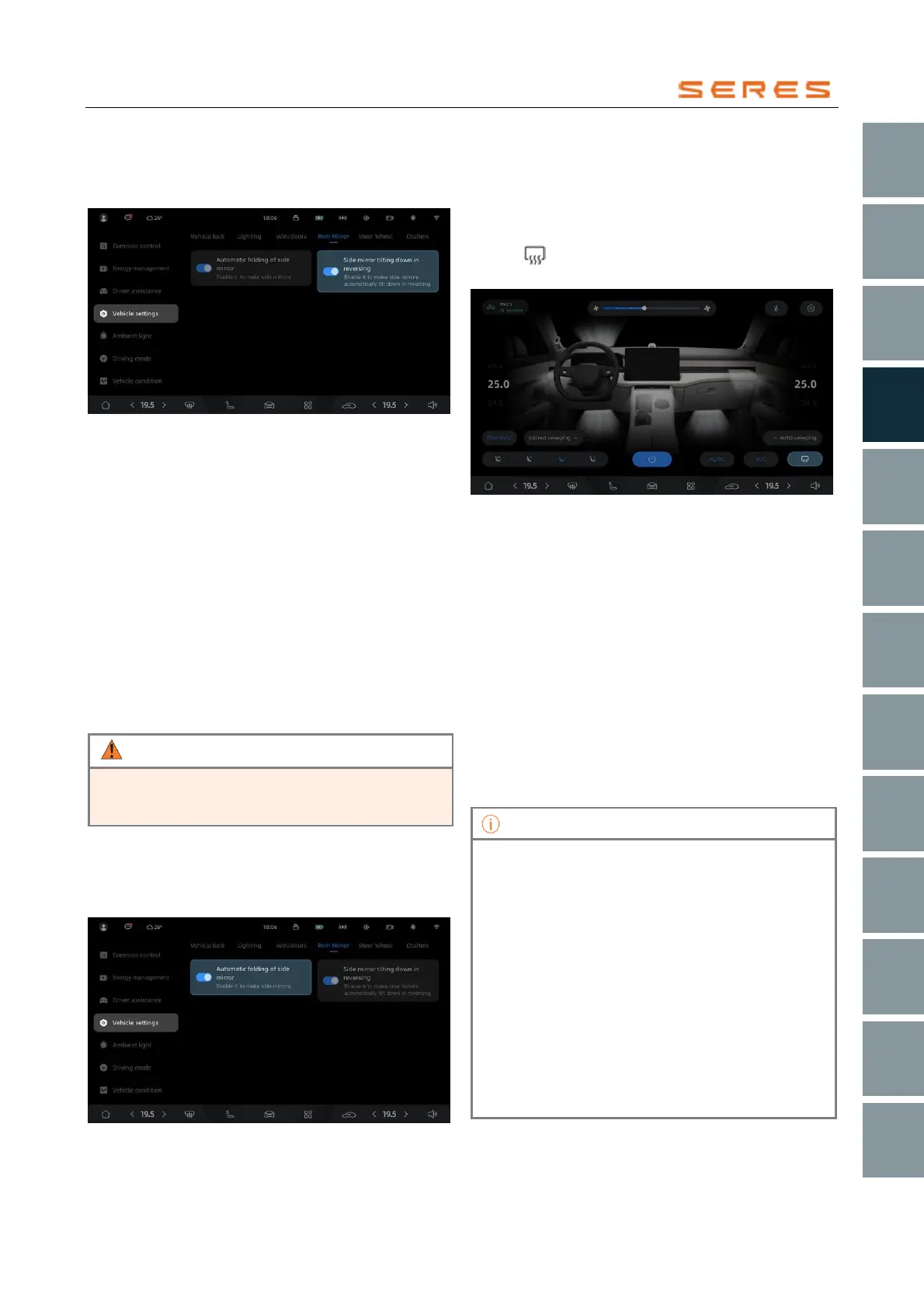
Activate or Deactivate Auto Tilt in Reverse
In the central control screen, go to Vehicle Setting >
overall setting > Rearview Mirror, and activate or
deactivate the auto tilt feature in reverse.
* The image is for reference only; please refer to the actual
product
Adjust the automatic tilting angle of the exterior
rearview mirror when reversing
1. Open the automatic tilting function for the rearview
mirror on the central control screen.
2. After the vehicle is started, press the brake pedal and
shift to reverse.
3. Once the automatic tilting of the rearview mirror is
complete, readjust the angle of the exterior rearview
mirror as needed.
4. After adjusting, shift to other positions; shift to reverse
again to check if the angle of the exterior rearview
mirror is suitable.
Automatically adjust the angle of the rearview mirror
When the vehicle is in the parking gear (P), the driver
steps on the brake pedal, looks ahead, and the rearview
mirror will automatically adjust to the appropriate angle.
For your safety and the safety of passengers, after the
automatic adjustment of the rearview mirror angle,
please observe whether the adjustment is in place.
The automatic folding of the lock when activating or
deactivating.
In the central control screen, navigate to Vehicle Setting >
overall setting >Rearview Mirror, and activate or deactivate
the automatic folding feature when locking the Vehicle.
* The image is for reference only; please refer to the actual
product
Exterior rearview mirror heating
The vehicle's exterior rearview mirror is equipped with a
heating and defrosting function. You can activate or
deactivate this function using the rear defrost switch.
Slide up from the bottom of the central control screen to
access the Climate controls panel. Click on the diamond
symbol to activate or deactivate the rear defrost and
exterior rearview mirror heating function.
* The image is for reference only; please refer to the actual
product
Exterior rearview mirror memory
The exterior rearview mirror memory function is combined
with the main driver's Front and Rear Seats memory
function, meaning that saving the Front and Rear Seats
position will also save the position of the exterior rearview
mirror at that time.
1. Log in to the account within the central control
screen.
2. When the gear position is in P, adjust the Front and
Rear Seats or rearview mirror by using the Front and
Rear Seats or rearview mirror buttons to position
them comfortably.
3. After adjustment, a pop-up window will appear on the
central control screen. Click "Memory" to save the
current Front and Rear Seats and exterior rearview
mirror positions.
• When not in P gear position, adjusting the Front
and Rear Seats or rearview mirror will not trigger a
pop-up window on the central control screen.
• If the central control screen displays a
corresponding prompt, clicking the "Restore"
switch will restore the driver's Front and Rear
Seats and exterior rearview mirror positions to the
last saved positions.
• After the central control screen displays a
corresponding prompt, clicking on the blank area
of the central control screen or waiting for a few
seconds will make the pop-up window disappear
automatically.
• Each account can only store one driver's Front
and Rear Seats and exterior rearview mirror
position.



 To Next Page