Manual – IPOSplus®
183
14
SEW standard structures
Compiler – Programming
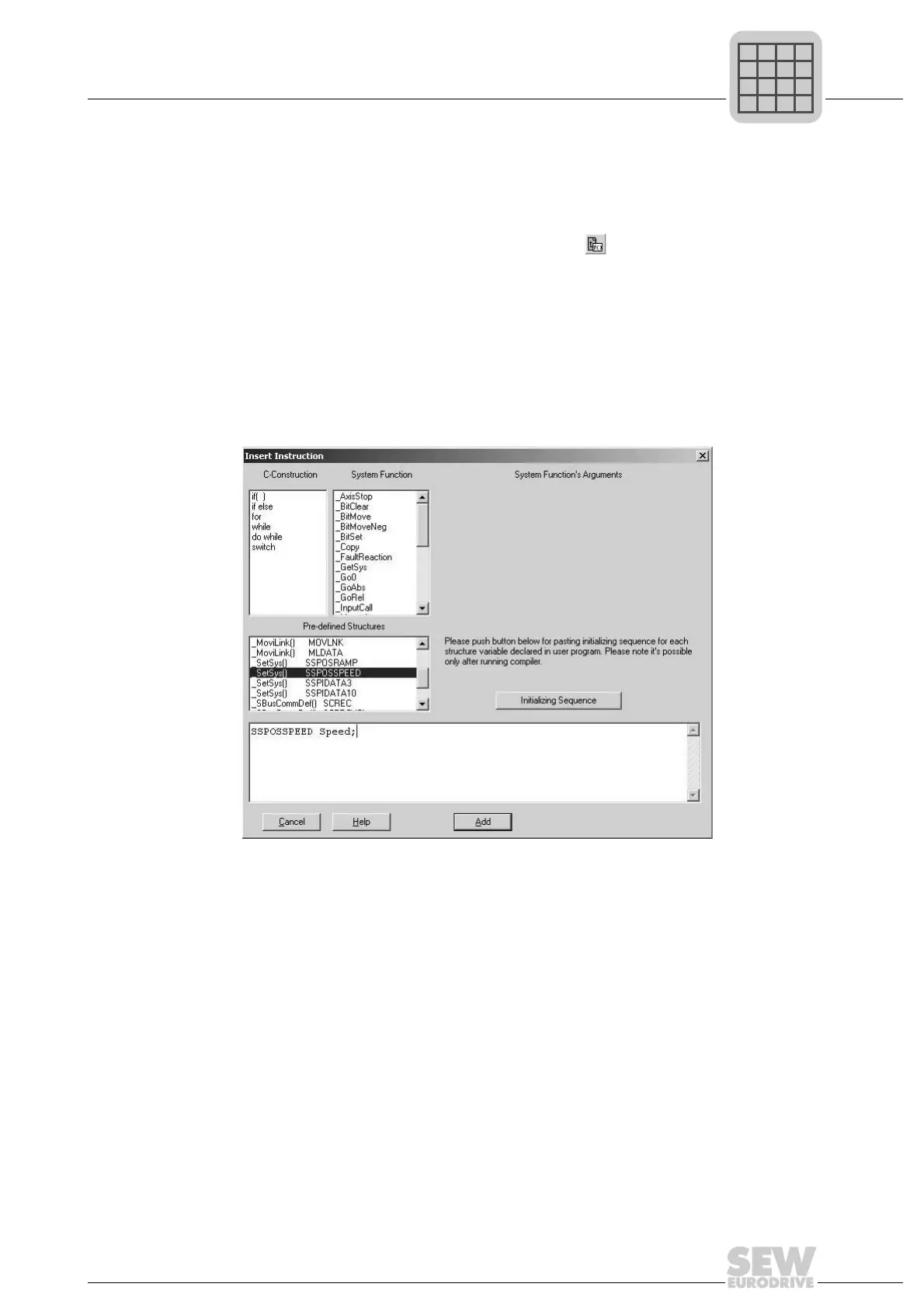
The insert tool can be used for support when declaring and initializing standard struc-
tures. The cursor must be positioned in the Editor window at the place where the decla-
ration for the structure variables is to be inserted. Call up the insert tool by clicking the
right mouse button. A context menu opens: Choose the menu item [Insert Instruction].
You can also call up the insert tool by pressing the icon in the toolbar or by choosing
[Edit]/[Insert Instruction] from the menu bar. Select the predefined structure and change
the name of the variable in the editing window of the input help. If several structure vari-
ables are declared from the same structure type, separate them with a comma.
Once all structure variables have been declared they must be initialized depending on
the specific application. The insert tool can also be used for this process. Place the cur-
sor in the Editor window at the place where the initialization sequence should be added.
Compile the program and then call the insert tool. Press [Initializing Sequence]. An ini-
tialization block is created for each structure variable that has been declared.
Inserting an instruction:
493929483



 To Next Page