360
Manual – IPOSplus®
24
"Flashing light" sample program
Assembler – Examples
24 Assembler – Examples
24.1 "Flashing light" sample program
24.1.1 Sample "Controller"
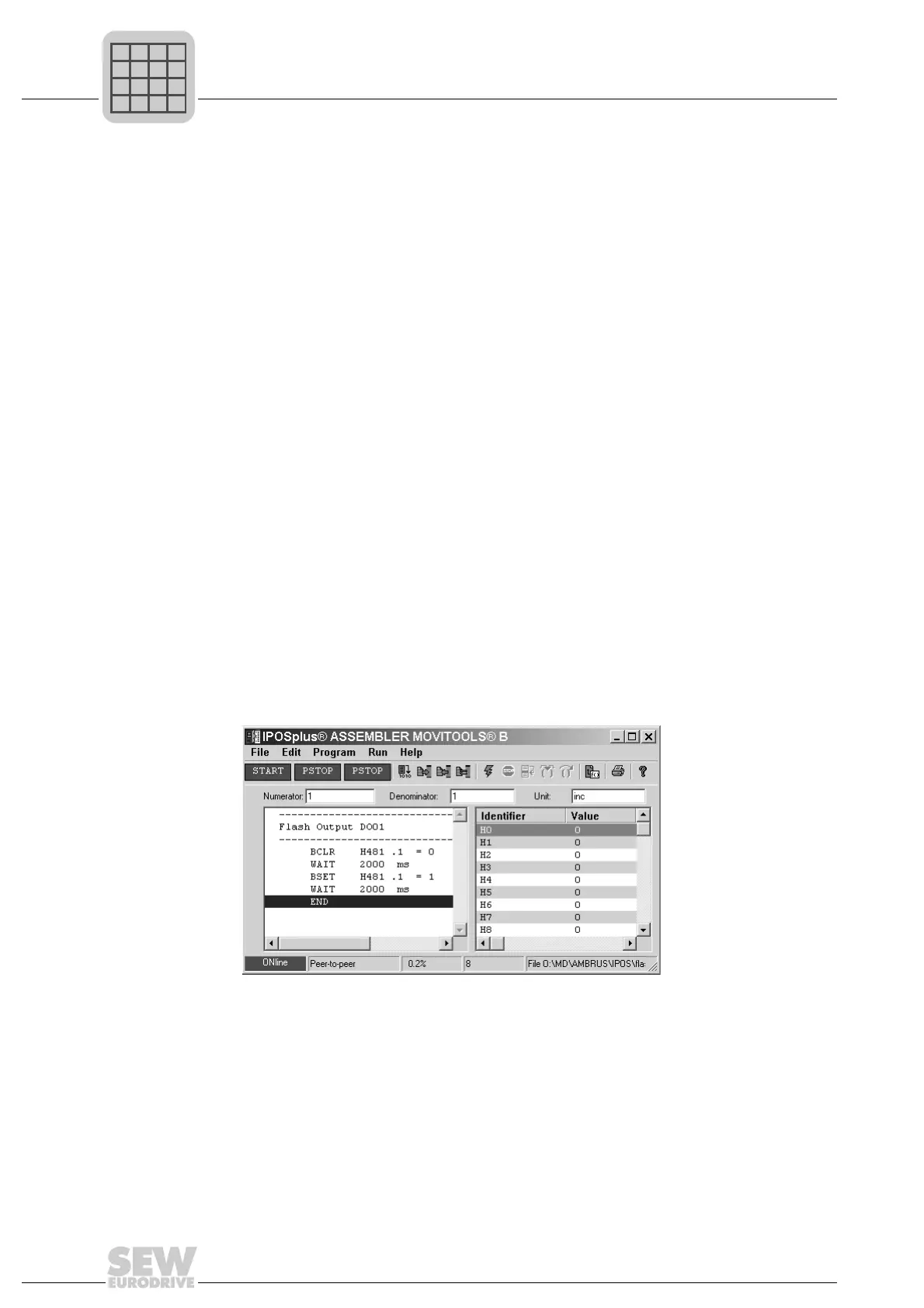
This sample program switches digital output DOØ1 on and off every 2 seconds.
Quick-start (exam-
ple)
Requirements
Mains connection and/or 24 V supply (backup voltage terminals X10:9 (+24 V / VI24)
and X10:10 (0 V / DGND)) connected; no need to connect the motor and encoder (no
motor movement).
1. No startup required for the speed control.
2. Set the output in Shell (P621 Binary output DOØ1 → IPOS OUTPUT).
3. Start the Assembler
4. Open/activate the "Program" window and enter the sample program "Flash output
DOØ1".
5. Download the sample program from the program window (PC) to the inverter's pro-
gram memory: Press "Ctrl + F9" in the active program window
6. Start the sample program: Press "F9" in the active program window
7. Check the user program:
• The task 1 display in the program header changes from PSTOP to START.
• The program pointer runs in the program window.
• In Shell, the display parameter P052, output terminal DOØ1, changes between 1
and 0 every 2 seconds.
Assembler program window:
516819723
The program consists of:
3 remark lines (two dashed lines to highlight the program name, and one line for the pro-
gram name)
Set output DO02 (X13:3) to "0"
Wait 2 seconds
Set output DO02 (X13:3) to "1"
Wait 2 seconds
End of program / jump to start of program



 To Next Page