154
Manual – IPOSplus®
13
Settings for the IPOSplus
®
Compiler
Compiler – Editor
13.3 Settings for the IPOS
plus®
Compiler
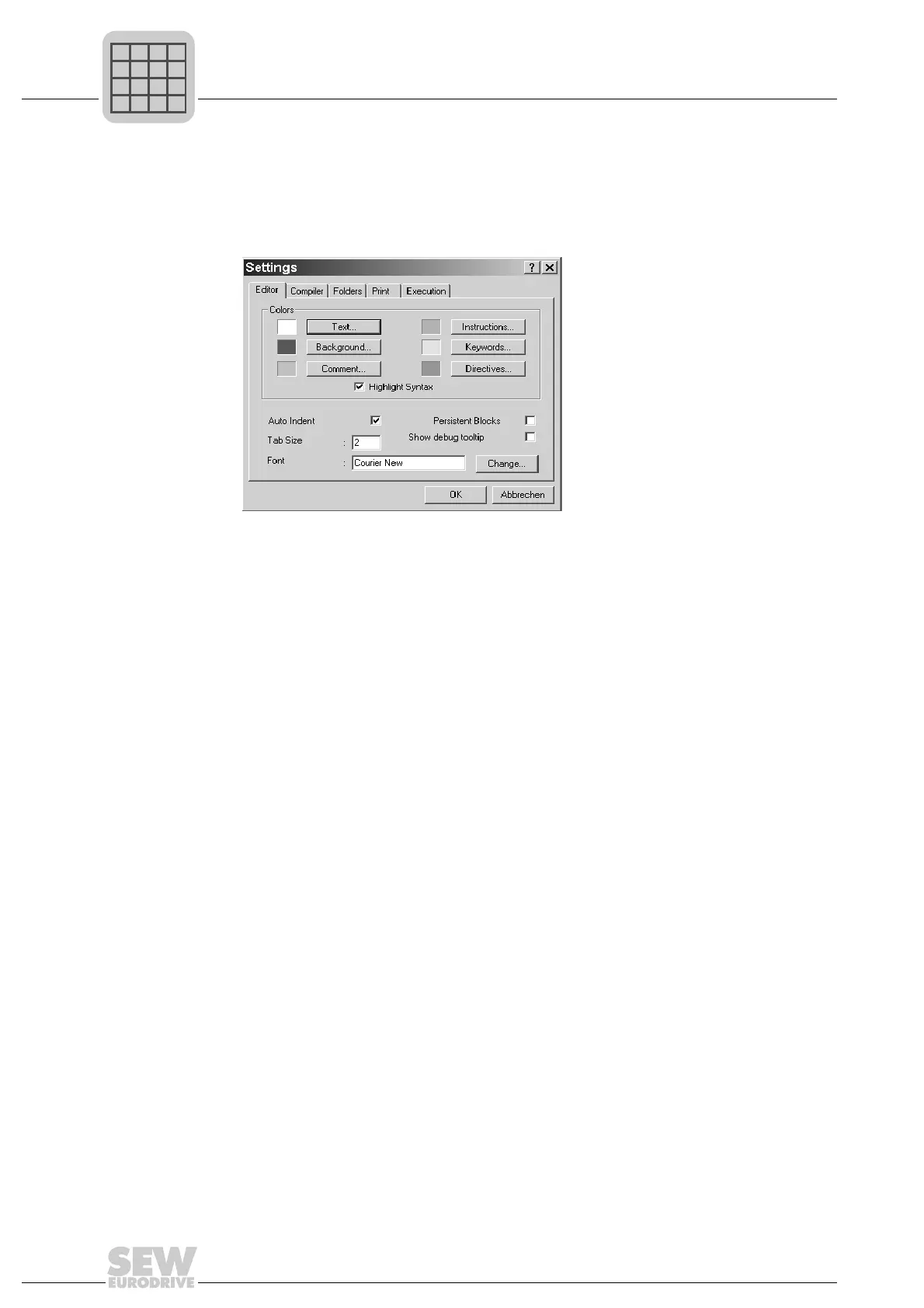
You can make a number of settings for the entire Compiler. To do so, choose [Options]/
[Settings]. The following dialog box appears:
Editor settings
In the Editor settings, you can select the colors for the background and the text. In the
same way, settings can be made for the syntax highlighting colors, for displaying the
syntax of instructions and keywords in color.
In addition, the following settings can be made:
• Color syntax display: Activate and deactivate the syntax highlighting for instructions
and key words.
• Automatic indent: The cursor is indented automatically in line with the first character
of the previous line when you change to a new line by pressing the Enter key.
• Persistent blocks: Selected blocks remain marked until a new selection is made. If
this option is deactivated, the text block selection mark disappears when the cursor
is moved. Pressing a key causes the selected block to be replaced.
• Tab size: Number of characters by which the cursor is indented when the Tab key is
pressed.
• Font : Select the font by clicking the [Change...] button.
• Show debug tooltip: If the [Show debug tooltip] option is activated, the content of
variables is displayed directly in the Editor window when the cursor is placed on the
required variable.
483719691



 To Next Page