280
Manual – IPOSplus®
20
First steps
Assembler – Introduction
20.2.2 Creating a new program
To familiarize yourself with the IPOS
plus®
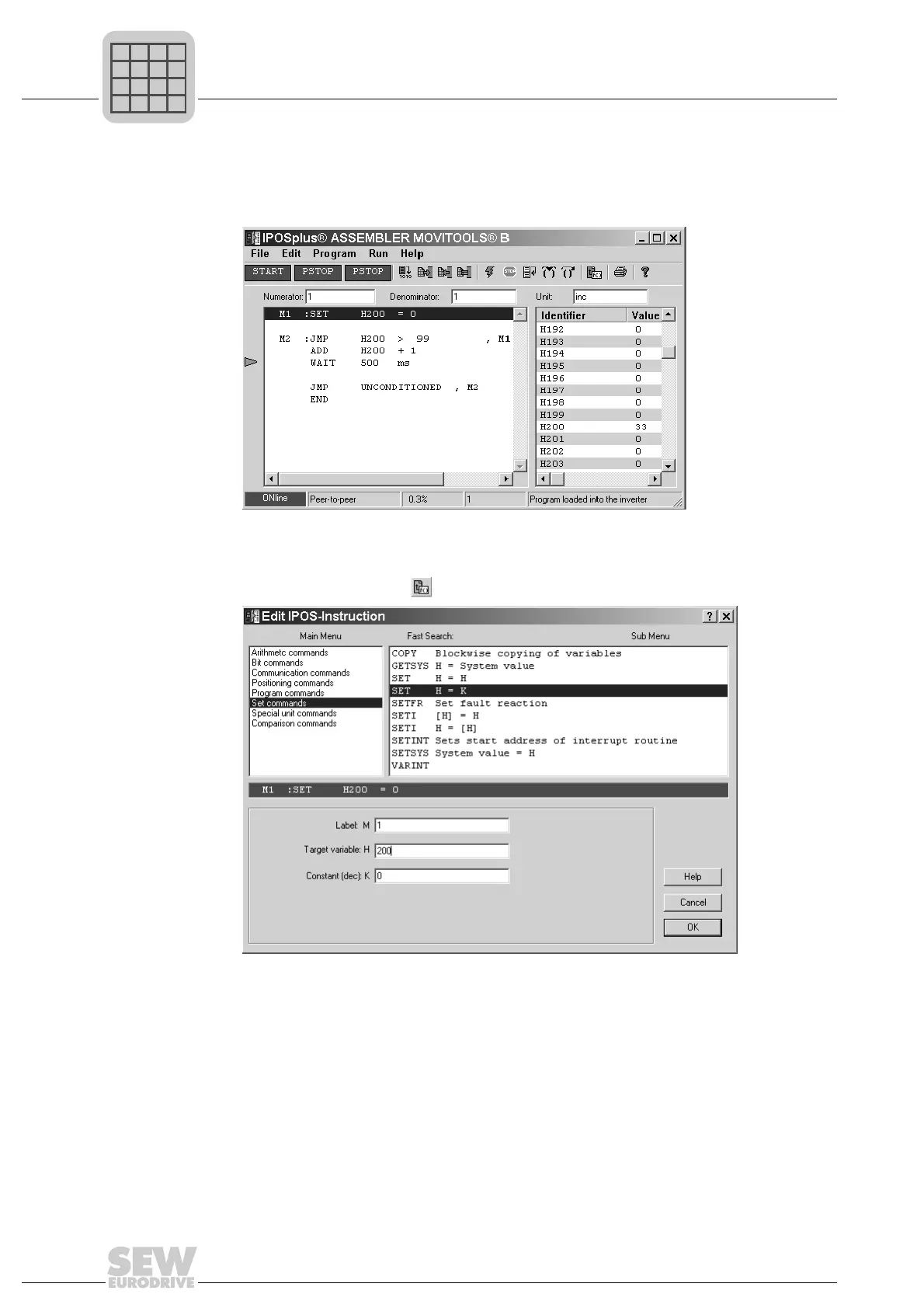
Assembler you will write your first program to
increment a variable from 0 to 99 in steps of 500 ms.
Assembler commands are entered using the insert tool. To open the dialog box of the
insert tool, click the icon .
To insert the first Assembler command in the program, in the [main menu] window, click
on [Set commands] and choose "SET H = K" from the window on the right.
In the lower section of the dialog box, enter the jump label of the command line, the tar-
get variable and the value (constant) to which the variable should be set. Click on [OK]
to close the insert tool and insert the command in the program.
511514635
511519755



 To Next Page