282
Manual – IPOSplus®
21
Assembler – Editor
21 Assembler – Editor
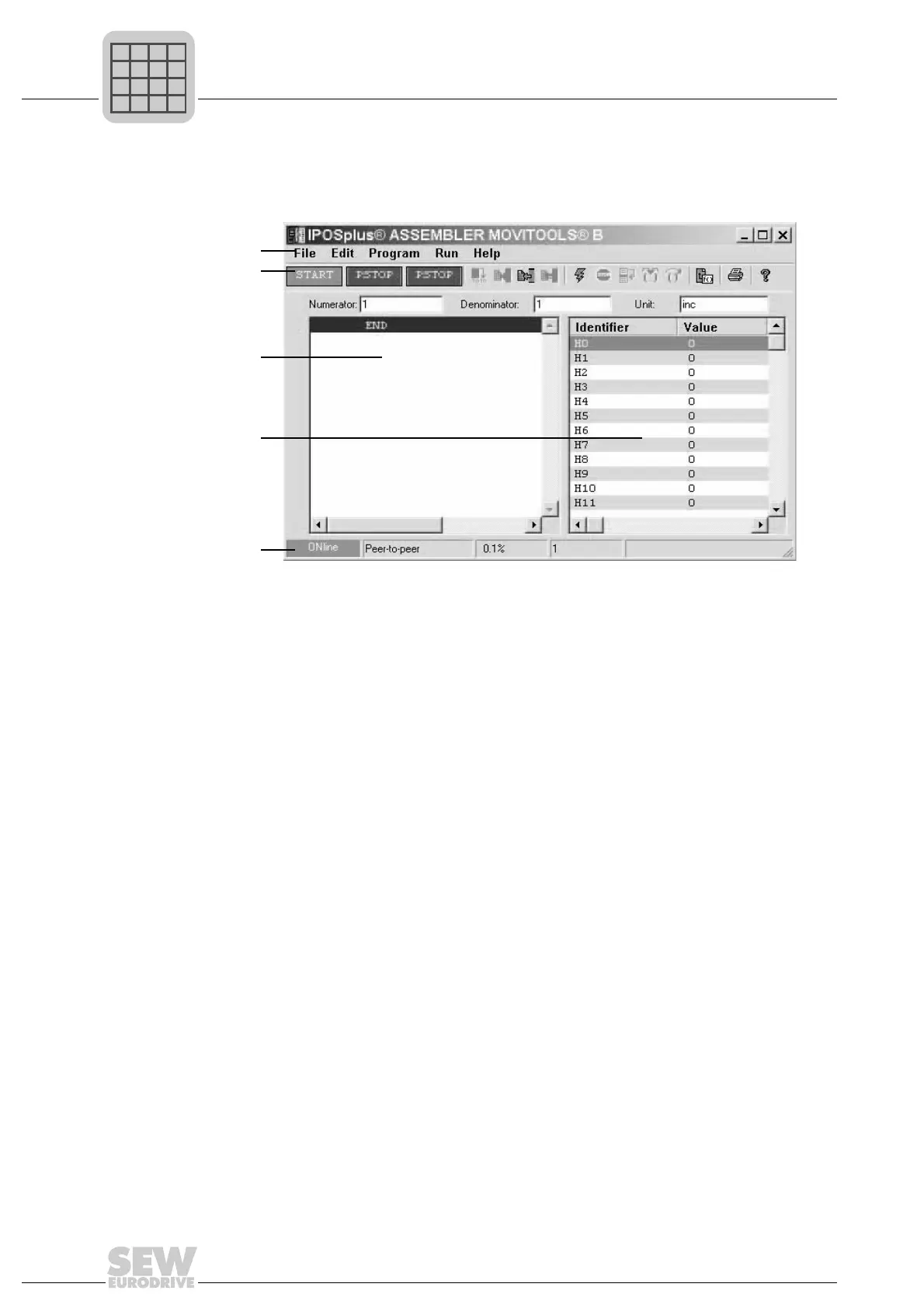
The Editor is displayed after the IPOS
plus®
Assembler has been started:
The status bar shows whether the unit is online or offline. It also displays the program
memory content as a percentage and the number of program lines selected.
There are three input fields under the toolbar:
• Numerator
• Denominator
•Unit
Position setpoints can be scaled using the numerator/denominator ratio, which means
that they can be specified in units defined by the user. Positions specified via variables
cannot be scaled using this ratio.
511872523
[1] Menu bar
[2] Toolbar
[3] Program window
[4] Variable window
[5] Status bar
[1]
[2]
[5]
[3]
[4]



 To Next Page