199
Chapter 10: The SOLVER Feature
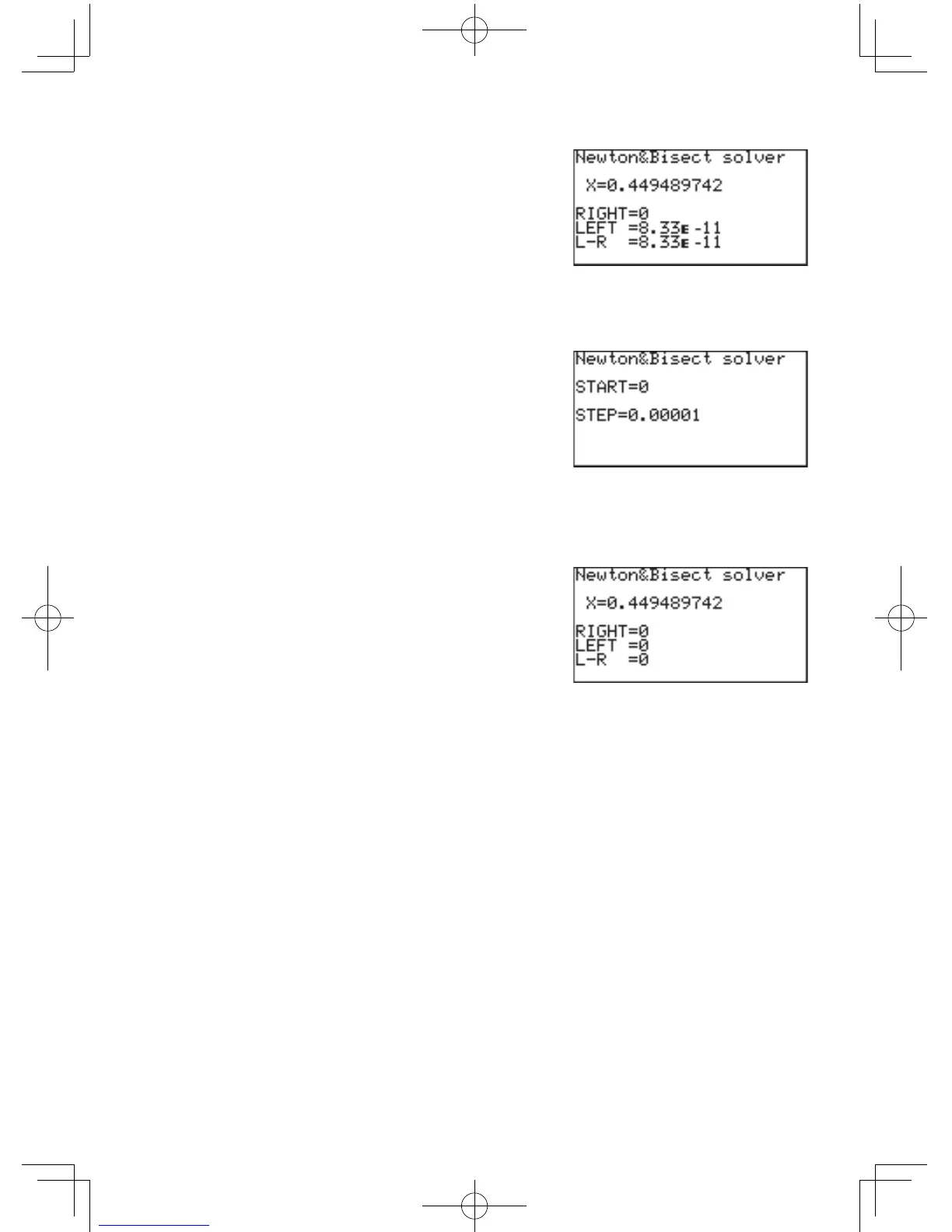
6. The following window shows
the approximate value of
X(0.449489742),theright
side value of the equation
(assumedas“0”,atstep#2),
the left side value (which the
enteredexpressionresultstothisvaluewhenthevalueXis
entered), and the difference between the left and the right side.
7. SincetheL-Rdifference
above indicates a margin of
error, try entering smaller
steps.Press
C
to go
back to step #3. Enter
thevalueofX,thenpress
@
h
toexecutetheSOLVERagain.Whenthenext
windowappears,tryenteringsmallerstepvalue(“0.00001”,for
example).
8. Press
E
to register the
step value change, then
@
h
.Althoughthe
valueofXappearstobe
unchanged, the margin of
error will have become small
enough(“0”,inthisexample),tobeasclosetozeroaspossible.
Note: Asyoumaywellknow,theremaybemorethanonesolutiontothe
equation. To obtain the value of the other solutions, set the starting
pointofNewton&bisectionmethodlower(“-10”,forexample)or
executetheSOLVERagainwiththecurrentsolutionasastarting
point.



 To Next Page